System Assembly PLS6
1. Unpack the laser system.
2. Move the laser system to the location in which you intend to operate it and lock the casters.
Note: If it becomes necessary to move the laser system through narrow doorways to install in its
intended location, the system can be detached from the cart and transported in two pieces. If so,
follow the steps below, if not, skip laser cartridge installation.
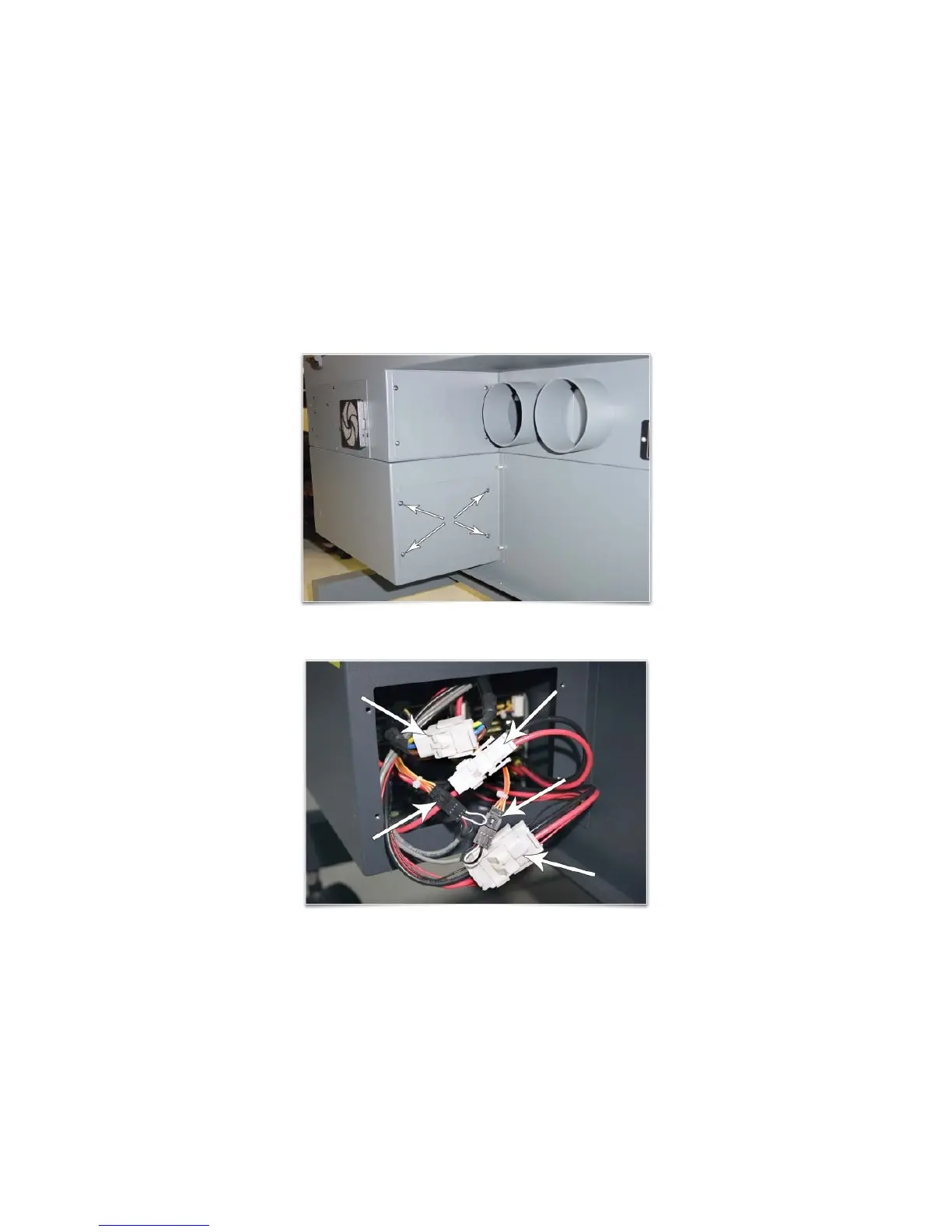
a. In the back of the system, locate the access panel shown below and remove the four screws
holding it in place.
b. Locate the three white connectors and the two black connectors and disconnect all of them.
30



 To Next Page