Laser Cartridge Installation – PLS6MW Multi-Wave Laser Platform
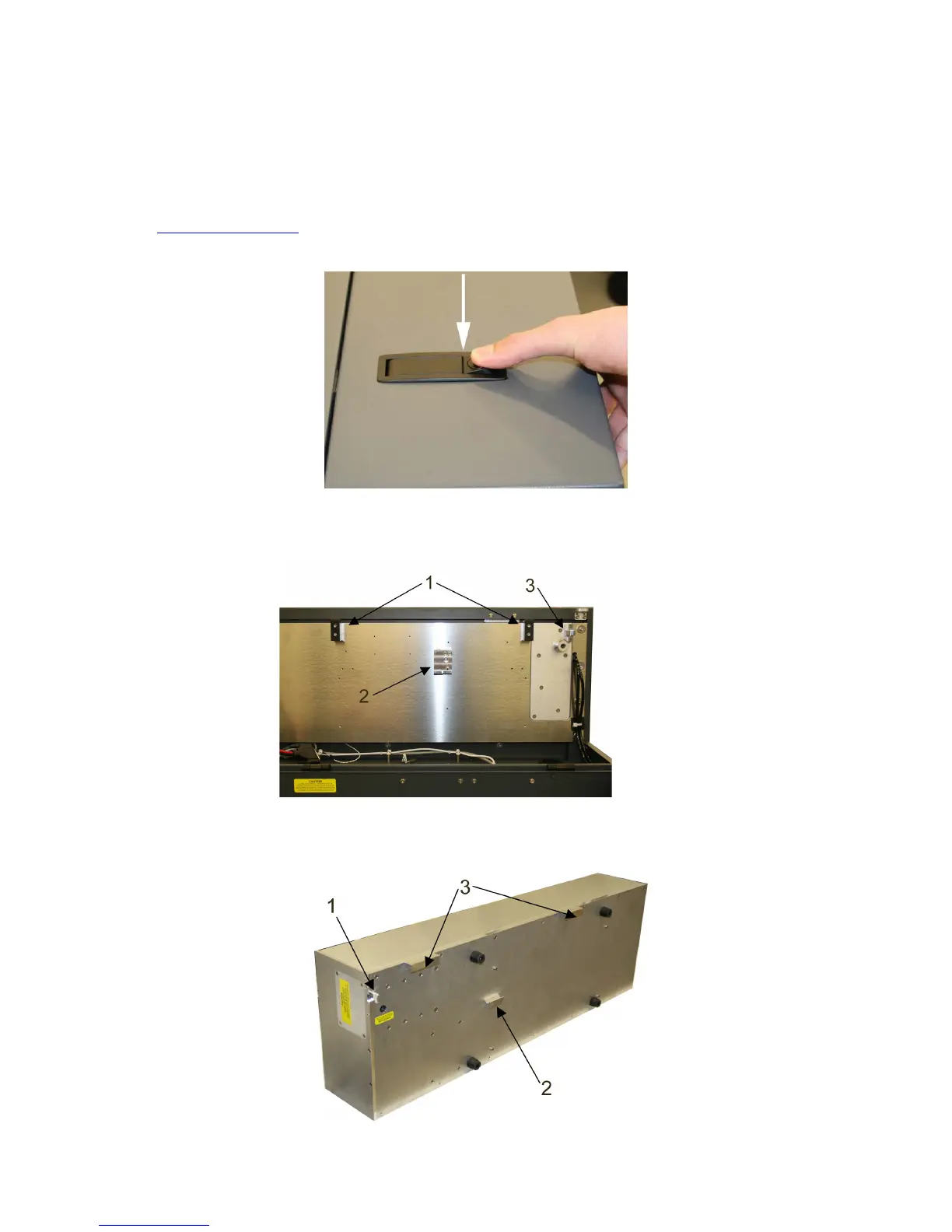
1. Make sure that your laser system power cord is not plugged in at this time. Open the rear laser cover
using the latches on top of the laser cover. Some laser systems are shipped with keyed locks so make
sure the latches are unlocked.
Note: Access latches for the laser cover are lockable. If you lose your keys, please contact our Customer
Service Team at 480-609-0297 (USA), +43 1 402 22 50 (Austria), +81 (45) 224-2270 (Japan) or e-mail us
at support@ulsinc.com for new keys.
2. Locate the mounting blocks (1), the laser latches (2) and alignment forks (3). Notice that the alignment
fork has a groove located between two blocks, one short and one tall.
3. Locate the “V” groove along the upper (3) and lower (2) part of the laser cartridge base plate and the
alignment plate (1) at the end of the base plate.
36



 To Next Page