Page 8
49379902 Rev. G Radial 8 & 88 Operation Reference Manual
This Document Supports IM-UPS 5.0 and Higher
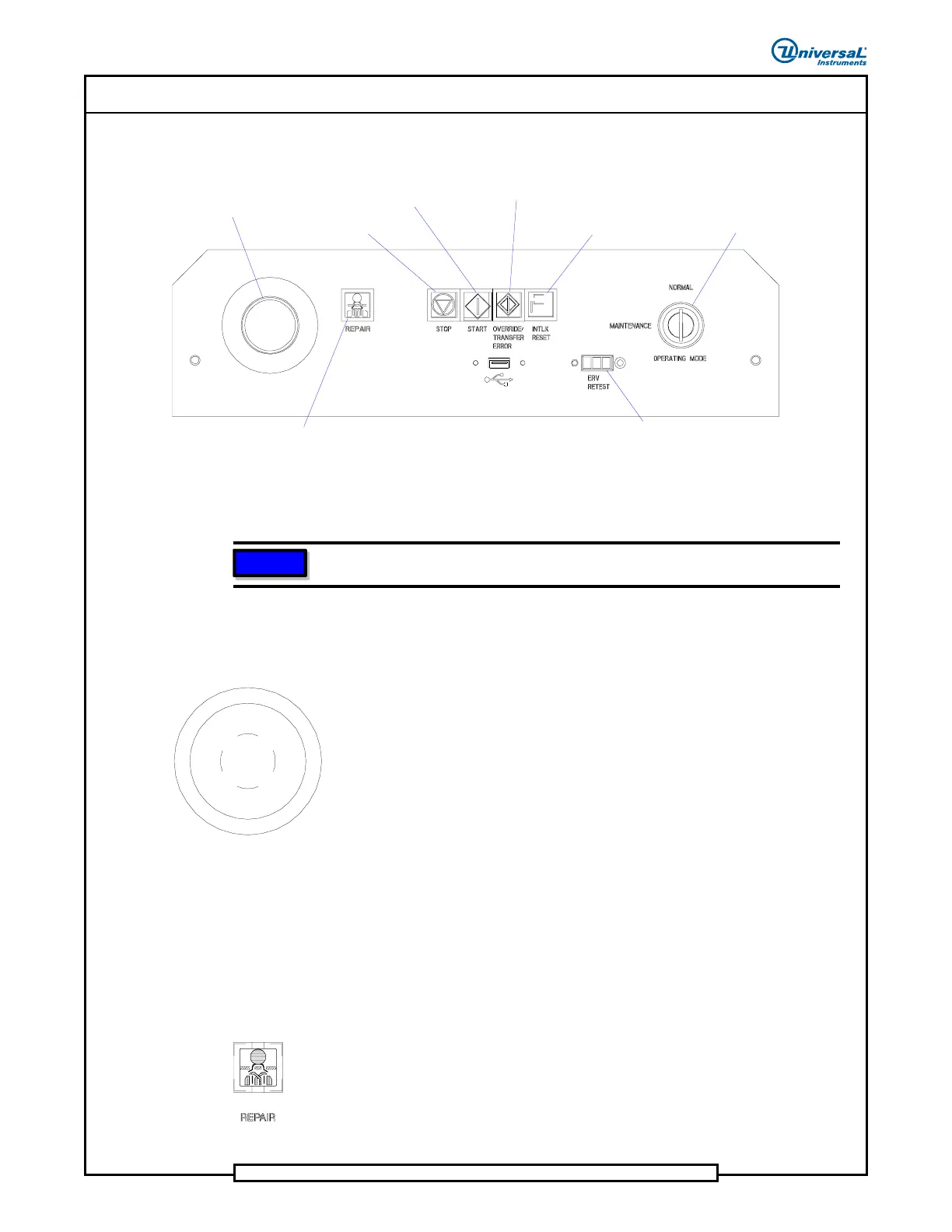
Machine Push Button Control Panel
EMERGENCY STOP
SWITCH
STOP
START
OVERRIDE/
TRANSFER ERROR
INTERLOCK
RESET
EXPANDED RANGE VERIFIER
TEST PORT
OPERATING
MODE
REPAIR
The following paragraphs define each push button and indicator located on
the machine push button panel (from left to right.)
NOTE
If a push button indicator is illuminated, it must be pushed to proceed.
Emergency-Stop Switch (E-Stop)
Use the E-Stop switch, to affect the machine as follows.
Push to Stop: When the E-Stop switch is pushed, the machine stops
immediately. The dump solenoid is deactivated which removes all
pneumatic power and electrical power from the servo motors. The
palm switch should only be used to stop the machine in emergency
situations when an immediate stop is required.
Rotate to Start: When the E-Stop switch is rotated to the start
position, the pneumatic system and servo motors are enabled. After
the E-Stop is reset (rotated to start position), the INTLK RESET
push button must be pushed to activate pneumatic and servo power.
The machine then must be zeroed before normal operation can
begin.
REPAIR
The REPAIR indicator illuminates showing that an insert error condition
occurred. A dialog box will appear indicating the type of error that has
occurred, the recommended repair procedure, the component reference ID,
and the dispensing head the component came from. The window appears for
Insert Error, Part Missing, and Failed Test Errors.


 To Next Page