12
Complete Control
MX-4000
Owner’s Manual
Table of Contents
WiFi Settings Menu (cont’d)
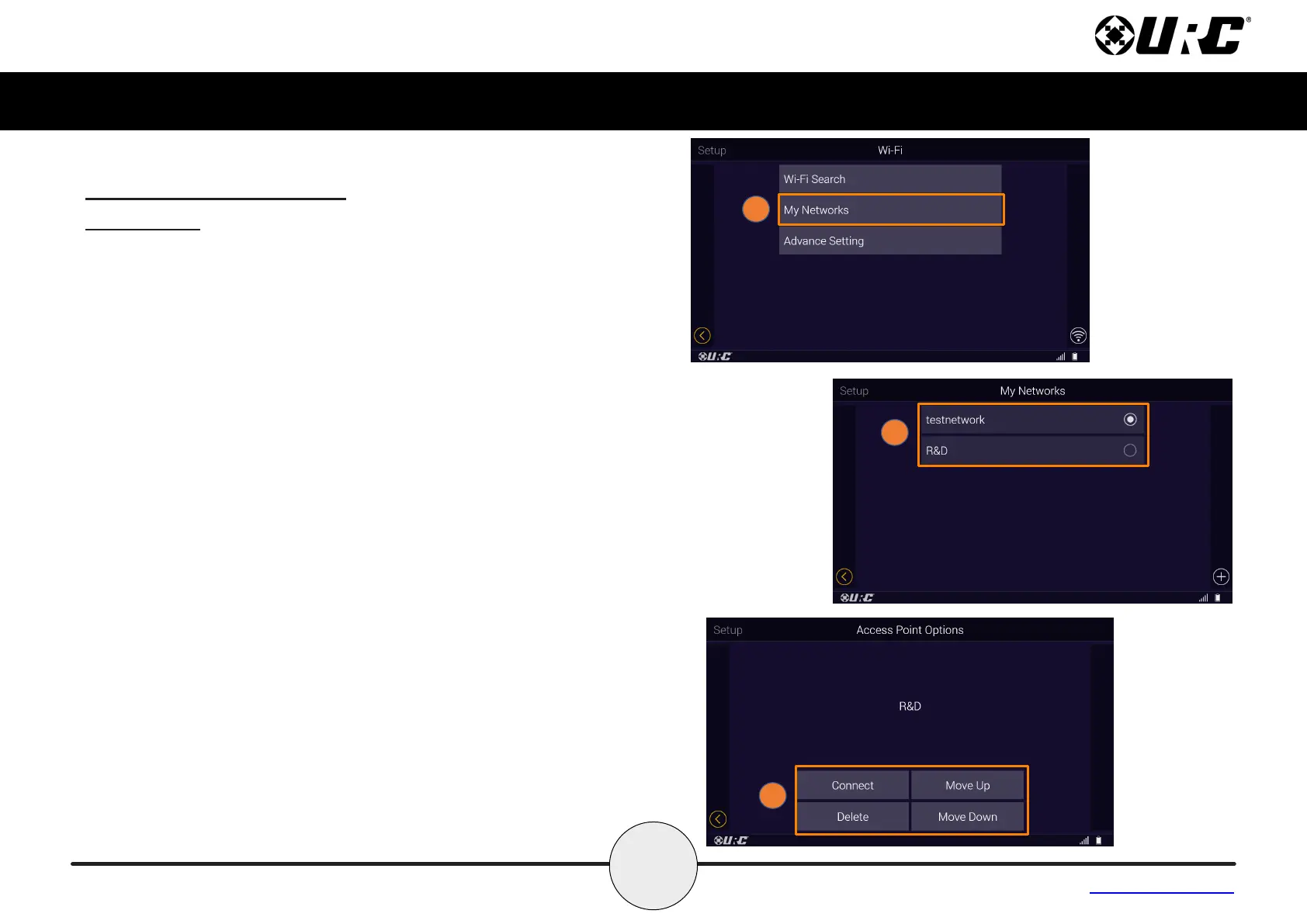
My Networks
The My Networks menu displays a list of SSID’s that have been
added to the MX-4000 using the Wireless Search or the Add Other
methods.
To select an available SSID added to the MX-4000:
1. Select My Networks from the Wi- menu.
2. Use the radio buttons to select the desired network.
3. You will be giving four options:
• Connect - forces a connection to the selected access point
and closes the access point options notication.
• Delete - removes the selected access point from the
preferred list and closes the access point options
notication.
• Move Up - allows the user to move the indicated network
access point up one space on the My Networks List.
• Move Down - allows the user to move the indicated
network access point down one space on the My Networks
List.



 To Next Page