21
Complete Control
MX-4000
Owner’s Manual
Table of Contents
Voice Assistant Setup (cont’d)
Amazon Alexa Voice Assistant setup (cont’d)
Audio Settings (cont’d)
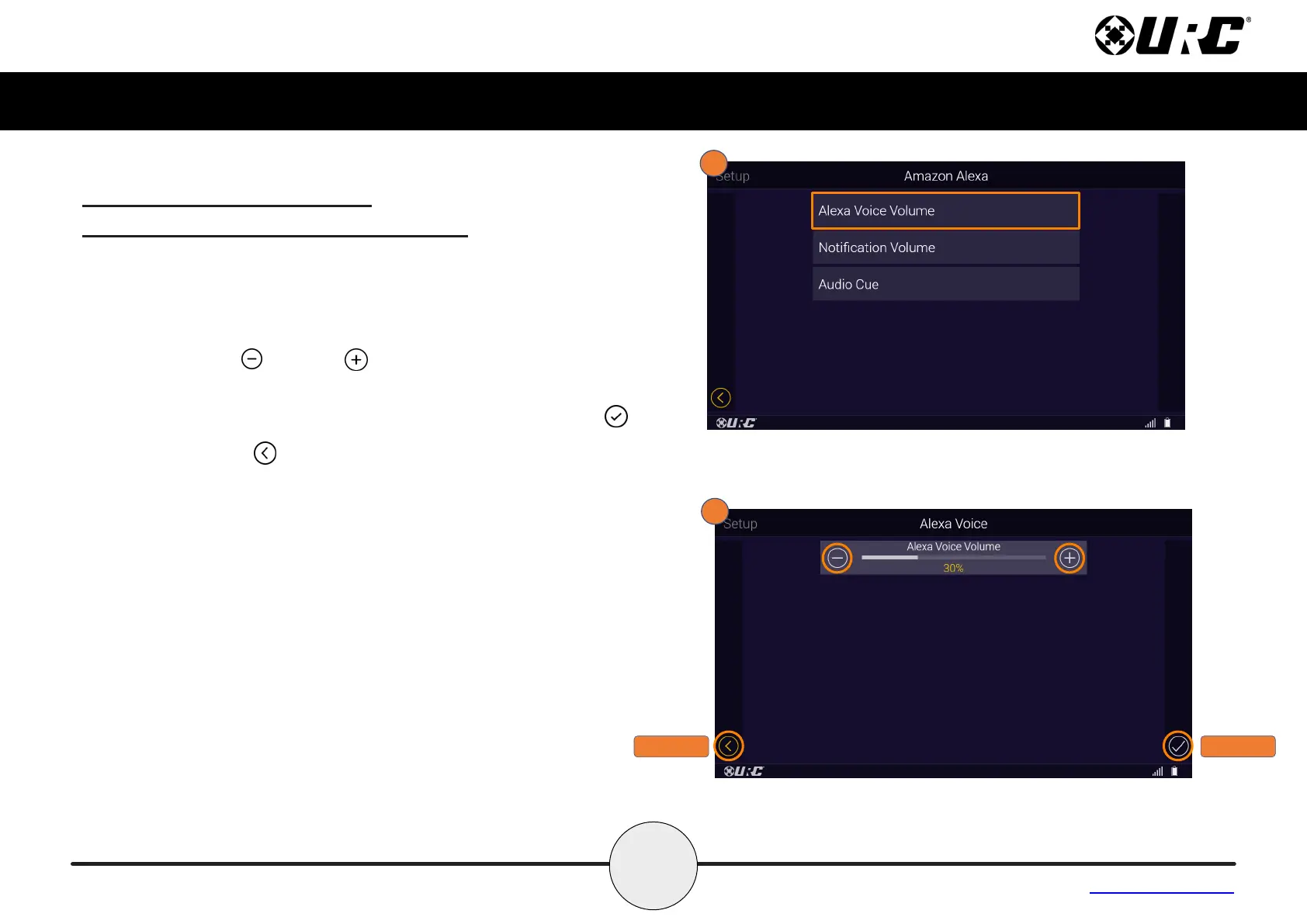
1. Selecting Alexa Voice Volume allows the user to set the the
volume level of the Alexa voice output.
2. Use the Minus and Plus signs to decrease or increase the
Alexa Voice Volume.
Once the volume has been adjusted, press the Save button .
Pressing Cancel reverts the device to the last saved setting.
CANCEL
SAVE



 To Next Page