7
Complete Control
MX-4000
Owner’s Manual
Table of Contents
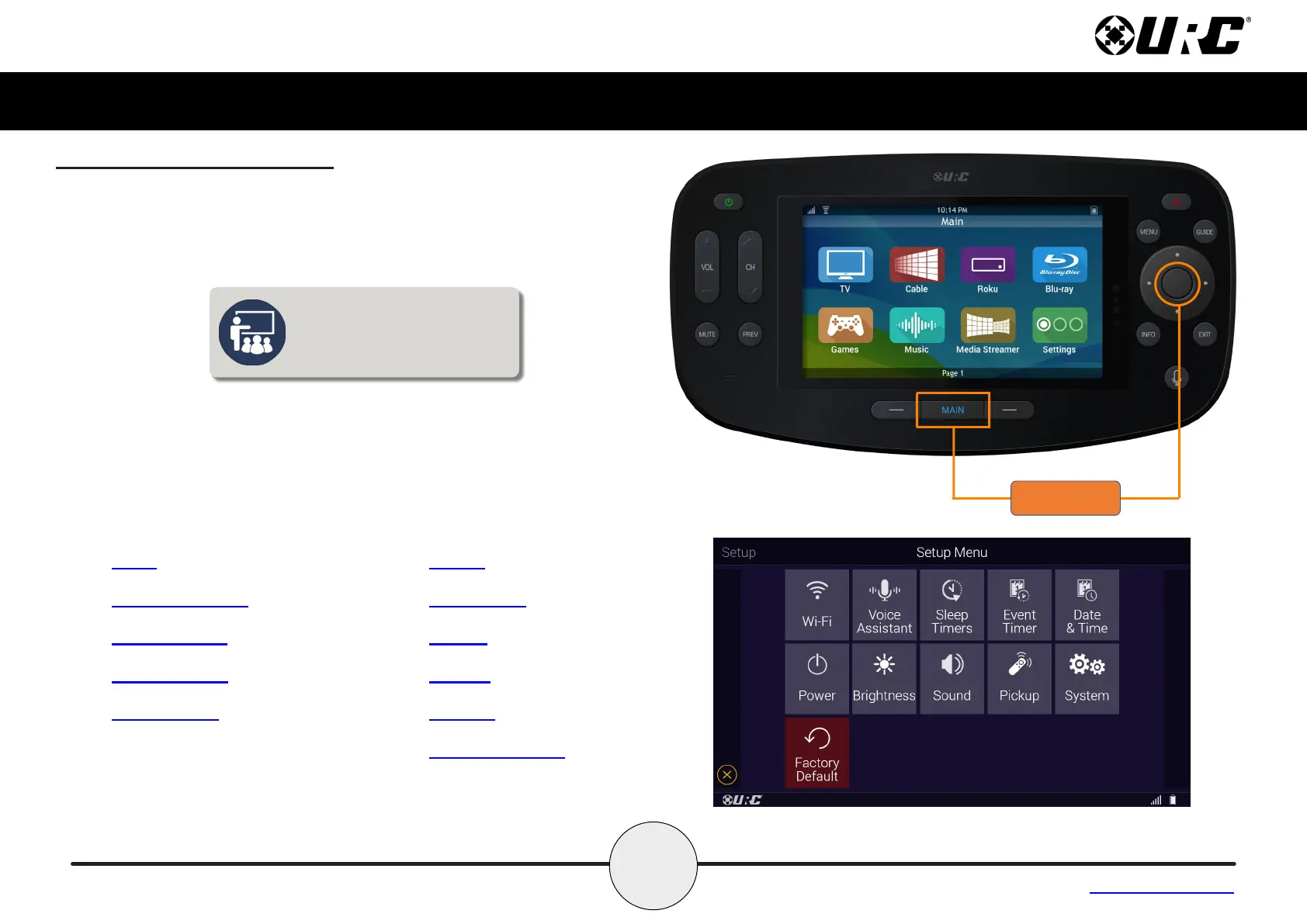
Displaying the Setup Menu
The Setup Menu allows users to congure or change certain behaviors
and features of the MX-4000.
Enter the Setup Menu by pressing and holding the Main and Select
(see image at the right) buttons for greater than ve (5) seconds.
Use the touchscreen to access the Setup Menu options.
To return to a previous page press the left page button (at the left of
Main Menu). Press the Main or Exit button to return the remote to the
Main Menu.
The Setup Menu times out
after sixty (60) seconds and
returns the MX-4000 to the
system’s Main Menu.
• Wi-Fi
• Voice Assistant
• Sleep Timers
• Event Timers
• Date & Time
• Power
• Brightness
• Sound
• Pickup
• System
• Factory Default



 To Next Page