38
Complete Control
MX-4000
Owner’s Manual
Table of Contents
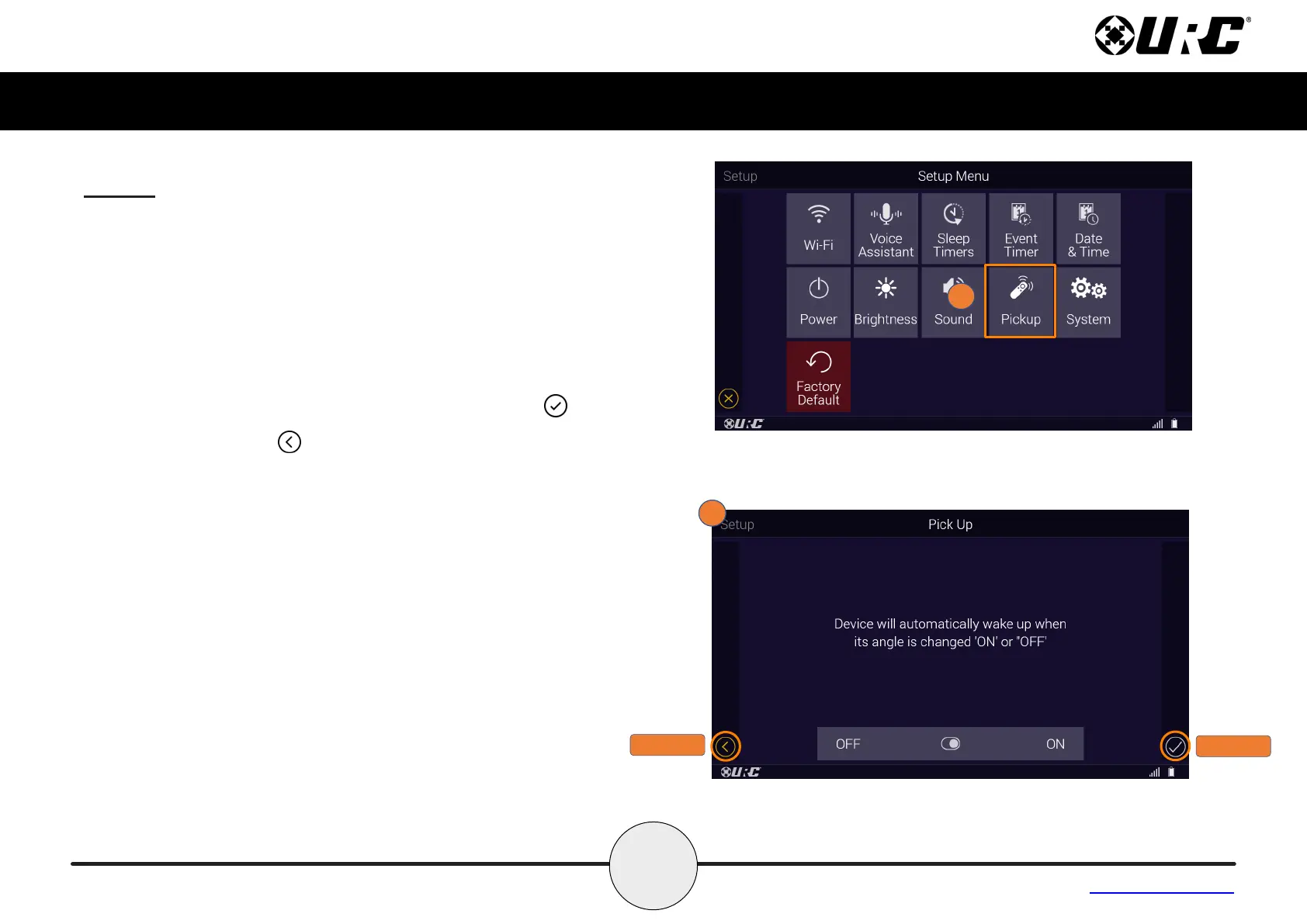
Pickup
Turn on or o the remote’s pickup sensor. When enabled, the MX-4000
turns on when the remote is picked up. Select Yes (turn on) or No (turn
o).
1. From the Setup Menu, select Pickup.
2. Use the Toggle à to turn the option OFF or ON to wake up
when picked up.
Once your option is made, press the Save button .
Pressing Cancel reverts the device to the last saved setting.
CANCEL
SAVE



 To Next Page