3
Complete Control
MX-4000
Owner’s Manual
Table of Contents
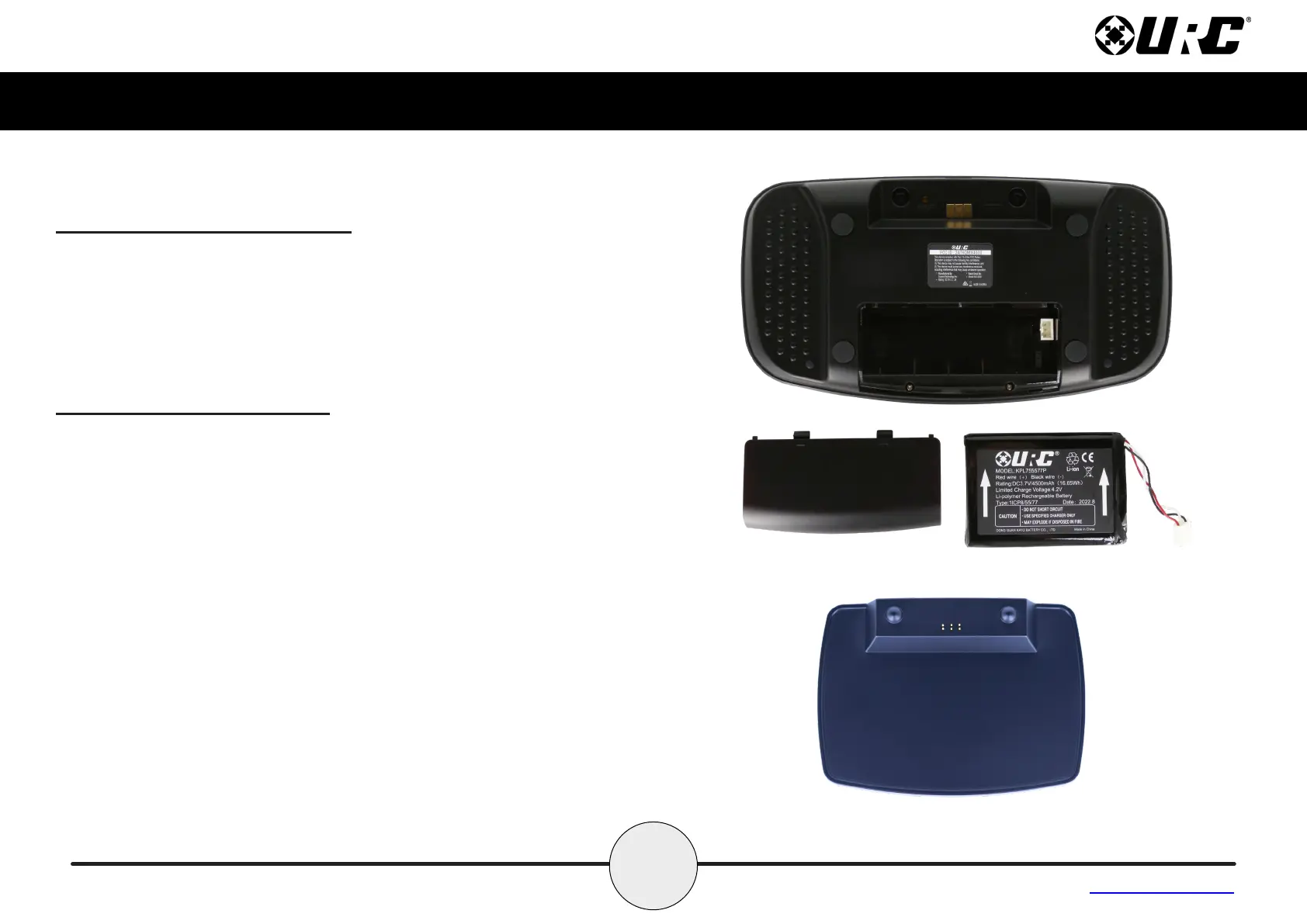
Connecting the Battery Pack
A battery is included in the box when shipped from the factory. Press the
spring lock down to unlock and remove the cover. Place the battery
into the battery compartment, making sure to align the contacts on the
battery with the contacts within the MX-4000’s battery compartment. The
battery snaps into place when aligned properly. Replace the battery
cover.
Using the Charging Cradle
Plug the USB power adapter into a power outlet and the USB-C cable
into the rear of the charging cradle. Gently place the MX-4000 into the
cradle, so that the remote automatically aligns itself to the contacts on
the charging cradle. The status light immediately illuminates.
It is possible to connect the USB-C cable directly into the bottom of the
MX-4000.
There are three (3) status light conditions:
• Red: Indicates that the remote’s battery is charging
• Blue: Indicates that the remote’s battery is o the charging dock
• White: Indicates that the remote’s battery is fully charged



 To Next Page