13
Complete Control
MX-4000
Owner’s Manual
Table of Contents
WiFi Settings Menu (cont’d)
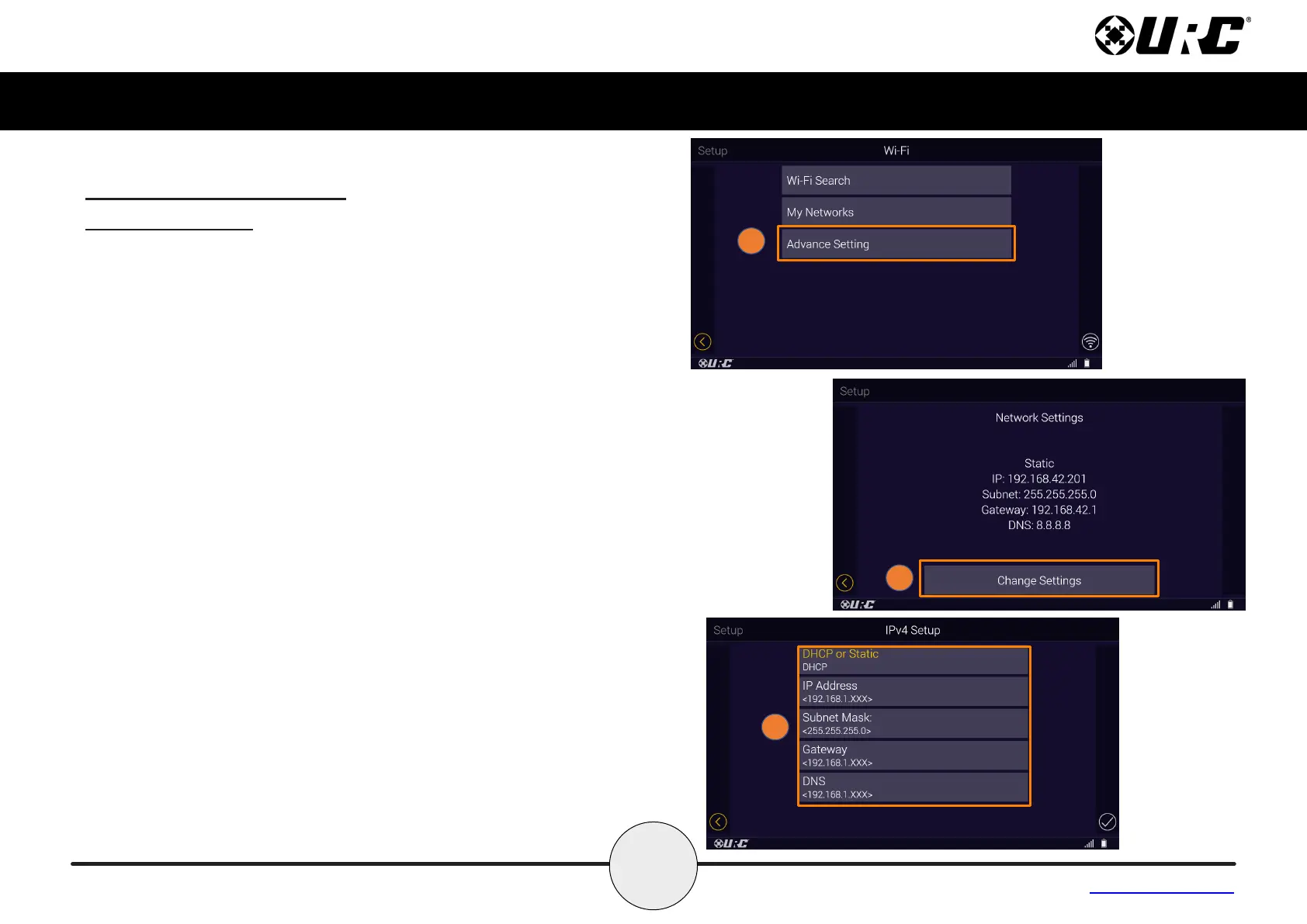
Advanced Settings
The Advanced Settings shows the MX-4000's current network
settings.
To view the MX-4000's current network settings:
1. Select Advanced Setting from the Wi- menu.
2. The network setting are now displayed, select on Change
Settings to make changes.
3. The Ipv4 Setup page gives you the option to choose DHCP or
Static. Choosing Static will require you to enter the IP Address,
Subnet Mask, Gateway and DNS.



 To Next Page