7
Make life easier by labeling buttons to say what YOU want! How about
renaming a button to a newly created activity? (i.e. TV to Watch TV)
Or, simply change the LOOK of an icon.
A.
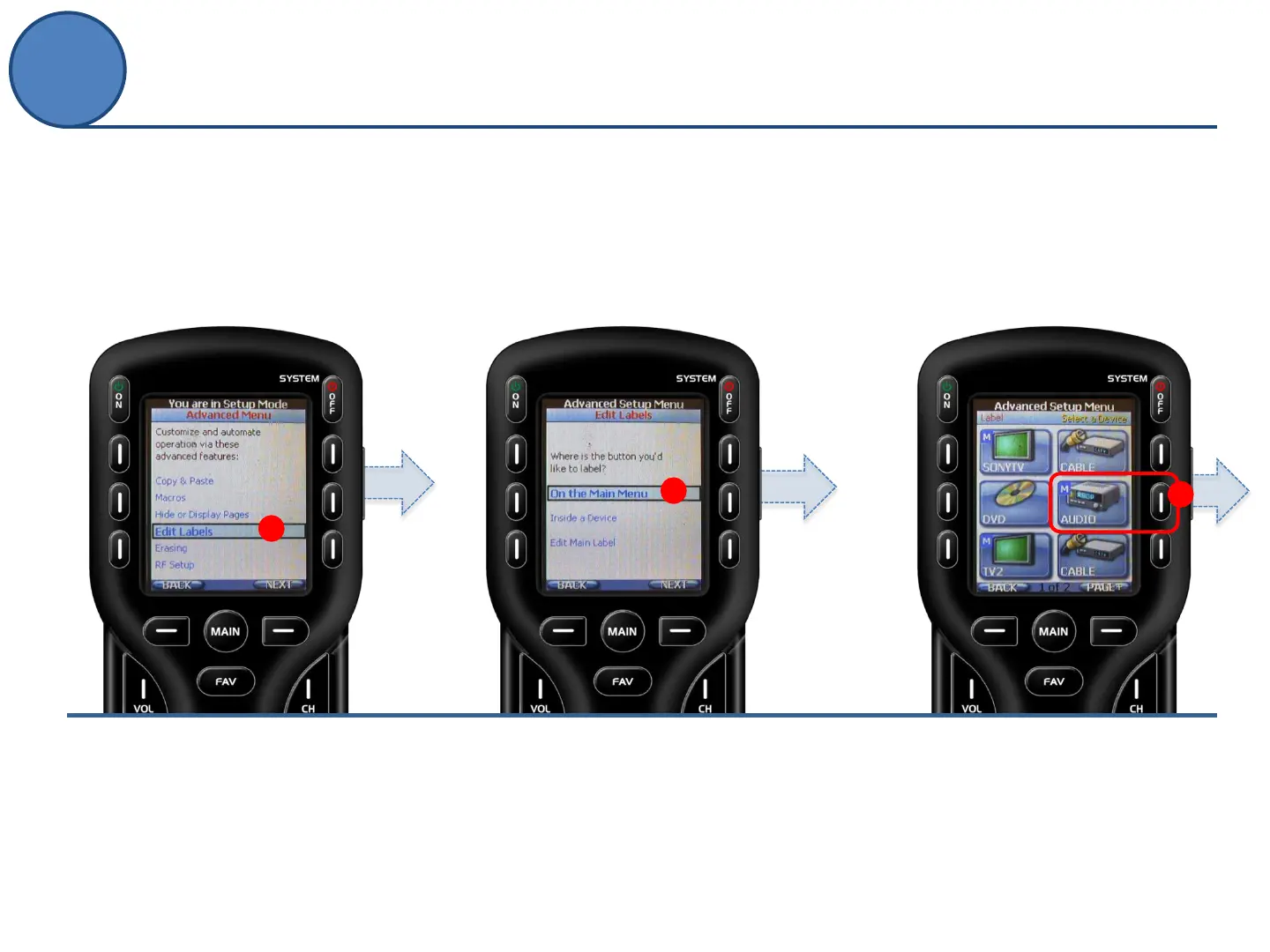
From the Advanced Setup screen
use the 5-way cursor to select
Edit Labels.
B.
Decide on the location of the
button or device you would like to
rename by selecting On the Main
Menu, Inside a Device or Edit
Main Label (the title that appears
on top of the MAIN menu).
C.
Navigate to the button in the location
provided in the previous step and
PRESS it to rename.
B
C
A
Editing Labels
Advanced Setup



 To Next Page