6
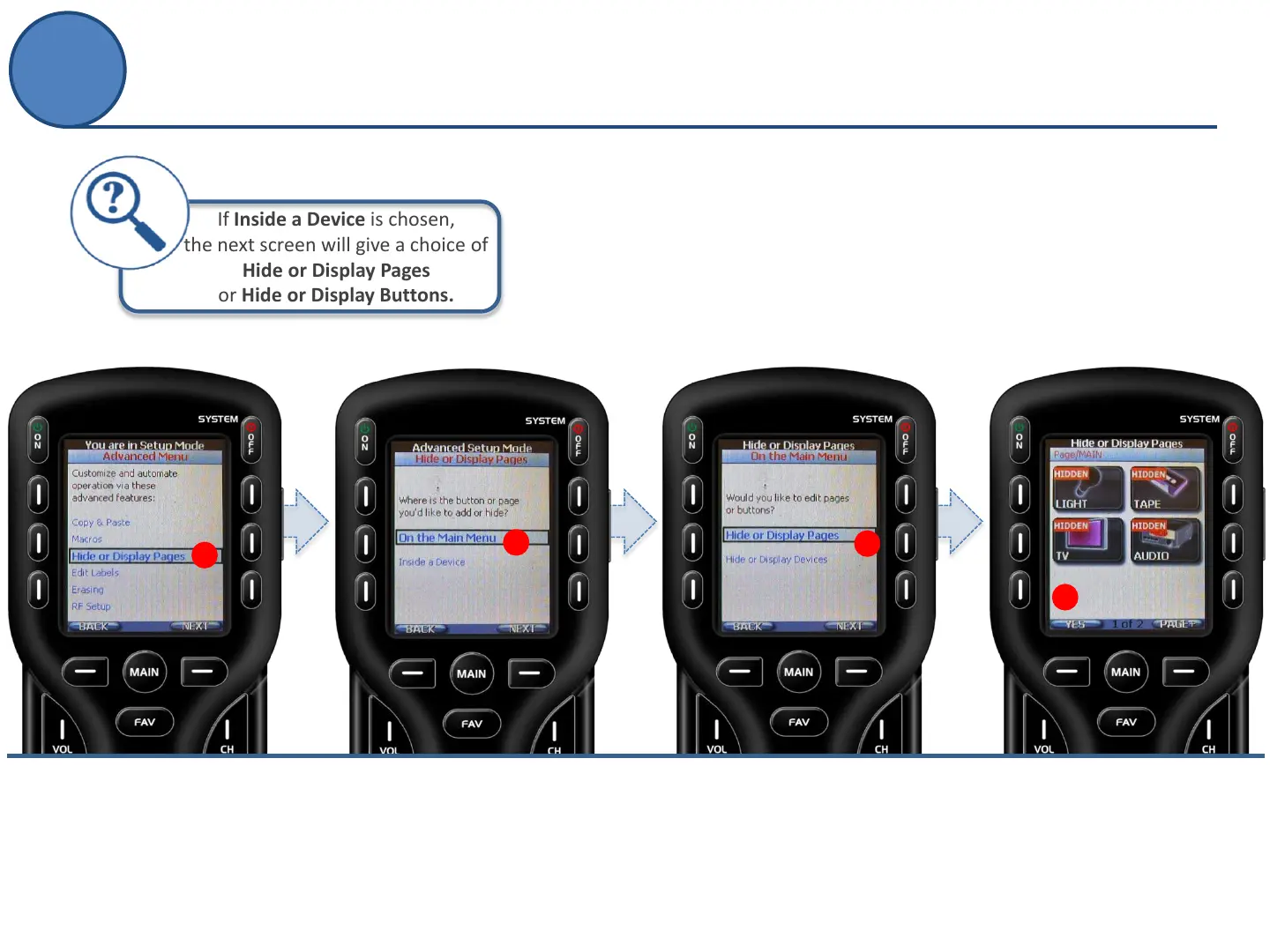
Want to hide a page of unnecessary commands?
What about hiding a device from a loved one?
Covert operation anyone?!
A.
From the Advanced Setup
screen use the 5-way cursor
to select Hide or Display
Pages.
B.
Decide where the page to be hidden
is located:
On the Main Menu- go to Step C
or
Inside a Device- see tip, above.
C.
Select Hide or Display Pages or
Hide or Display Devices.
D.
Navigate to the button, page
or device to be hidden and
select YES to hide.
B
D
C
If Inside a Device is chosen,
the next screen will give a choice of
Hide or Display Pages
or Hide or Display Buttons.
A
Hide or Display Pages
Advanced Setup
CQ Humor



 To Next Page