2
Can’t find a code to control your device? Then
learn the commands into the MX-450 from the
original manufacturer’s remote.
A.
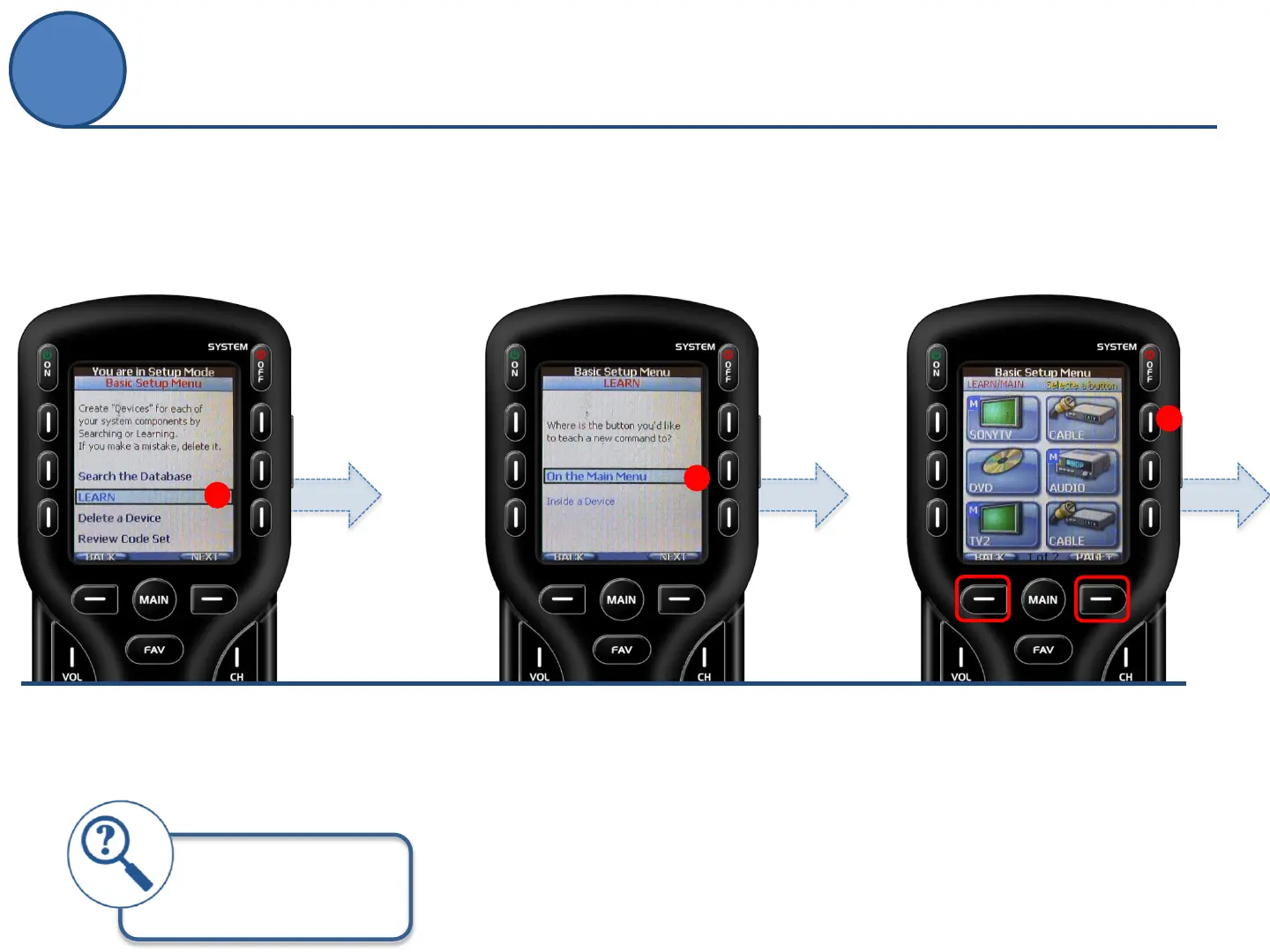
From the Basic Setup screen use
the 5-way cursor to select Learn.
A
B.
Decide whether you want to save a
single command or an entire device’s
command set.
Select On the Main Menu to learn
commands to buttons like Power On
or Off.
Select Inside a Device to learn an
entire device or specific commands
within the device.
B
C.
Select a button where you want to
save a command or press a Page
button to navigate to a different page
to find a button there.
C
Make sure to have the
original remote near by
with brand new batteries.
LEARN
Basic Setup



 To Next Page