C.
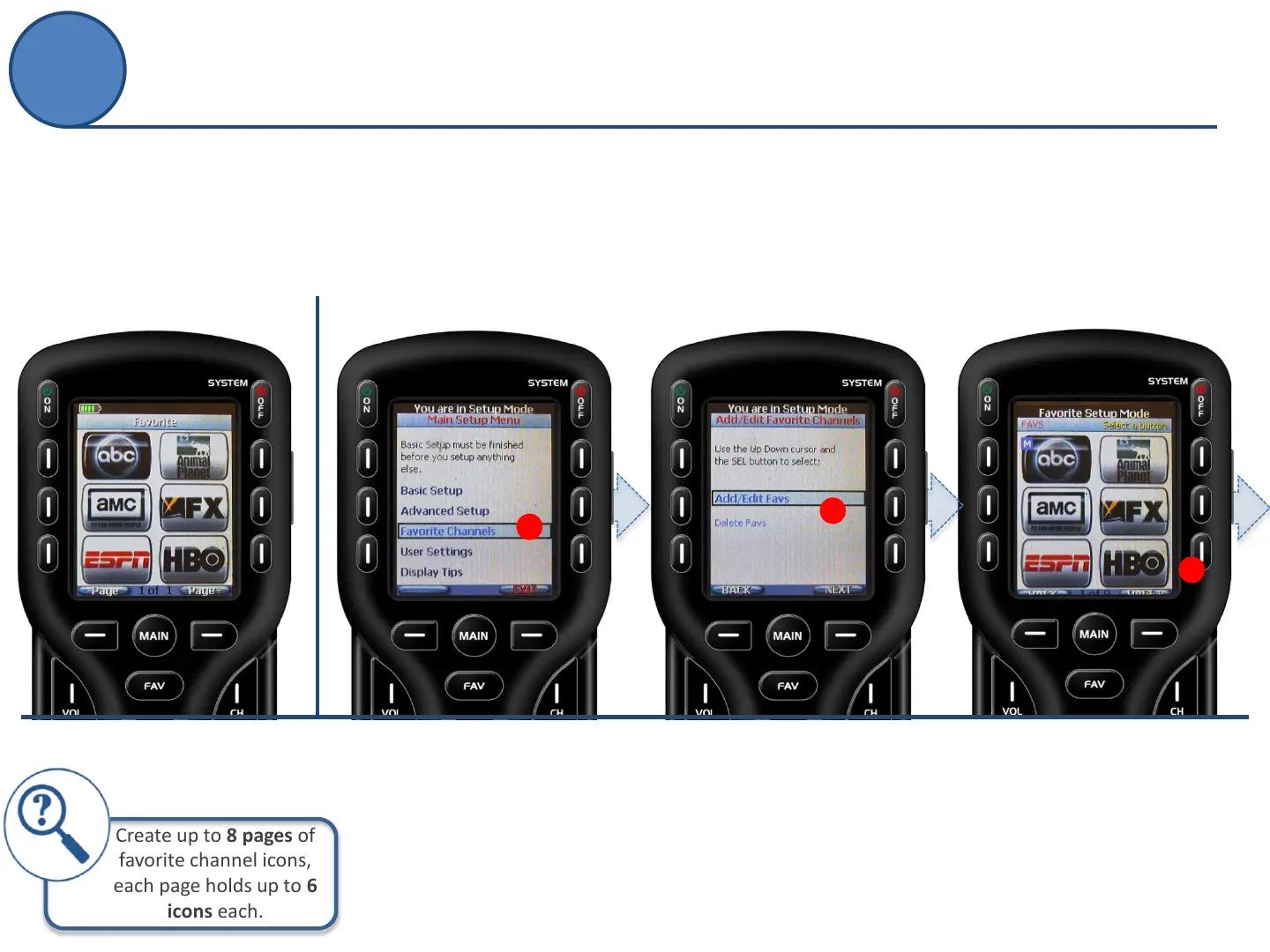
Select a button position
then favorite channel icon
to save the channel.
C
B.
Choose between
Adding/Edit Favs or Delete Favs
(previously created).
Note: If Delete Favs is selected,
you will have the option to delete
One Favorite Channel or All.
B
10
Favorite Channels
Hate relying on the cable channel guide to find your favorite
channels. Have trouble keeping track of cable’s ever-changing
lineup? Use the Favorite Channels option to showcase multiple
channels, up to six per page.
Favorite Channels
Create up to 8 pages of
favorite channel icons,
each page holds up to 6
icons each.
A.
From the Main Setup screen
use the 5-way cursor to select
Favorite Channels.
A



 To Next Page