11
User Settings
Like creature comforts? Modify your preferred
settings with the User Settings option.
A
A.
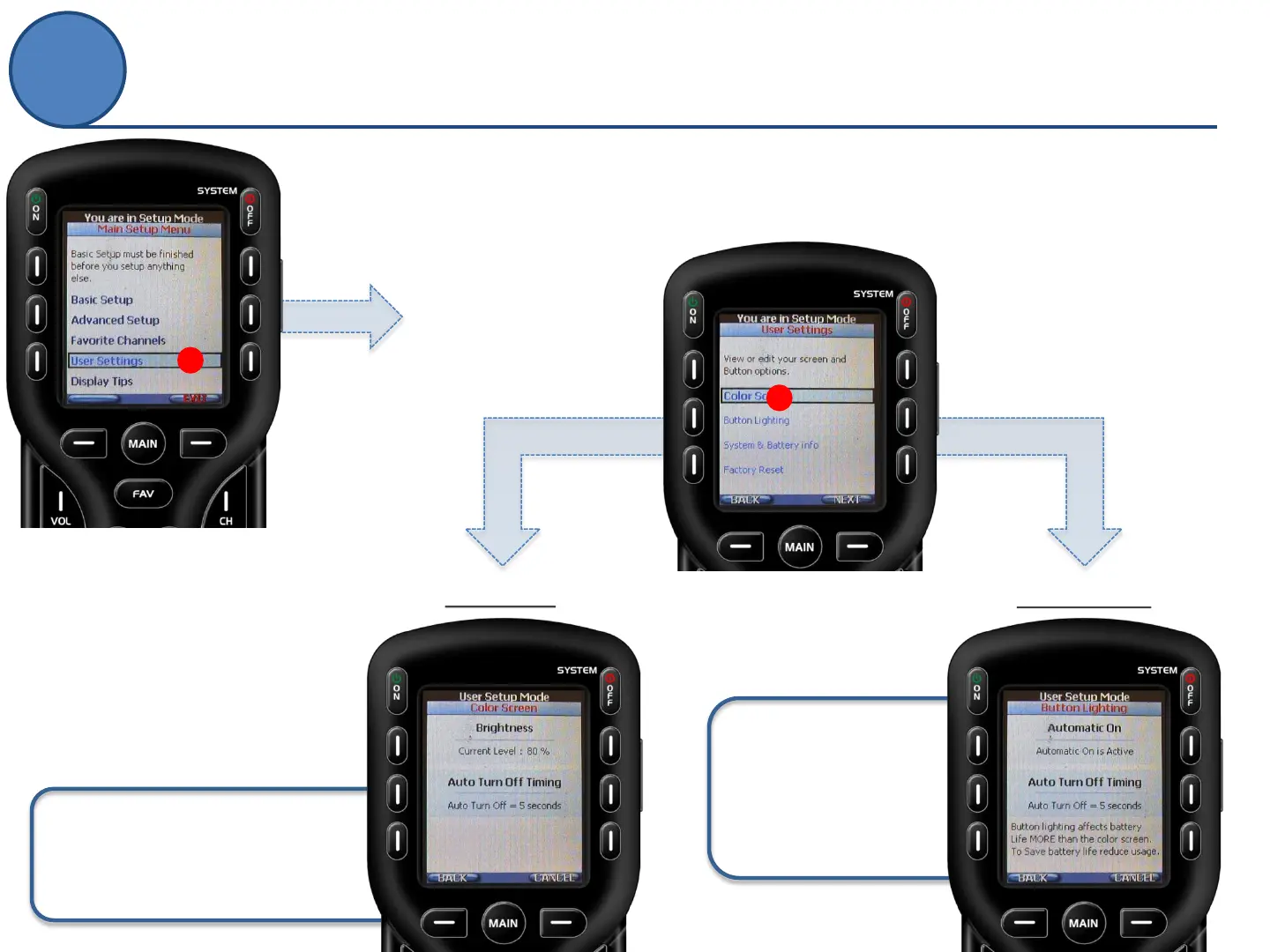
From the Main Setup screen
use the 5-way cursor to select
User Settings.
B.
From the User Settings screen
use the 5-way cursor to select
a preference.
Brightness: Change the level
between 0% - 100%
Auto Turn Off Timing: How many
seconds the light stays ON.
Button Lighting
Color Screen
Automatic On: ON
when LCD is ON, or
Always OFF
Auto Turn Off Timing:
How many seconds the
light stays ON.
B



 To Next Page