5
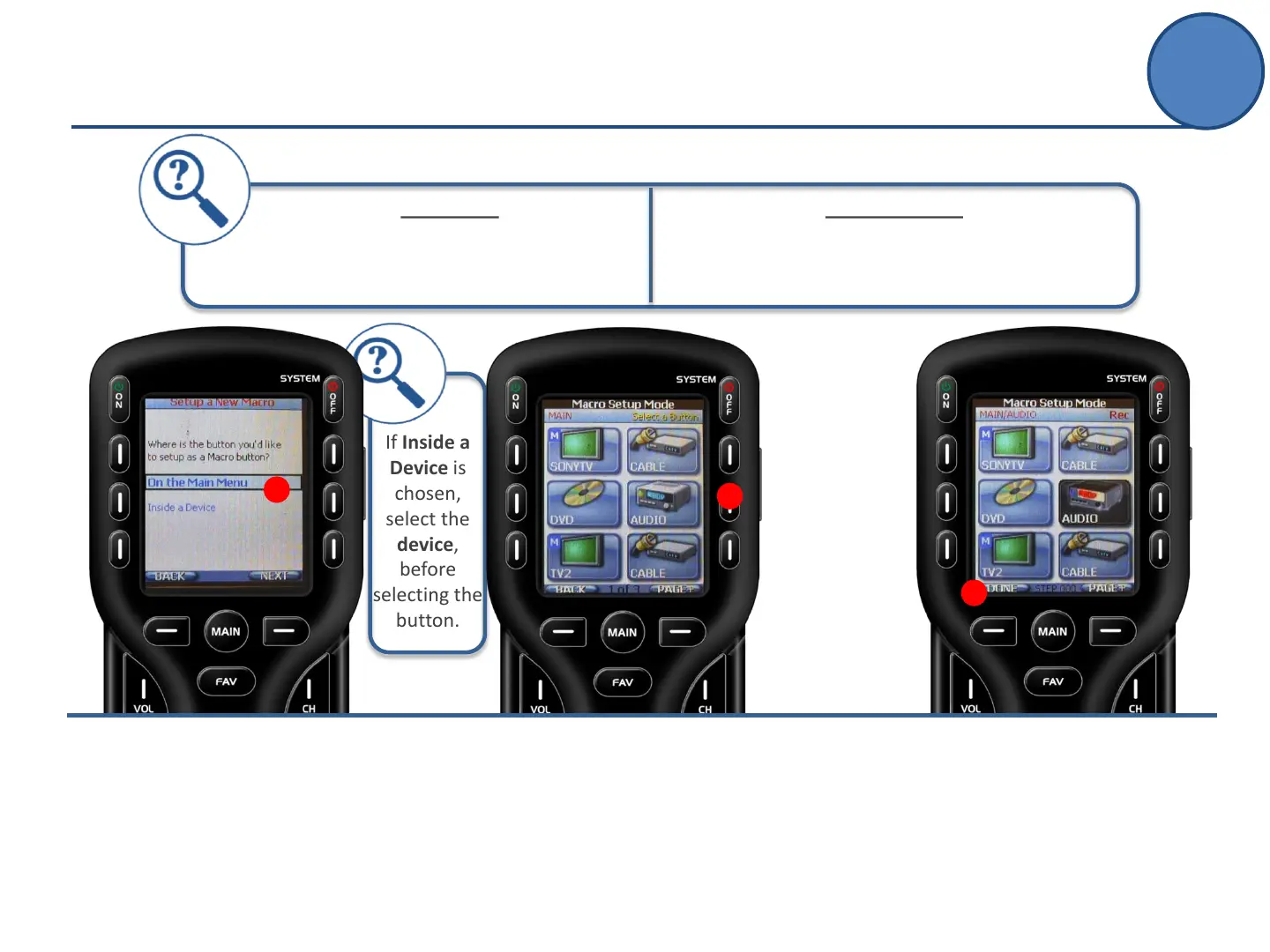
If Inside a
Device is
chosen,
select the
device,
before
selecting the
button.
End On A Page?
A recorded macro will also save its last location.
So, make sure you hit DONE on the page where
you want the macro to end.
Add Delays
Pressing the Pause button inserts a .5 sec
delay between commands.
One-Touch Activities (Macros)
Advanced Setup
D.
Select the button where you want
to RECORD the macro.
This starts the recording process
D
C.
Decide where you would like the
macro button:
On the Main Menu
or
Inside a Device
Press Next.
C
E.
Record each step by navigating to
the command (using the MAIN
button) and PRESSING it.
When finished recording the
macro, save it by pressing Done.
E



 To Next Page