5
One touch activities allow you to “record” multiple steps on
a single LCD button, like all of the commands necessary to
watch TV. Once programmed, a single button press will
execute all of the commands to complete the activity.
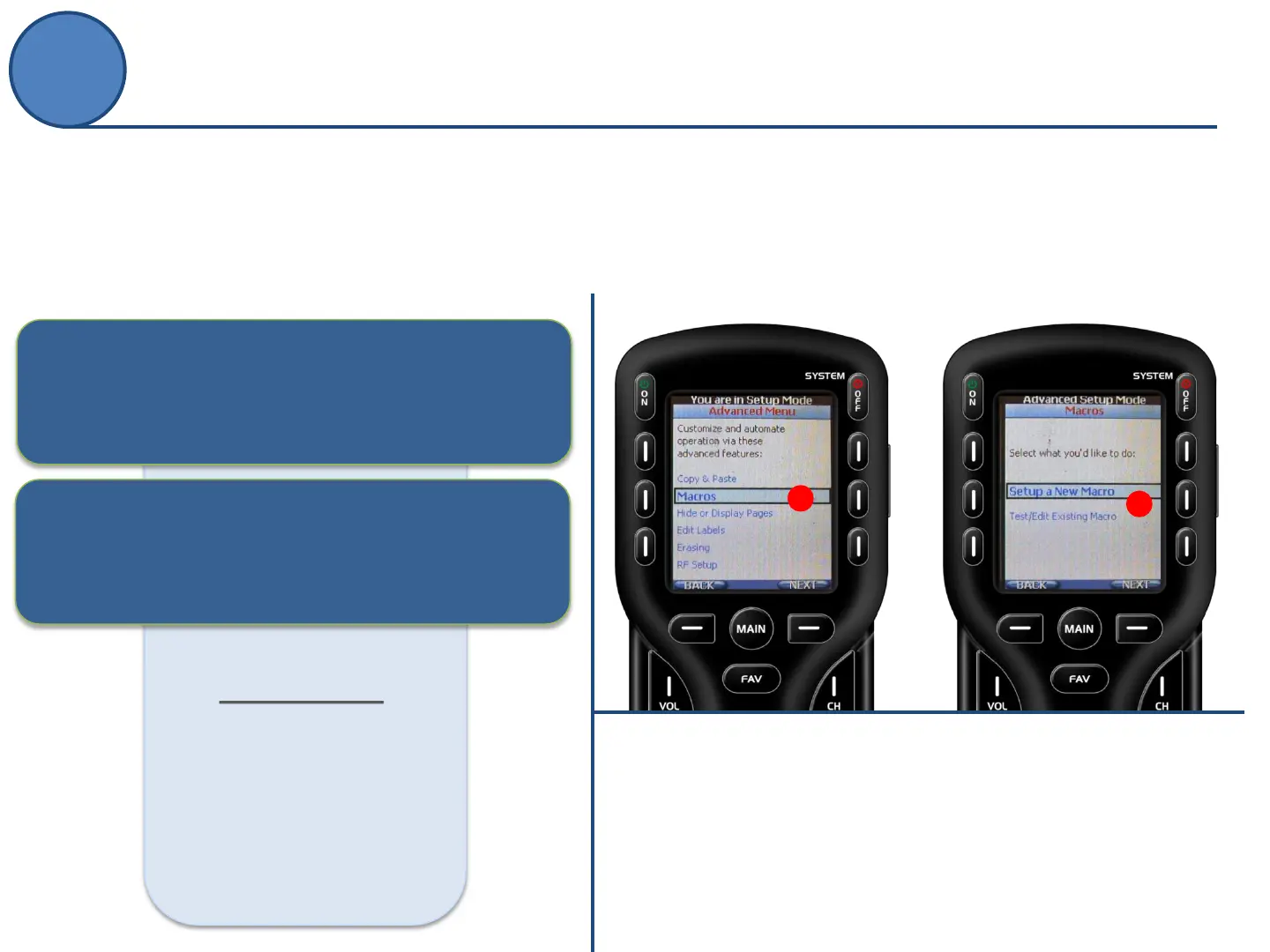
A.
From the Advanced Setup screen
use the 5-way cursor to select
Macros.
B.
Select whether you would like to
Setup a New Macro
or Test/Edit Existing Macro.
What’s an ACTIVITY?
an action the end-user wants to perform but
requires multiple steps to accomplish
What’s an MACRO?
programming these steps, in advance, so the
activity requires a single button press
example:
Watch Cable
TV ON
TV to HDMI 1
Cable Box ON
AVR ON
AVR to SAT/TV
One-Touch Activities (Macros)
Advanced Setup
B
A



 To Next Page