4
D.
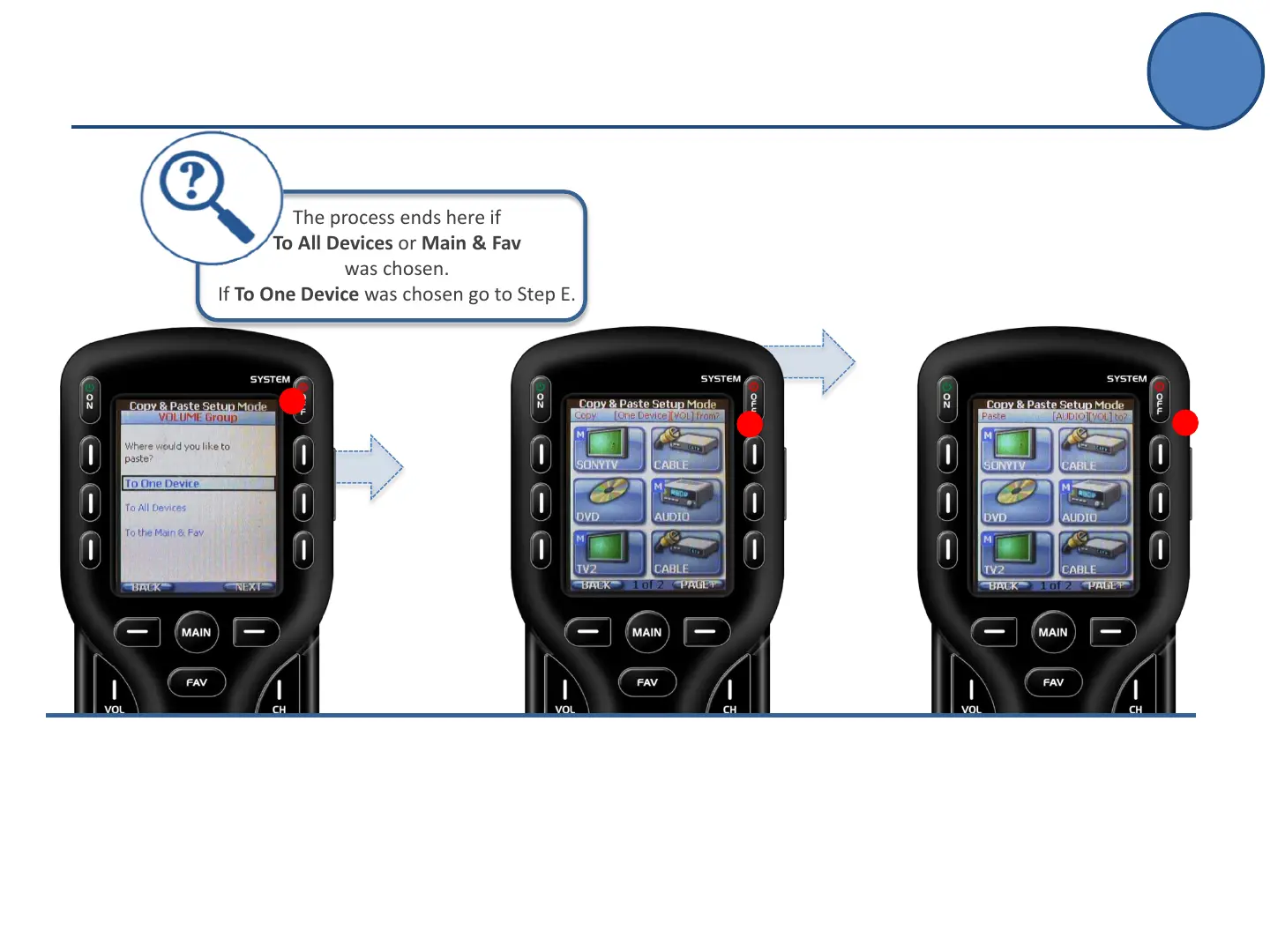
Select a device to copy the
desired group FROM.
(in this example: Volume Group
FROM Audio)
E.
Select a device to paste the
desired group TO.
(in this example: Volume Group
FROM Audio TO Cable)
C.
Decide where you want to paste the
commands.
Select To One Device to use the
commands in one device.
Select To All Devices to use the
commands throughout every device.
Select To The Main & Fav to save the
commands only to the main page or
favorite pages.
(in this example: Volume Group to One
Device)
E
D
C
The process ends here if
To All Devices or Main & Fav
was chosen.
If To One Device was chosen go to Step E.
Copy & Paste
Advanced Setup



 To Next Page