9
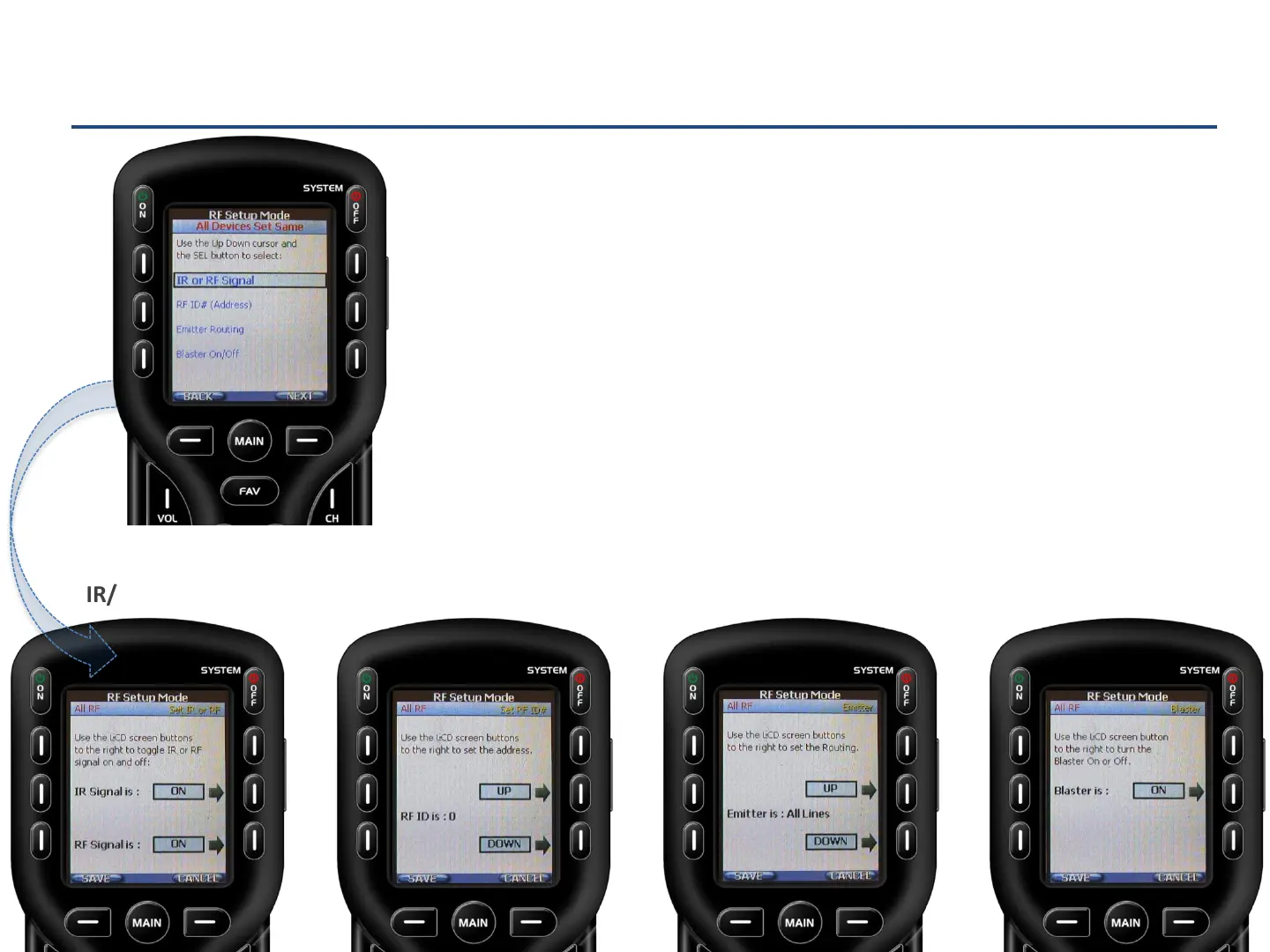
To use a RF base station, the following options should be addressed:
IR or RF Signal: Turn OFF IR Signal (no need to point) and turn ON RF Signal (communicates with
base station.)
RF ID# (Address): Select an ID# between 1-F. The ID# identifies the base station to the remote. It is
important to select the same # on the RF base station. DO NOT SELECT ID# 0, as any RF remote can
control the base station. See next slide for further information.
Emitter (IR) Routing: Select an individual emitter number, by pressing the UP or DOWN soft
buttons, for each device selected. If All devices were selected leave as All lines.
Blaster On/Off: Decide whether the front-facing IR “blaster” should be ON or OFF. The Blaster On
option blasts the IR signal from the front of the RF base station.
Press Save for each modified option.
Advanced Setup
RF Setup
IR/RF signal RF ID Emitter Blaster



 To Next Page