Overview
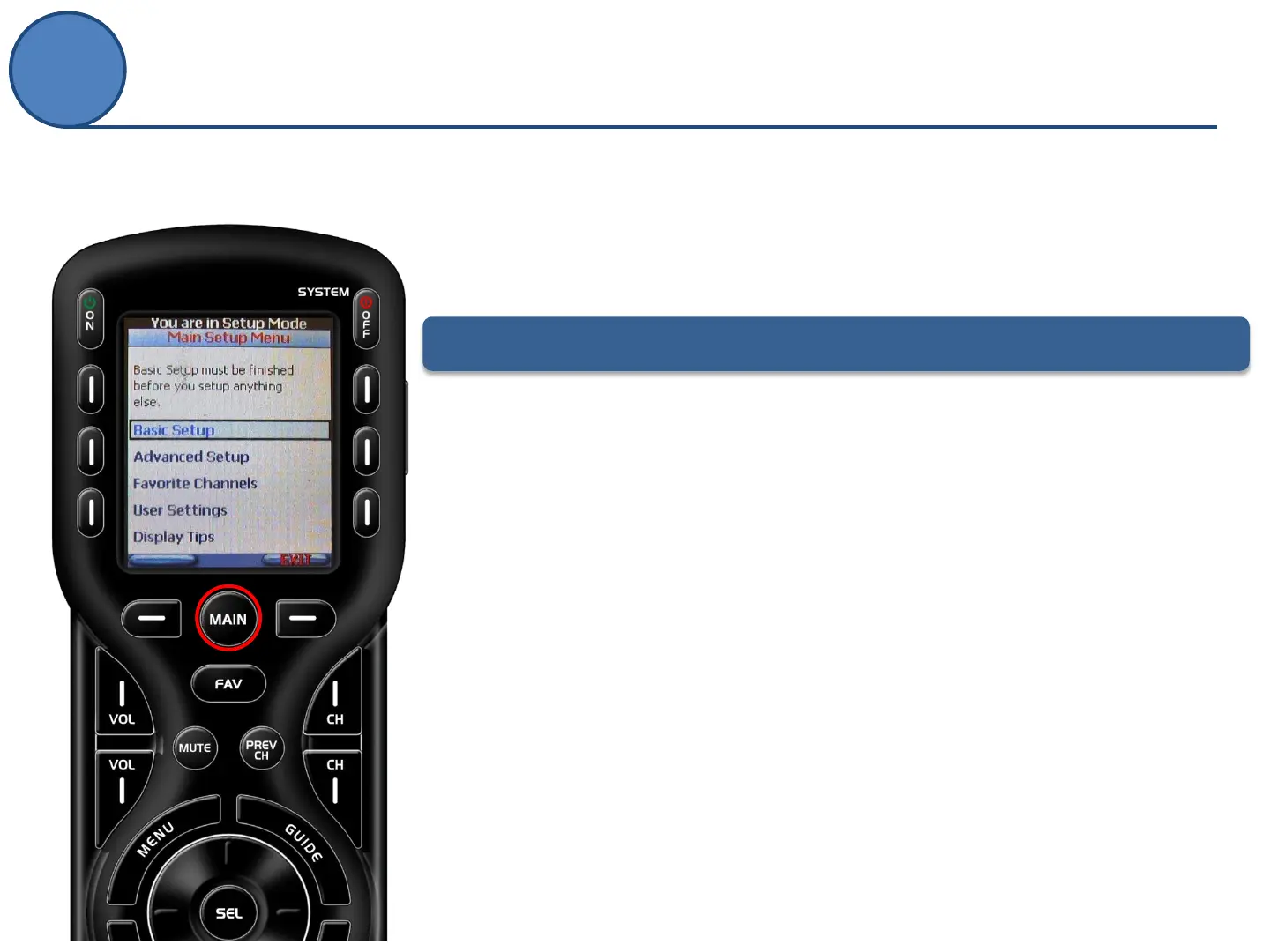
The following are descriptions of each of these submenus:
• Basic Setup: Add all of your devices to the remote by using the built-in library, or
learning commands directly from the original remote. More information can be
found…
• Advanced Setup (only used this section once Basic setup has been completed): in
this section you can edit button names, hide pages, create one-touch activities
(macros), etc. More information can be found…
• Favorite Channels: use this menu item to set icons and channel numbers for your
favorite networks
• User Settings: this option allows you to make adjustments of the remote’s
operation like brightness, contrast, light duration, etc. More information can be
found…
• Display tips: In this section you may enable or disable the Set-Up tips. Although
they are convenient when programming without a manual, you will not need
them for programming if you are using this documentation.
Set-Up Screen Overview
The Main Setup Menu of the MX-450 is the heart of the remote.
This menu will serve as your guide as you to add your TV, DVD,
Satellite and other devices to the remote.
To enter the Main Setup Menu, press and hold the MAIN button for 3 seconds.



 To Next Page