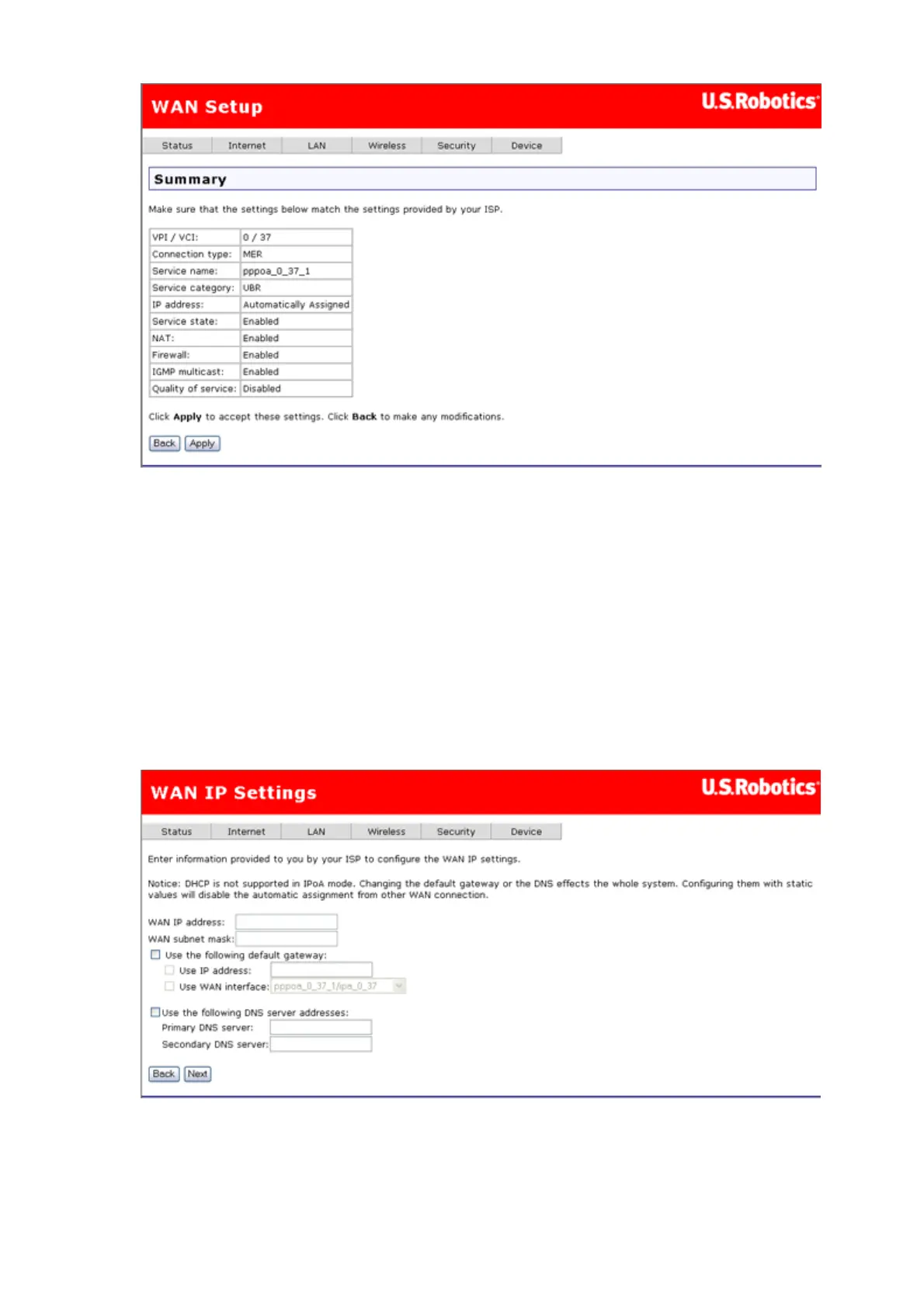
The summary page presents the entire configuration summary. Click Apply to
complete the configuration (which requires about 1 minute to complete) or Back to
change any of the settings.
IP over ATM (IPoA) - (RFC2684 Routed)
To configure IP over ATM (IPoA), do the following.
1. Select the IP over ATM (IPoA) radio button.
2. Select the appropriate Encapsulation mode and click Next. The following page
appears:
3. Enter the WAN IP address and WAN subnet mask provided by your Internet
Service Provider.
If you want to set the default gateway, enable Use the following default gateway
and enter an IP address and/or select an interface.
第 7 頁,共 15 頁U.S. Robotics Wireless MAXg ADSL Gateway User Guide
2005/7/4file://C:\Documents%20and%20Settings\ivonne\Local%20Settings\Temp\Rar$EX05.609\wui_...



 To Next Page