Part III – Programming the System5
Page 21
13: Communication
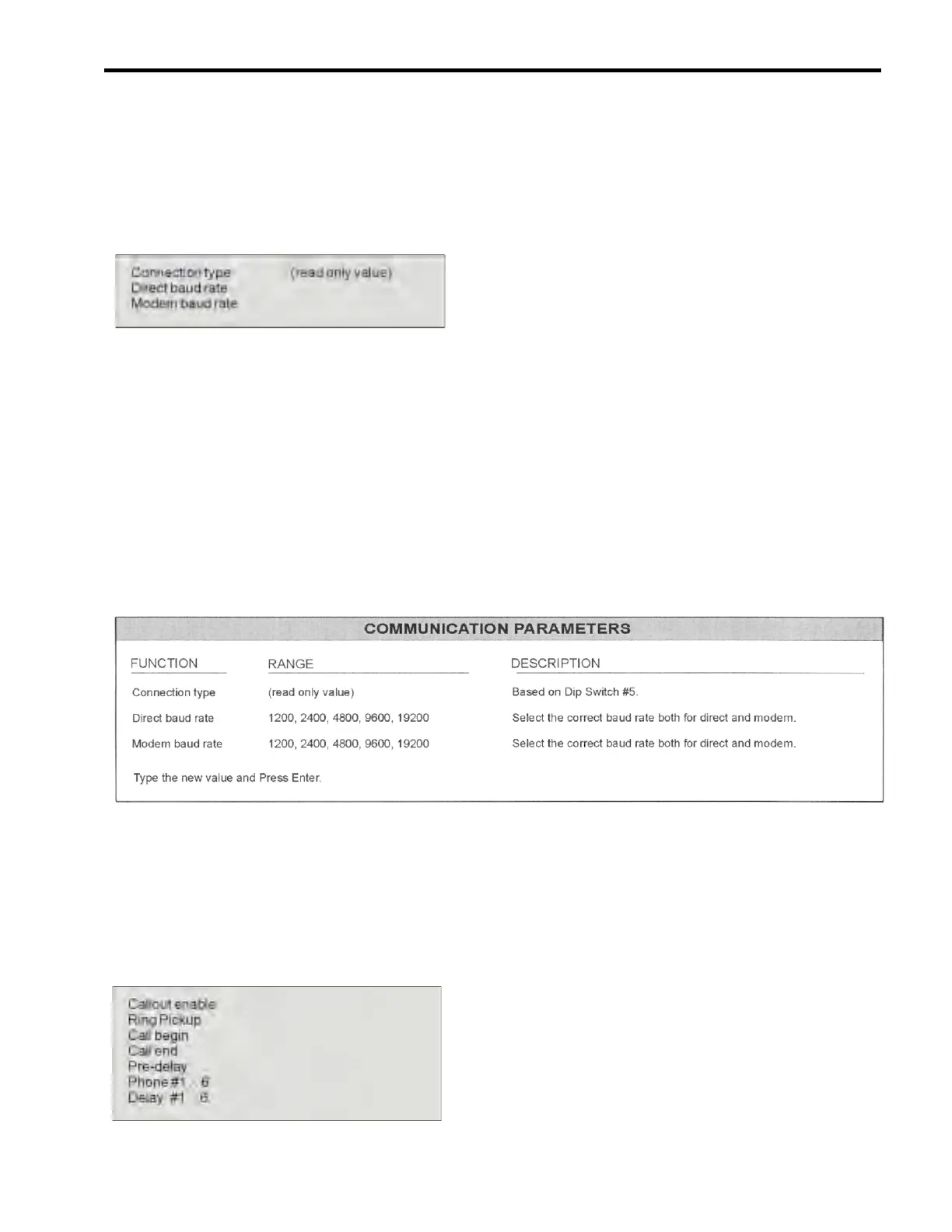
If you choose Communication from the Main
Menu, the Screen will display some or all of the
following choices (depending upon your system
needs). For more information, refer to Strantrol
Virtual Controller (SVC) Manual.
Next to each choice is the current programmed
value for that option. Type in the number of the
option you would like to program. The screen
will display the previous value selected and
prompt you to enter the new value. Type the new
value and Press Enter.
13a: Entering New Values for Communication
For each option you select from the Communication Menu the screen will display the previous value
selected for that option and prompt you to enter the new value. The direct and modem rates for the
controller must match the baud rates in the controller software.
NOTE: Make sure Dip Switch 5 in the controller is in the UP (ON) position for modem and the
DOWN (OFF) position for direct. Also, Dip Switch 6 must be in the UP (ON) position to use a voice
modem.
The following table will help you decide what values to enter.
14: Modem Callout
If you choose Modem Callout from the More
Choices option of the Main Menu, the Screen
will display some or all of the following choices
(depending upon your system needs).
Next to each choice is the current programmed
value for that option. Type in the number of the
option you would like to program. The screen
will display the previous value selected and
prompt you to enter the new value. Type the
new value and Press Enter.


 To Next Page