
 Need help?
Do you have a question about the USFilter STRANTROL SYSTEM 5 and is the answer not in the manual?
Lists items included in the shipping package for the Strantrol System5 controller and associated sensors.
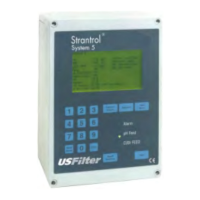
Provides an overview of installation and usage suggestions for the Strantrol System5 controller.
Details how to mount the Strantrol System5 controller unit in a suitable location.
Instructions for wrapping fittings with Teflon tape during flowcell installation.
Guide on assembling and connecting the flowcell component correctly.
Instructions for installing the paddlewheel flow switch into the sample stream.
Steps for plumbing the sample stream using included tubing and fittings.
Procedure for opening the sample stream valve and checking for leaks.
Guide on connecting the pH and HRR sensors to the unit's BNC jacks.
Instructions for opening the System5 controller unit to access internal components.
Details on running wires directly into the unit casing using provided holes.
Guide to setting the line voltage switch on the RELAY board before powering up.
Instructions for setting the BNC/PRE-AMP switch on the Input board.
Steps for connecting an optional pre-amp to the System5.
How to connect the main power wiring to the unit via Terminal Block 5.
Information on wiring the System5's four configurable relays for various functions.
Using test buttons to check relays and priming pumps.
Connecting the water ground to Terminal Block 1 on the Input board.
Instructions for wiring the temperature sensor to the Input board.
Guide on connecting a flow switch to the Input board.
Instructions for connecting a flow switch when using an optional pre-amp.
Guide to setting the eight dip switches on the Input board for various functions.
How to connect a printer to the modem board using specific pinouts.
Final steps for replacing the controller unit's cover after wiring.
Guide to entering programming mode and selecting access levels (View Only, Operator, Manager).
Overview of access levels and menu choices for managers and operators.
Guide to setting pH parameters, alarms, and feed modes.
Instructions for configuring HRR parameters, alarms, and feed modes.
Steps for setting PPM parameters, alarms, and feed modes.
Instructions for configuring temperature setpoints, alarms, and calibration.
Guide on calculating the LSI (Langelier Saturation Index) using water chemistry parameters.
Configuration options for the automatic sensor wash feature.
Setting up alternate HRR setpoints for different times or conditions.
Setting up parameters for rapid dechlorination process after superchlorination.
Configuration for superchlorination to eliminate chloramines.
Assigning functions to the system's programmable relays.
Setting up communication parameters for the unit.
Configuration for the modem callout feature for remote notifications.
Setting system date/time and managing user access codes.
Lists options available in the Representative View Access mode.
Configuration of recorder outputs for various system parameters.
Accessing system diagnostics and performing software calibration.
Setting hardware calibration values and configuring warning bands.
Setting up data logging and initial representative startup configuration.
Explains the System5 routine display screen showing customer info, alarms, and readings.
States compliance with FCC rules for the device and modem information.
 General
| Brand | USFilter |
|---|---|
| Model | STRANTROL SYSTEM 5 |
| Category | Controller |
| Language | English |

 To Next Page