Chapter 4: Setting up the Monitor
Veterinary Vital Signs Monitor Operation Manual 4-5
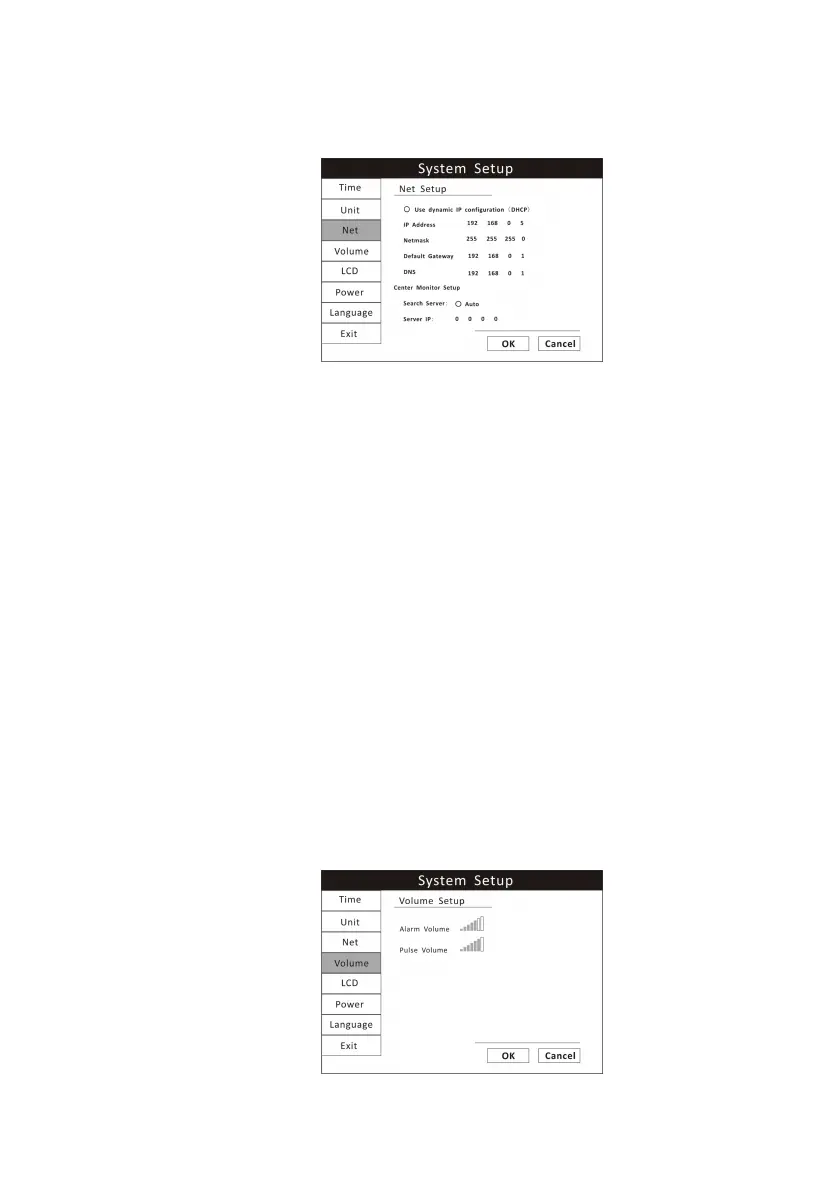
When connecting the monitor to a computer or a center monitor, you need to
setup the IP address.
Figure 4.4: Net Setup
1. Press the menu key to pop up the main menu and turn the rotary knob to
move the cursor to the “System” option.
2. Push the rotary knob to access the “System” submenu. Turn the knob to
highlight the “Net” option and push the knob to select.
3. You can choose to use dynamic IP configuration or set the IP address
manually.
4. Turn the rotary knob to “OK” or “Cancel” button and push to save or delete
your settings.
4.5.4 Volume Setup
You can adjust the volume of the audible alarm and pulse rate to one of seven
levels separately. When an alarm occurs (and alarm silence is not enabled),
the alarm tones will sound at the chosen volume. The default alarm and pulse
volume settings are the fourth level. You cannot set the alarm volume to OFF.
Figure 4.5: Volume Setup


 To Next Page