VAMP 135 Over-, under-, residual voltage and
frequency relay
Operation and configuration
VAMP Ltd
16
VAMP 24h support phone : +358 (0)20 753 3264
VM135.EN008
4.3. Reading of event register
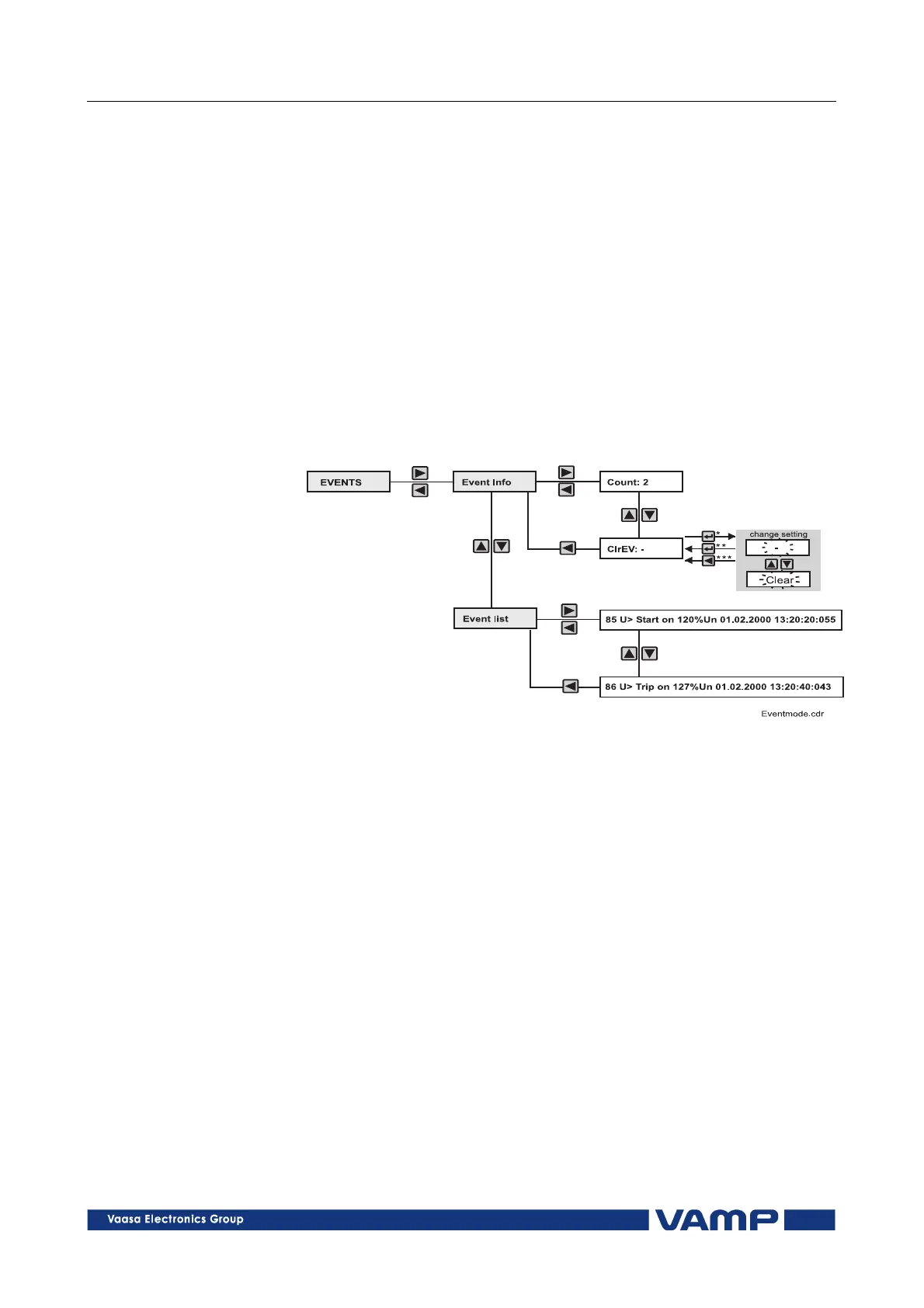
The event register can be read from the Events item of the
main menu:
1. Push the RIGHT key once, the displays shows the Event
info text
2. Push the RIGHT key once, the displays shows Count: x,
where x = the number of recorded events
3. Push the DOWN key once, the display shows the ClrEv
text. The event register can now be reset.
4. Push the LEFT key to return to the Event info menu (by
pressing twice you can return to the main menu)
5. Push the DOWN key to return to the Event list menu:
Figure 4.3-1. Event register, example.
6. Push the RIGHT key once to enter the event list, the
display shows the last Event list text. Scroll the event list
by pushing the UP and DOWN keys.
7. Push the LEFT key twice to move from the event list to the
main menu.



 To Next Page