SECTION 3
OPERATING THE VAPRO OSMOMETER
3.2 Loading Samples
36
4
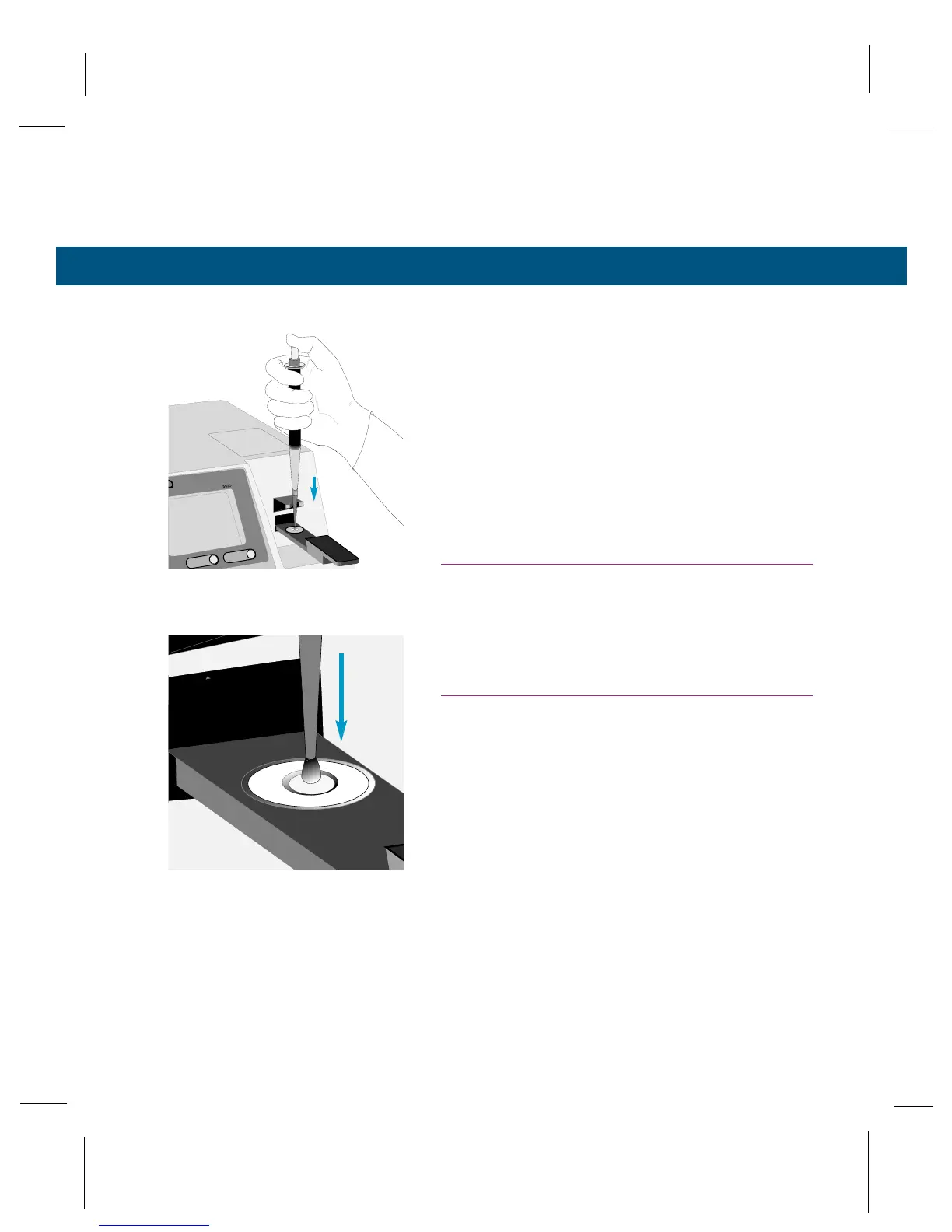
With the pipettor tip resting in the notch of the
pipettor guide, position the tip about 5 millimeters
above the center of the sample disc.
5
Smoothly depress the micropipettor plunger to the
stop. The specimen may drop onto the sample
disc. Whether the sample droplet falls onto the
disc or clings to the tip, you must complete Step 6.
6
With the plunger still held against the stop, lightly
touch the micropipettor tip to the sample disc, then
lift it away. The tip must briefly contact the sample
disc to press it flat against the holder. The paper
disc should appear fully saturated, with a slight liq-
uid meniscus on its surface.
Touch Tip to Sample Disc,
Press Disc Flat.
CAUTION!
Never allow the micropipettor tip, sample material, or
the wet disc to touch the outer surface of the sample
holder. If this occurs, abort the measurement and
wipe the sample holder clean before proceeding.
CAUTION!
Break any air bubbles on the sample disc before
proceeding. A bubble bursting inside the sample
chamber will contaminate the thermocouple.



 To Next Page