3. System Overview
EzRay Air Wall (VEX-S300W) User Manual 15
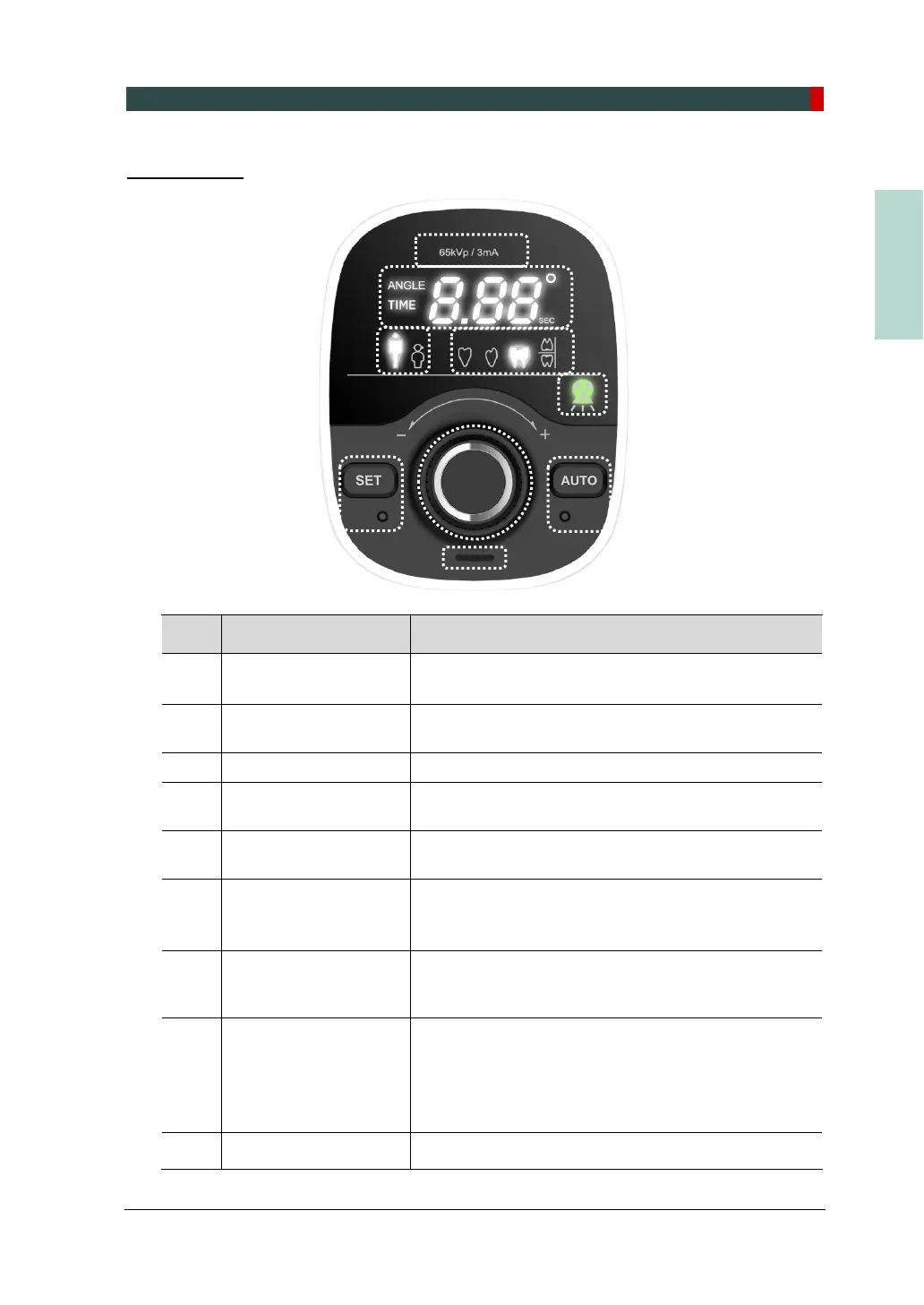
Control Panel
No. Item Description
1
Tube Voltage/Current
Indicator
Indicates the tube voltage and tube current of the
system.
2 Angle/Time Display
Displays the X-ray exposure time, error code, cooling
time, and exposure angle.
3 Adult/Child Selection Indicates a patient type (adult or child).
4 Tooth Type Selection
Indicates a tooth type (incisor, canine, molar/premolar,
bitewing).
5
X-ray Exposure
Indicator
Indicates the X-ray exposure status.
(Green: Ready / Yellow: X-ray ON)
6
SET Button
(with LED lamp)
Resets the X-ray exposure angle.
(SET button is pressed. The LED lamp flickers one
time.)
7 Jog Dial
Turn the jog dial left (-) or right (+) to select X-ray
exposure settings, press the jog dial to confirm the
operating settings.
8
AUTO Button
(with LED lamp)
Selects a tooth and exposure time automatically based
on the X-ray exposure angle.
(1. If the AUTO button is pressed, the LED lamp
flickers one time.
2. If the AUTO Mode is ON, the LED lamp is ON.)
9 Speaker Sound alarm for X-ray exposures
1
2
3
4
8
7
5
6
9













 To Next Page