4. Operation
36 EzRay Air Wall (VEX-S300W) User Manual
4.5.1 Remote Exposure Switch and Power Cable Connections
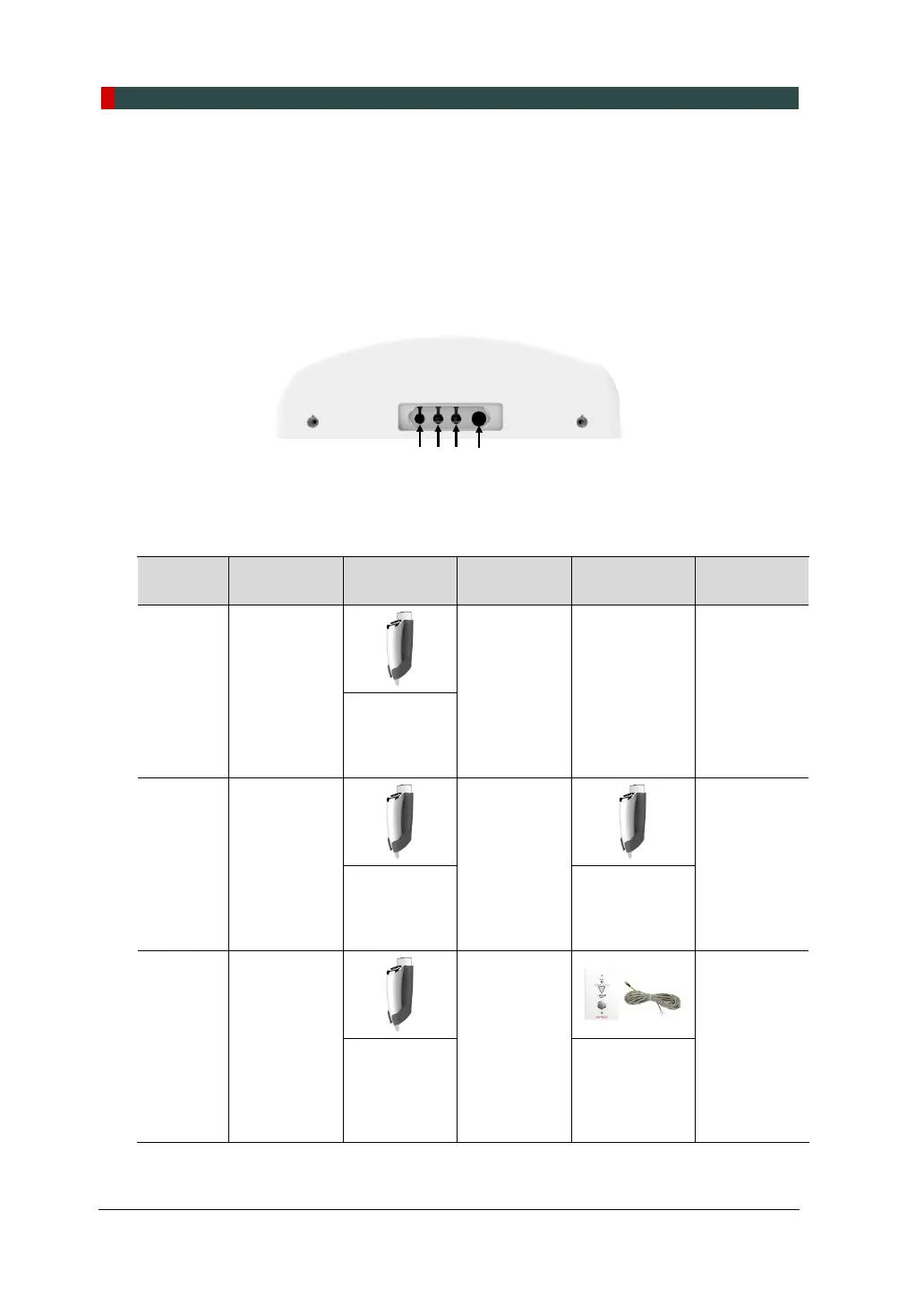
There are four connectors on the bottom of the PowerBox Assembly, as described
below.
Connector 1, 2, 3: Remote Exposure Switch Connectors
Connector 4: AC Power Cable Connector
The standard and optional Remote Exposure Switches, and the Door Interlock
Cable are connected to the Connector 1, 2, and 3. Please check all seven possible
options in the table below.
Option
No.
Description Connector 1 Connector 2 Connector 3 Connector 4
Option 1 Press (1).
N/A N/A
AC Power
Cable
(Option)
(1) Remote
Exposure
Switch
(Standard)
Option 2
(1) and
at the same
time.
N/A
AC Power
Cable
(Option)
(1) Remote
Exposure
Switch
(Standard)
(2) Remote
Exposure
Switch
(Option)
Option 3
(1) and
at the same
time.
N/A
AC Power
Cable
(Option)
(1) Remote
Exposure
Switch
(Standard)
(2) Remote
Exposure
Switch
(Doorbell
type) (Option)













 To Next Page