VATECH Co., Ltd.
Release
V2.0.0
PaX-500
16
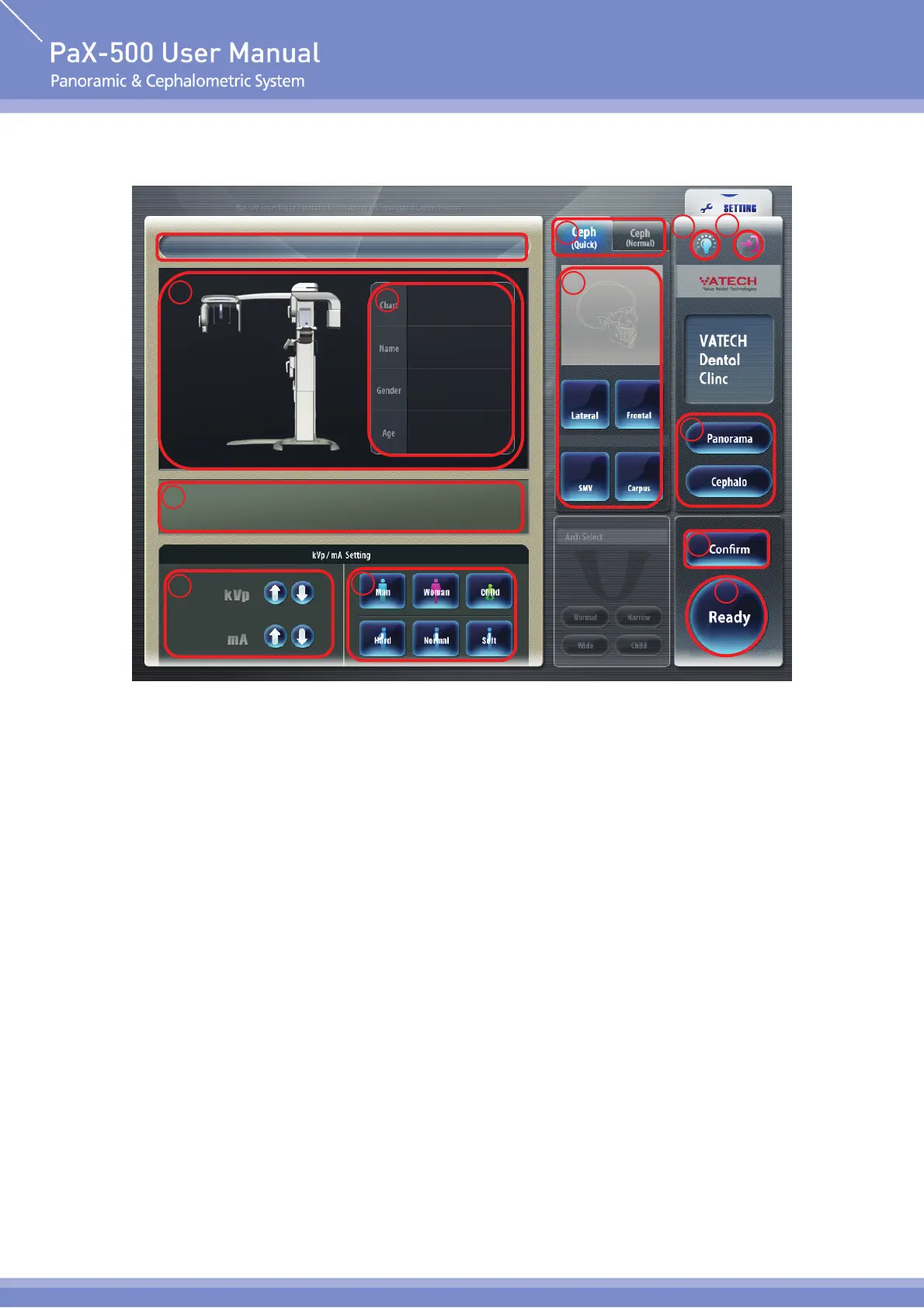
Menu on Cephalometric unit
① Imaging Status and Image Display Window
Show imaging progress status for capturing image and show the image captured after
imaging (show image captured real time at the time of actual imaging)
② Pateint Info. Window
Show information of pateint such as name, age and chart of pateint to be taken.
③ Imaging Instruction Window
Show various kinds of text instruction message for imaging.
④ X-ray Setting Control Button
Adjust kVp, tube voltage value and mA, tube current value.
1
3
4
5
7
6
8
9
10
11
13
2












 To Next Page