58
PaX-Duo3D
6.4. Serial Card Driver Setting
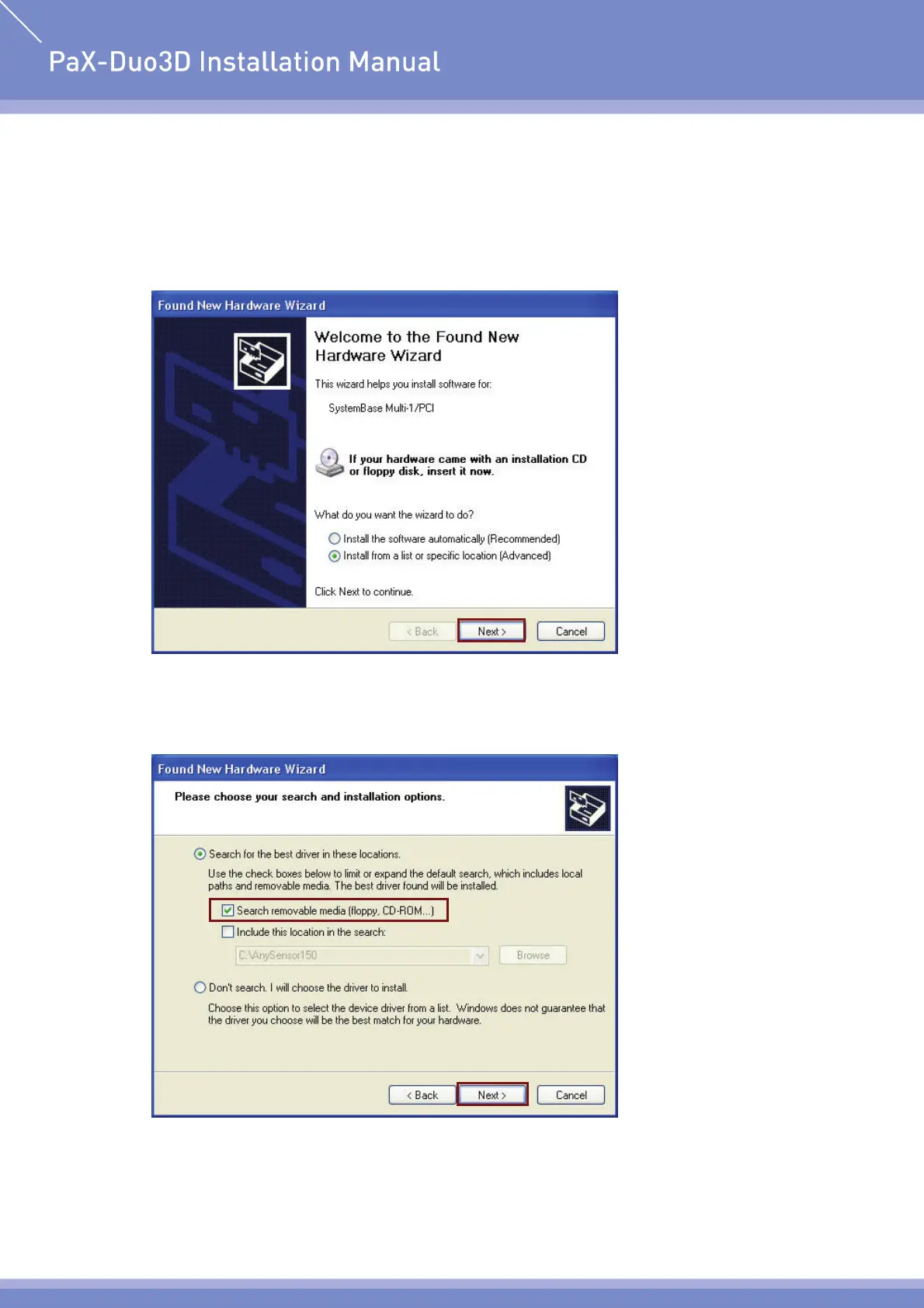
① New hardware will be detected automatically.
② Select “Install from a list or specific location (Advanced)” and click “Next”.
③ Insert the Multiport/PCI Installation disk, as provided, into the CD-Rom drive.
④ Select “Search removable media (floppy, CD-ROM…)”, and then click “Next”.












 To Next Page