4. Installing the Equipment: Base Stand (Optional)
vatech A9 (Model: PHT-30CSS) Installation Manual 61
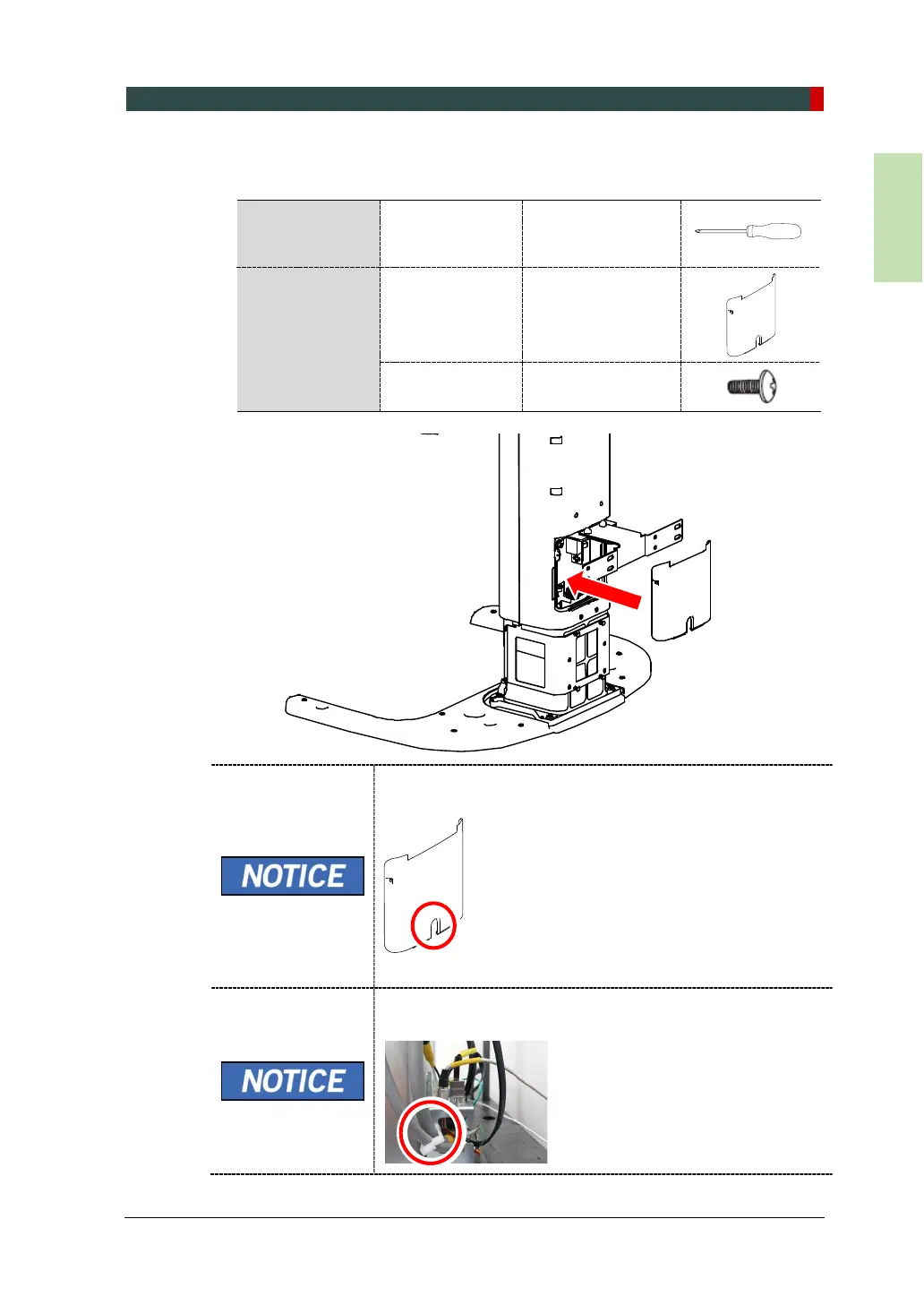
2. Assemble the Column Rear Cover with two truss bolts and a screwdriver. (see
below)
Ensure that all cables (connected in step 1) come out of the
hole located at the Column Rear Cover’s center.
Use the Cable Tie (Part No. 20) to tie the cables before
putting the Column Rear Cover.
Required Tool
Cross Head
Screwdriver w/
Magnetic Tip
L = 200 mm (7.9”)
Parts and
Accessory
Column Rear
Cover
-
Truss Bolt
(Part No. 27)














 To Next Page