10.2,
PROGRAMMING THE CLOCK.
• Access user programming from the left-hand pushbutton panel until the following is shown on the display:
CLOCK
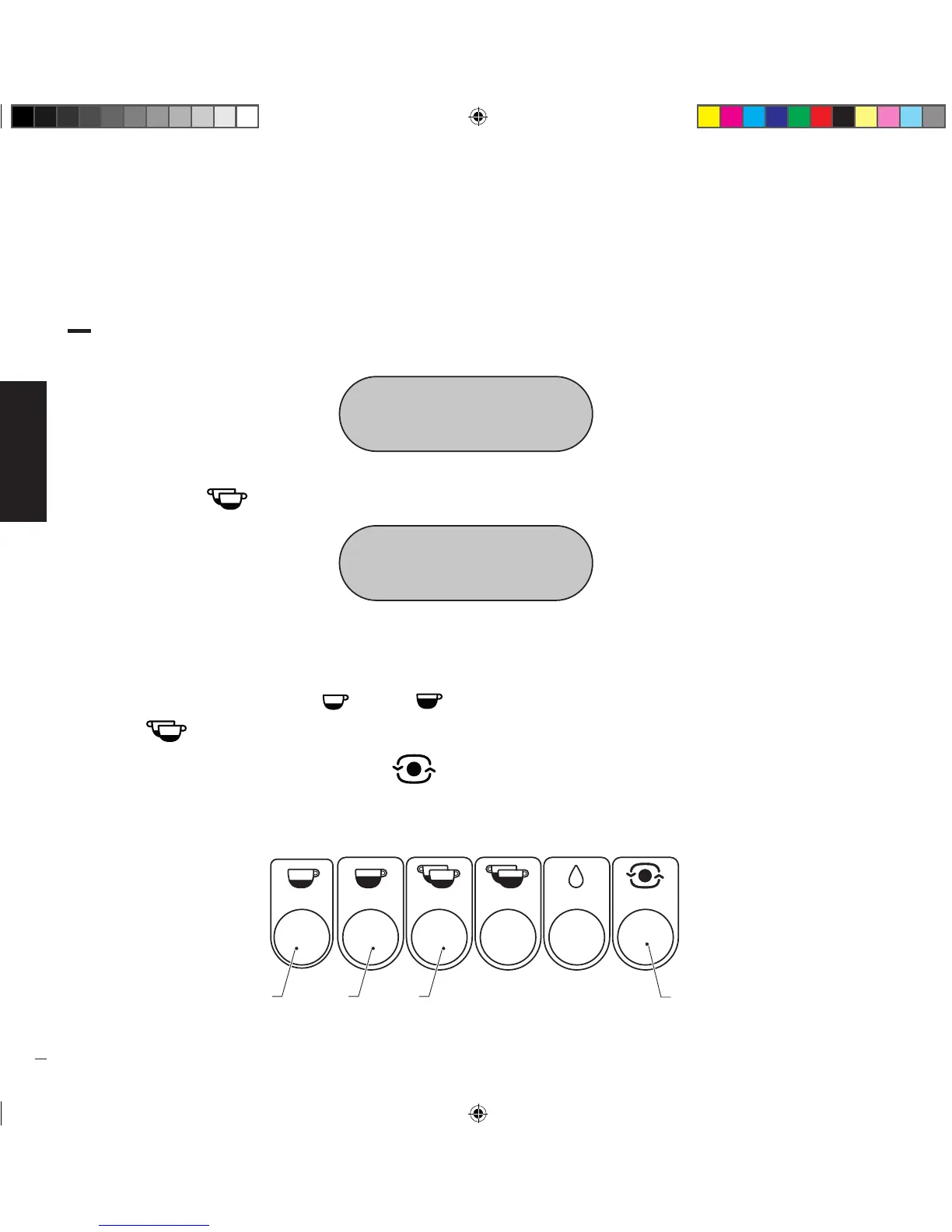
• Press the button “ ” (1) to access date/time adjustment; the following will be shown on the display:
CLOCK TUE
23/02/16 11:29
• The modifiable data blinks; the following data can be changed in sequence:
year • month • day • day of the week • hours • minutes
• To change the data, use the buttons “ ” (2) and “ ” (3) to increase or decrease the data, respectively, and then press the
button “ ” (1) to confirm the setting and go to the next field to be adjusted.
• When adjustment is complete, press the button “ ” (4) to go to the next submenu.
Manuale_Replica2B Elettronica_Rev0_5lingue_03-2016.indd 28 19/04/16 17:28


 To Next Page