10,
USER PROGRAMMING.
The user menu is made up of the following submenus:
• Dose programming (settable data)
• Date/time adjustment (settable data)
• Auto on (NOT settable data)
• Counters (viewing only)
Start the machine as described in the paragraph OPERATION.
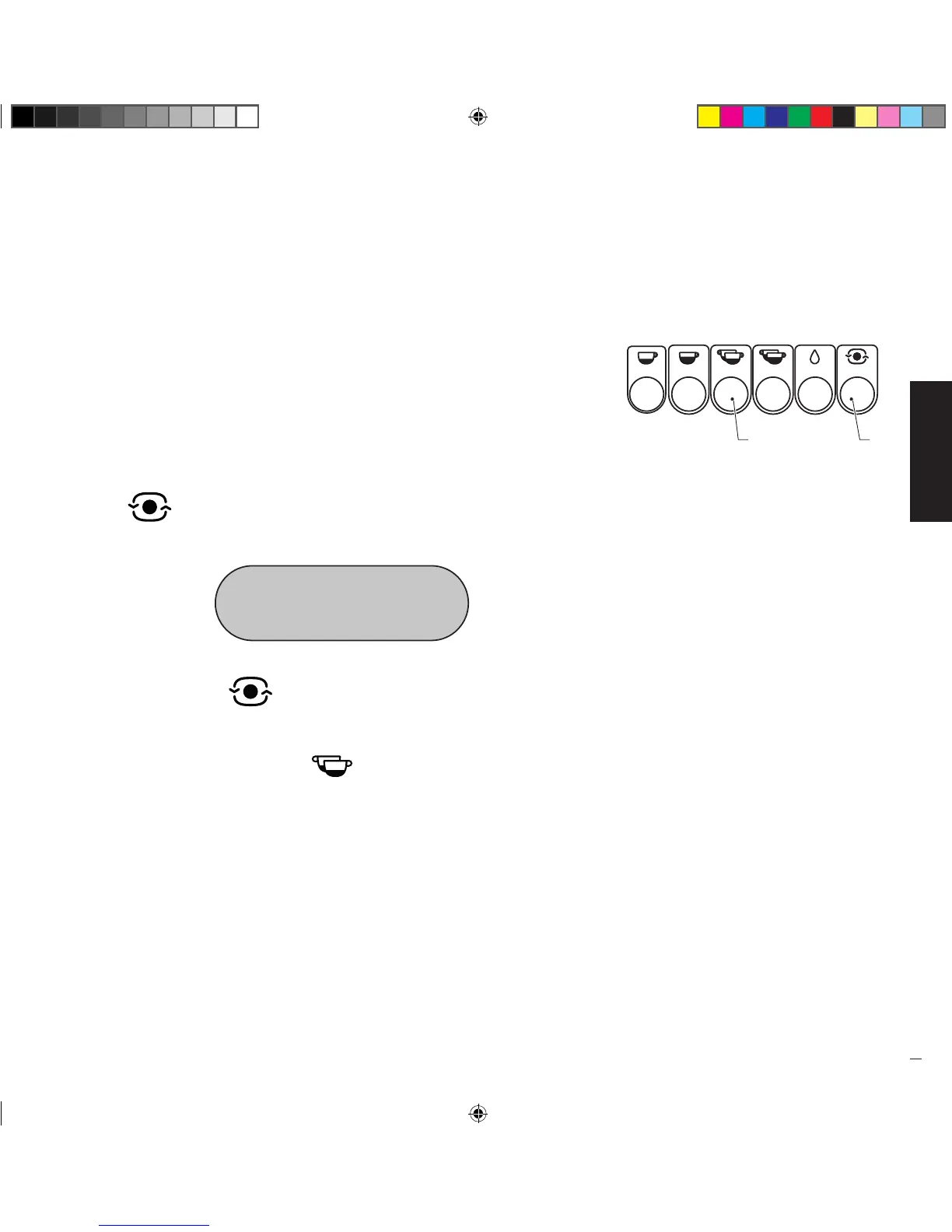
• To access programming, act on the left-hand pushbutton panel, press the button
“ ” (1) and hold it down for at least 10 seconds; the following will be
shown on the display:
PROGRAMMING
SELECT IN 30”
• Press the button “ ” (1) to scroll the User menu and view the submenus
until exiting programming.
• To access data setting/modification of a submenu, view the submenu to be
modified and press the button “ ” (2).
Manuale_Replica2B Elettronica_Rev0_5lingue_03-2016.indd 25 19/04/16 17:28


 To Next Page