HP25E / HP30E 2. Description
2-5© VEMAG 2018
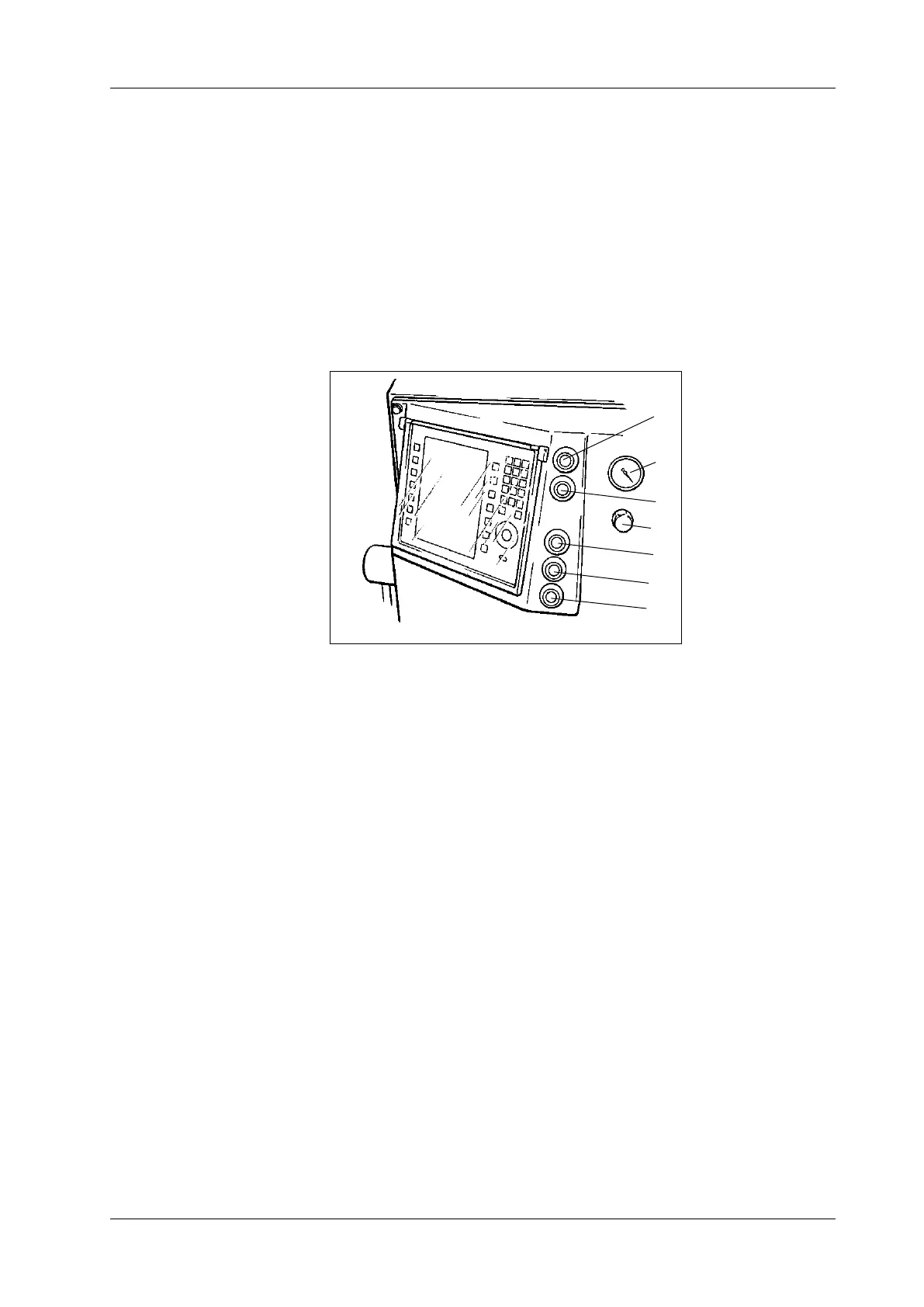
The following controls are arranged on the control panel on the front of
the machine next to the portioning computer:
• ON switch (1)
• OFF switch (2)
• UP key (3) for lifting/tipping device (optional)
• STOP key (4) for lifting/tipping device (optional)
• DOWN key (5) for lifting/tipping device (optional)
• Vacuum display (6)
• Vacuum control valve (7)
1 ON switch
2 OFF switch
3 UP key (optional)
4 STOP key (optional)
5 DOWN key (optional)
6 Vacuum display
7 Vacuum control valve
Fig. 2-8
Machine control panel
1
2
4
3
6
7
5
ON key
This key switches on the drive of the machine.
OFF key
This key switches o the drive of the machine.
UP key (optional)
This key raises the trolley hoist of the lifting/tipping device (optional). In
the top end position above the hopper, the trolley is automatically tipped
and emptied. After 30 seconds have elapsed, the trolley hoist can be
lowered again using the DOWN key. If it is to be lowered before that, the
STOP key has to be pressed rst.
STOP key (optional)
This key stops the trolley hoist of the lifting/tipping device (optional).



 To Next Page