GENERAL SETTINGS
B001167
• Press the MODE button until the DISPLAY menu appears with Backlight highlighted.
• Press the SET button to confirm the menu item.
• Press the MODE and/or SET buttons to increase or decrease the brightness.
• To exit the settings menu, press the SET and MODE buttons simultaneously until the previously
displayed data page appears.
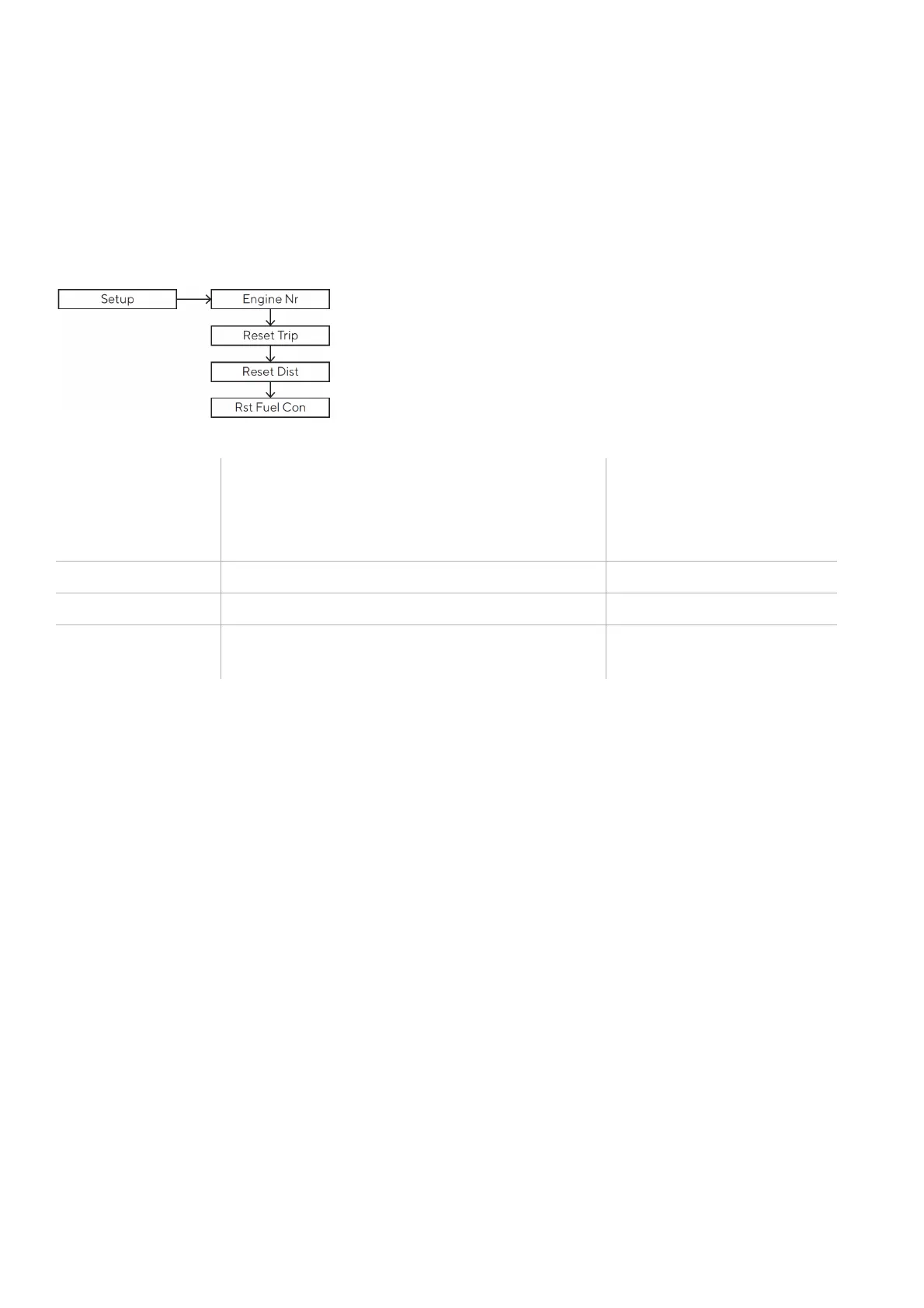
SETUP MENU
Setting Description
Commands
Identification number of the engine who
should be displayed on the gauge
Partial hour counter reset (Trip).
Partial distance counter reset (Trip).
Consumption
Reset the fuel consumption counter
ENGINE IDENTIFICATION
The designation selected in the SETUP > Engine No. menu determines which engine data is to be displayed
if more than one engine is present.
Example: In a configuration with two engines and two VMH 35 displays (one for each engine), one
instrument should be set as Engine 1 and the second as Engine 2.
This setting does not affect the battery, fuel level or GPS data.
This setting also determines the designation used to transmit engine data from the VMH 35 display to the
NMEA 2000 and EasyLink networks.
RESET A TRIP VALUE
• Press the
MODE
button until the
DISPLAY
menu appears.
• Briefly press the
MODE
and/or
SET
button to scroll through the pages to the one of interest.
• Press the
MODE
button until the page detail appears.
• Press and hold the
SET
button until the value resets.


 To Next Page