EasyManua.ls Logo

Veratron VMH 35 - User Manual

Veratron VMH 35
105 pages
Print Icon
To Next Page IconTo Next Page
Loading...
B001167
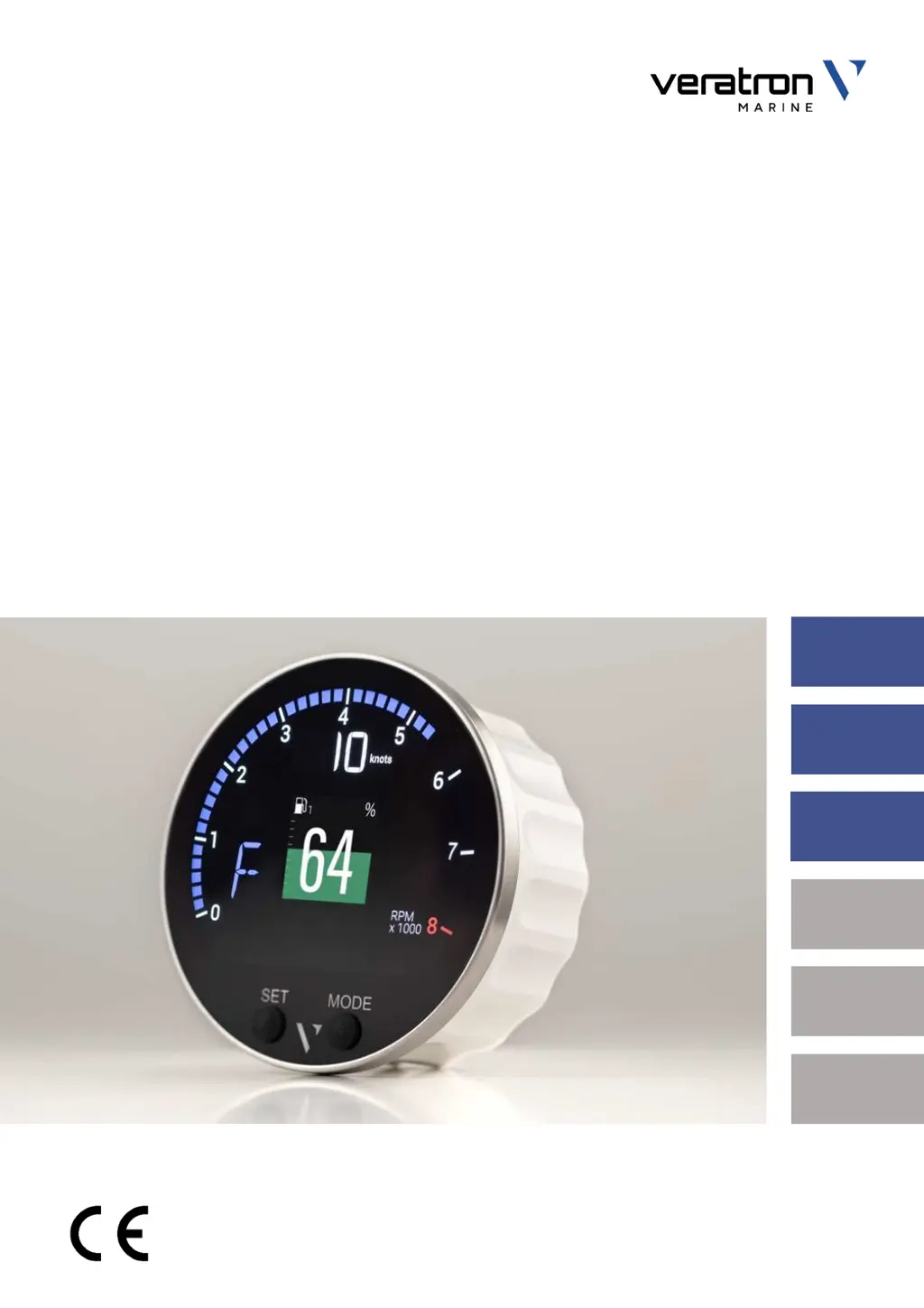
VMH 35
MARINE DISPLAY
USER MANUAL
rev. AB
EN
DE
IT
FR
ES
PT

Questions and Answers

  • C
    cruzdaisyAug 4, 2025
    Why are the values displayed on my Veratron Marine Equipment not as expected?
    • C
      Catherine MortonAug 4, 2025
      If the values displayed on your Veratron Marine Equipment are not as expected, there might be an issue with the sensor configuration. Check the configuration in the Sensors menu. Also, ensure the sensor is connected correctly by referring to the Installation Instructions. A faulty NMEA 2000 network backbone can also cause this problem. Verify the connections and ensure there is termination at both ends of the backbone.
  • K
    Karen CrossAug 9, 2025
    What to do if the value is not displayed or only dashes appear on my Veratron Marine Equipment?
    • K
      Kevin HornAug 10, 2025
      If the value is not displayed on your Veratron Marine Equipment, or if only dashes are displayed, it could be due to several reasons. First, the sensor might not be functioning correctly or may not be available on the network, so check that the sensor is functioning correctly. Second, the sensor may not be properly connected. Refer to the Installation Instructions to connect the sensor. Finally, the NMEA 2000 network backbone might not be correctly set up. Ensure the connections are correct and that the backbone is terminated at both ends.
  • L
    Lindsay FisherAug 14, 2025
    Why does my Veratron Marine Equipment display '--' for speed?
    • M
      Mark WoodAug 14, 2025
      If the displayed speed on your Veratron Marine Equipment shows "--", it likely means the GPS module is in the search state. Please wait, as the search operation typically takes about one minute. Once the GPS is valid, the speed will be displayed correctly.
  • J
    jacob14Aug 19, 2025
    What to do if the displayed speed on my Veratron VMH 35 is "--"?
    • R
      Robert FitzpatrickSep 12, 2025
      If the displayed speed on your Veratron Marine Equipment shows "--", it is likely because the GPS module is in the search state. Please wait, as the search operation typically takes about one minute. Once the GPS is valid, the speed should be displayed correctly.
  • M
    Marie GonzalezAug 25, 2025
    What to do if the Veratron VMH 35 Marine Equipment indicator is backlit but the pointer doesn't move?
    • A
      Alicia GarciaAug 25, 2025
      If your Veratron Marine Equipment indicator is backlit but the pointer remains stationary, it could be due to the master not receiving data. First, ensure that the 52 mm indicator is compatible with the master. If compatibility is confirmed, verify that the data is present on the master display.
  • K
    kristen71Aug 29, 2025
    Why is my Veratron Marine Equipment hand not moving and the indicator not backlit?
    • G
      Gerald GarrisonAug 29, 2025
      If the hand on your Veratron Marine Equipment is not moving and the indicator is not backlit, it could be due to the following reasons: * The master is not powered. In this case, check the connections of the master and connect the power supply. * No 52 mm chain indicator is connected to the master. Connect a 52 mm indicator to the master.

Summary

Introduction

Architecture Diagram

Diagram showing NMEA 2000 and sensor connections for the VMH35.

Priority of Received Signals

Lists sensor inputs and GPS position sources utilized by the VMH35.

Switching On and Off

Describes the device's power-up sequence and customization options.

Safety Information

General Safety and Installation

Covers general precautions and installation safety guidelines.

Post-Installation Safety and Electrical

Discusses safety after installation and general electrical connection guidelines.

VMH 35 Installation

Before the Assembly

Steps to take before starting the installation process for the VMH35.

Spinlock Mounting

Detailed procedure for mounting the VMH35 device using the spinlock system.

Outboard Engine Kit Installation

Packaging Content

Lists the components included in the outboard engine kit.

Harness Diagram

Diagram illustrating the wiring harness connections for the kit.

Installation Steps

Step-by-step instructions for installing cables, IBS, and fuel level sensor.

Mounting, Connections, and Power

Covers unit mounting, EasyLink, further connections, and power reattachment.

Initial Configuration

Steps for initial setup, including IBS activation and sensor definition.

Connections

VMH 35 Pinout

Detailed pinout information for the VMH 35 connector.

NMEA 2000 Connector Pinout

Pinout specifications for the NMEA 2000 connector.

Electrical Schematics

Circuit Diagram and Designations

Visual representation of electrical connections and component labels.

Sensor and Accessory Connections

Guidelines for connecting analog sensors, IBS, and external buzzer.

NMEA 2000 Network Connection

Instructions for connecting the device to the NMEA 2000 network.

Description

Part Identification

Identifies physical parts of the VMH 35 display.

Data Screen Layouts

Explains how data is presented on the display in different layouts.

Screen Scrolling and Data Management

Covers navigating screens and details of managed data.

Engine Hours and Distance Traveled

Explains calculation and display of engine hours and distance.

General Settings

Settings Menu Structure

Visual overview of the device's settings menu hierarchy.

Operating the Settings Menu

Instructions on how to navigate and use the settings menu.

Configuration Options

Covers units, day/night mode, brightness, setup, engine ID, resets, and splash logo.

Sensor Configuration

Types of Calibration

Explains standard and manual calibration methods for sensors.

Sensors Menu Structure

Diagram showing the navigation path for sensor configuration.

Calibrating Sensors

Step-by-step instructions for calibrating various sensors.

Specific Sensor Configurations

Covers configuration for temperature, pressure, and IBS sensors.

Sensor Curves

Fuel and Water Level Sensor Curves

Lists selectable calibration curves for fuel and water level sensors.

Rudder Angle and Coolant Temp Curves

Lists selectable calibration curves for rudder angle and coolant temperature sensors.

Oil Temp and Pressure Sensor Curves

Lists selectable calibration curves for oil temperature and pressure sensors.

Alarms

Alarms Notification

How the VMH35 indicates and manages alarms from internal and NMEA 2000 sources.

Setting an Alarm

Steps to activate and configure alarm thresholds.

List of Alarms and Telltales

Lists managed alarms and their corresponding telltale icons.

Troubleshooting

Data Display Issues

Common problems with data display and their solutions.

Internal GPS Issues

Troubleshooting for issues with the internal GPS function.

Technical Data

General Features

Overview of material, connectors, input/output data, display, and GPS antenna.

Environmental and Electrical Features

Covers operating/storage temperatures, voltage, and power consumption.

Compliance and NMEA 2000 Support

Details regulatory compliance and supported NMEA 2000 messages.

Disposal Responsibility

Guidelines for proper disposal and recycling of the product.

Spare Parts, Sensors and Accessories

Spare Parts

Lists available spare parts and their part numbers.

Accessories

Lists available accessories and their part numbers.

Veratron VMH 35 Specifications

General IconGeneral
Display TypeTFT LCD
Display Size3.5 inches
Resolution320 x 240 pixels
Operating Temperature-20°C to +70°C
Storage Temperature-30°C to +80°C