DEVICE SETUP
SAM Card
18 V660P INSTALLATION GUIDE
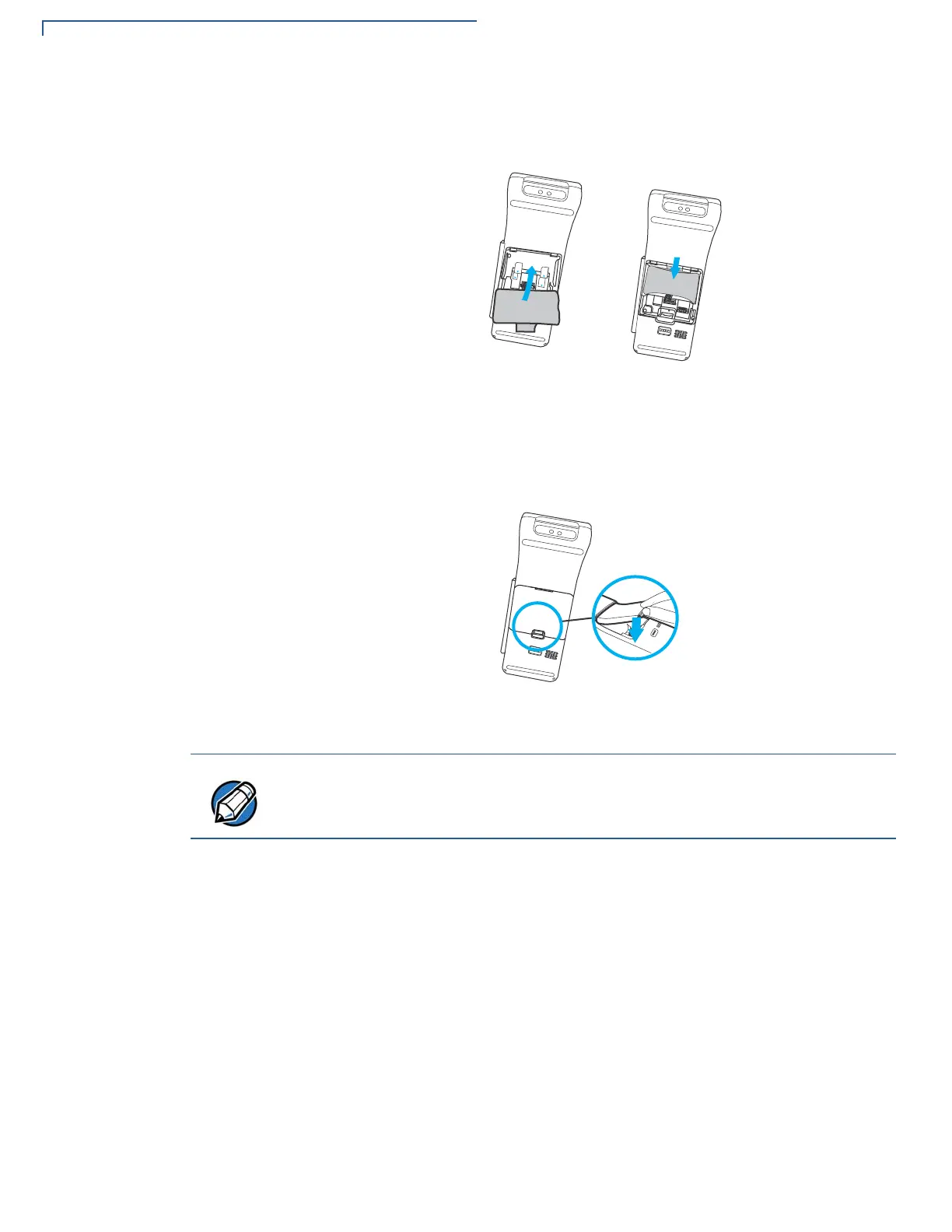
6 Turn the battery back into the compartment and place it in the slot.
Figure 6 Placing the Battery Back
7 Close the back cover.
Figure 7 Closing Back Cover
To replace SAM card, gently slide out the old SAM card before inserting a new
one.
Position the card’s gold contacts facing downward towards the user. The card
slot in the device has a set of contacts. The SAM card has a notch on one corner
to ensure that it fits into the connector base in only one way.


 To Next Page