DEVICE SETUP
Connecting the Terminal Power Pack
20 V660P INSTALLATION GUIDE
Manual Shutdown
Hold the start button for about 1 second until the message is displayed on the
screen. Touch the "Off" selection to turn off.
Connecting the
Terminal Power
Pack
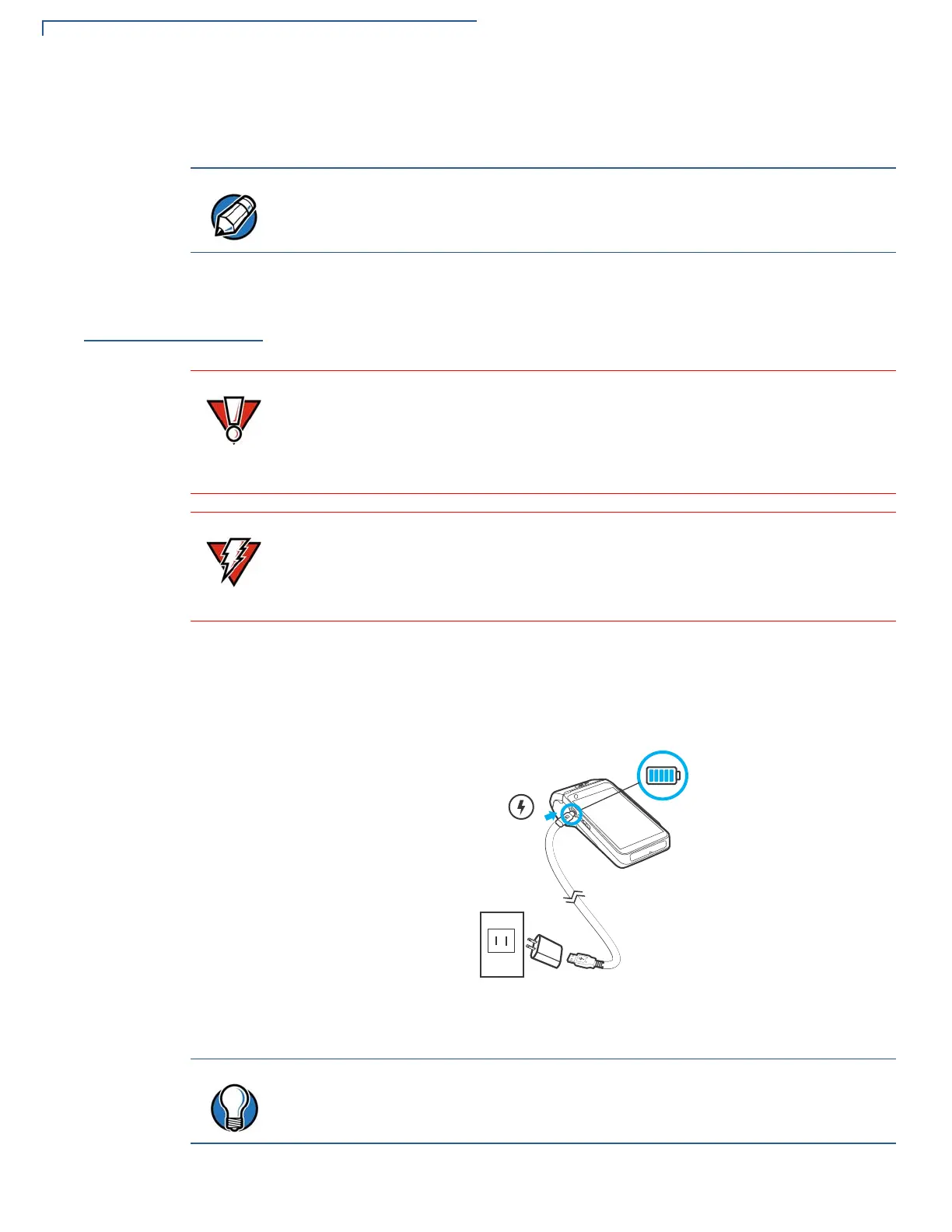
Connect the V660p-1 devices to the provided USB cable and insert the other end
into any USB charger head for initial charging.
Each V660p-1 device comes with a power supply cable, USB-A to USB-C cable is
used to connect the device directly to an USB outlet to charge the battery. The
V660p-1 unit is equipped with an USB capable universal port.
To Connect the
Terminal Power
Supply
Insert the USB-C to the V660p-1 and USB-A port to the power supply or Desktop.
Figure 9 V660p-1 Power Supply Connection
The screen is blank when the device has no power.
Using an incorrectly rated power supply may damage the device or cause it not
to work as specified. Before troubleshooting, ensure that the power supply being
used to power the device matches the requirements specified on the bottom of
the device. (See
Specifications for detailed power supply specifications.) You can
use any standard USB charger.
Do not plug the power pack into an outdoor outlet or operate the device outdoors.
During a transaction, disconnecting the power by unplugging the device from a
wall power while at very low battery charge may cause transaction data files not
yet stored in the device memory to be lost.
To protect against possible damage caused by lightning strikes and electrical
surges, consider installing a power surge protector.


 To Next Page