Page
8 (37)
POINT TRANSACTION SYSTEMS OY
Vanha Nurmijärventie 62 FI-01670 VANTAA | tel: +358 (0)9 477 4330 | fax: +358 (0)9 436 2490
www.point.fi
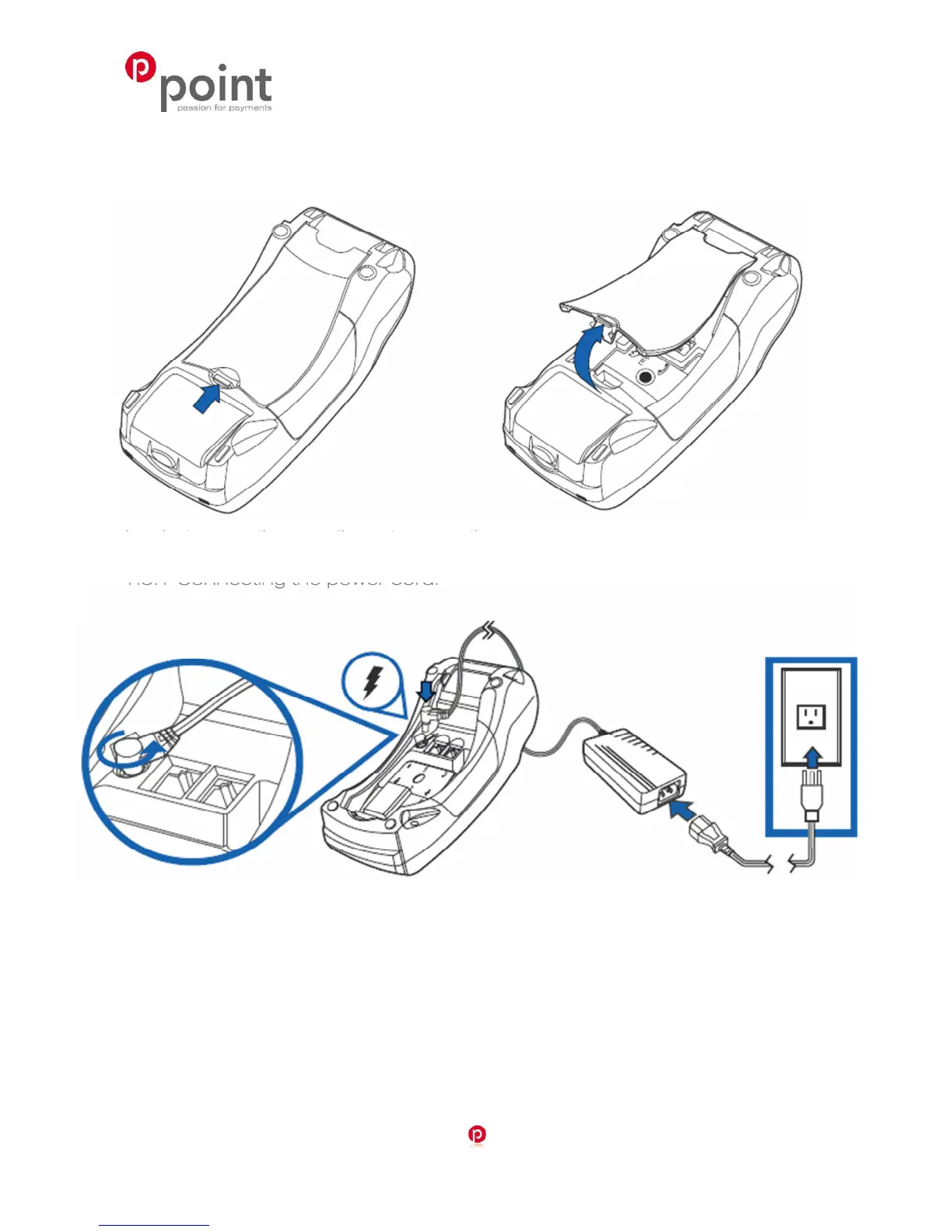
1.5 Connecting the cables
In order to access the connection ports, remove the cover.
1.5.1 Connecting the power cord.
Connect the adapter to the main power cord, the power cord to the power supply and the plug to
the electrical outlet. The adapter is connected at the bottom of the terminal into the left port.



 To Next Page