SETUP
Options
26 V
X
810 REFERENCE GUIDE
Options
VeriFone ships variants of the V
x
810 for different markets. Your device may have
a different configuration. Additionally, these variants can be ordered with different
options.
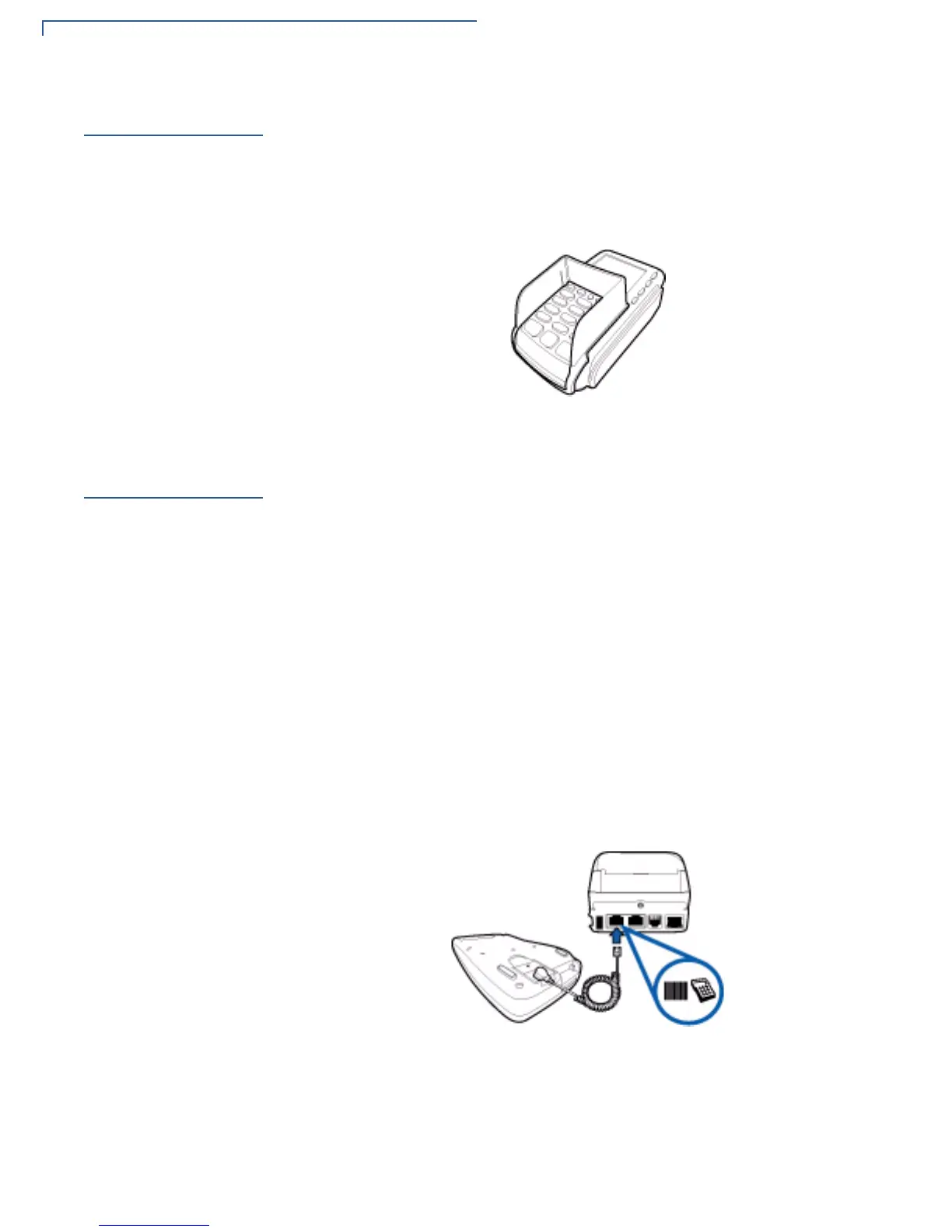
Privacy Shield
Example of an installed privacy shield.
Figure 7 Installed Privacy Shield
Cable
Connections
The V
x
810 has six general cabling scenarios, depending on what the device
connects to:
• Other VFI Devices
• RS-232 Connection with External Power Brick
• Standard USB Connection
• USB Download Support with External Power Brick
• Powered USB
• Ethernet Connection with External Power Brick
Other VFI Devices
V
x
810 will connect to another VFI device via a straight cable. There is a minimum
power requirement for the V
x810, currently specified as 3.5W. In cases where the
other device is only able to provide a 7V DC output to power the V
x810, the other
device must be able to source at least 0.5A of current. Otherwise, proper
functioning of the V
x810 is not guaranteed.
Figure 8 Connection with Another VFI Device



 To Next Page