27
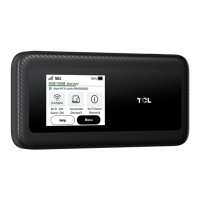
App status icon
Status icon What it means
Indicates the network your LINKZONE connects to. No Service will be
displayed when there is no network available.
The number of signal bars indicates the signal strength. The more
signal bars it shows, the stronger the signal is.
Data roaming is enabled.
The number of signal bars indicates the signal strength. The more
signal bars it shows, the stronger the signal is.
The LINKZONE is connected to the internet.
The LINKZONE is disconnected from the internet.
No SIM card/ Invalid SIM card
Show the real-time upload speed of your LINKZONE.
Show the real-time download speed of your LINKZONE.
Connected devices
On the homepage, tap Connected devices to enter the Connected devices page. You
can configure access to the internet for any connected devices. Connected devices are
shown in the
Connected
list, any devices which have been forbidden to connect to the


 To Next Page
 Loading...