Data Sharing: Using LabQuest
®
2
38
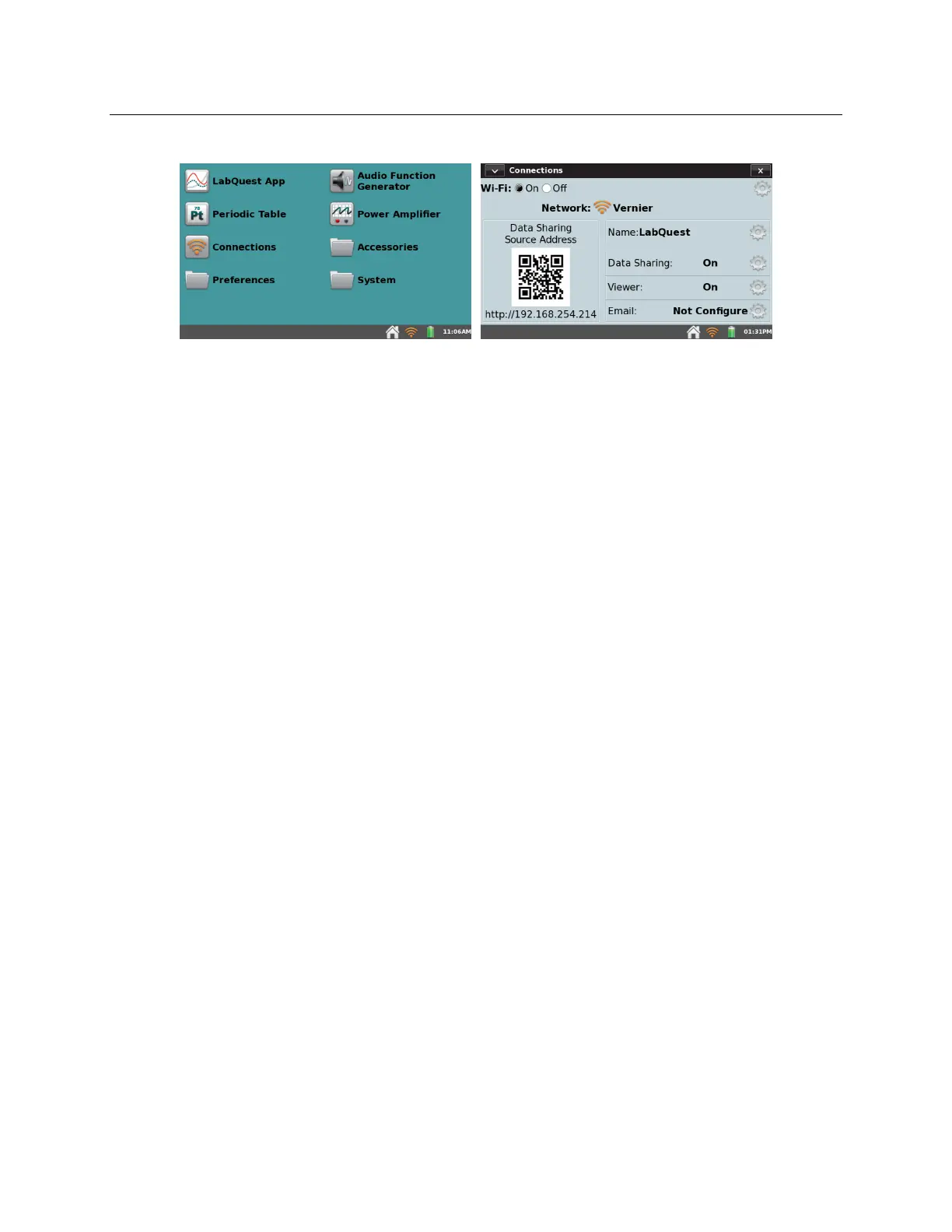
1. Launch the Connections app from the Home screen.
2. Connect your mobile device to the same Wi-Fi network to which you connected LabQuest 2.
3. On your computer, Chromebook™, or mobile device, open a supported browser and enter the
Data Sharing Source Address. Alternatively, if you have a QR code reader on your device,
you can access this via the provided QR code.


 To Next Page