9
III. LABQUEST
®
APP
The data-collection and analysis software, LabQuest App, is the heart of LabQuest. When you
turn on LabQuest, the LabQuest App starts automatically. If the LabQuest App is not displayed
on your screen, launch LabQuest App from the Home screen.
Navigating LabQuest App
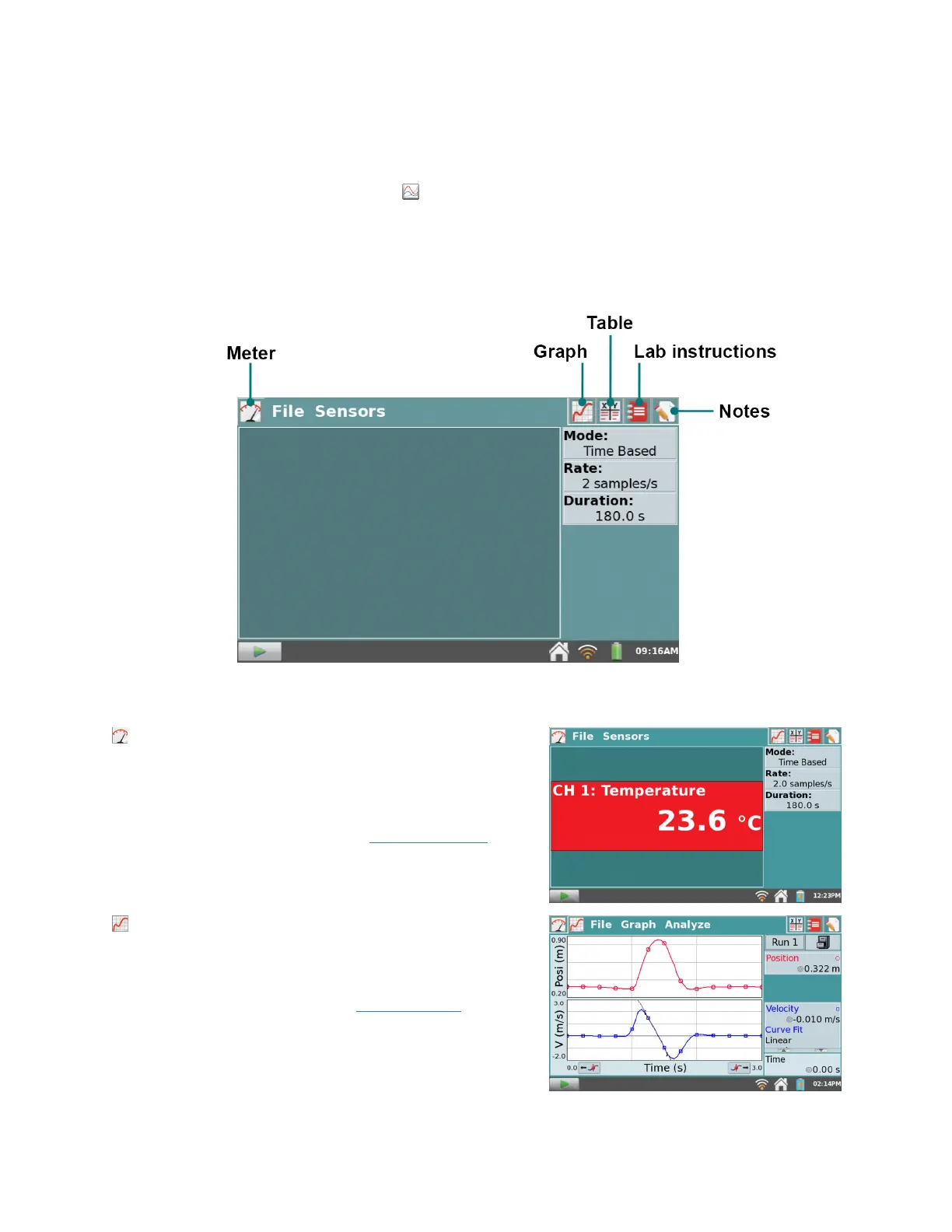
LabQuest App has five different screens. Tap on the desired tab to display the associated screen.
LabQuest App
Meter screen – Set up sensors, set data-collection
parameters, and see a meter for your connected
sensors.
For a detailed description of how the Meter screen
is used for data collection, see Data Collection.
Graph screen – See a graph of your data and
perform analyses, including curve fits.
For a detailed description of how the Graph screen
is used for data analysis, see Data Analysis
.


 To Next Page