Appendices
52
Appendix C – LabQuest Keyboard
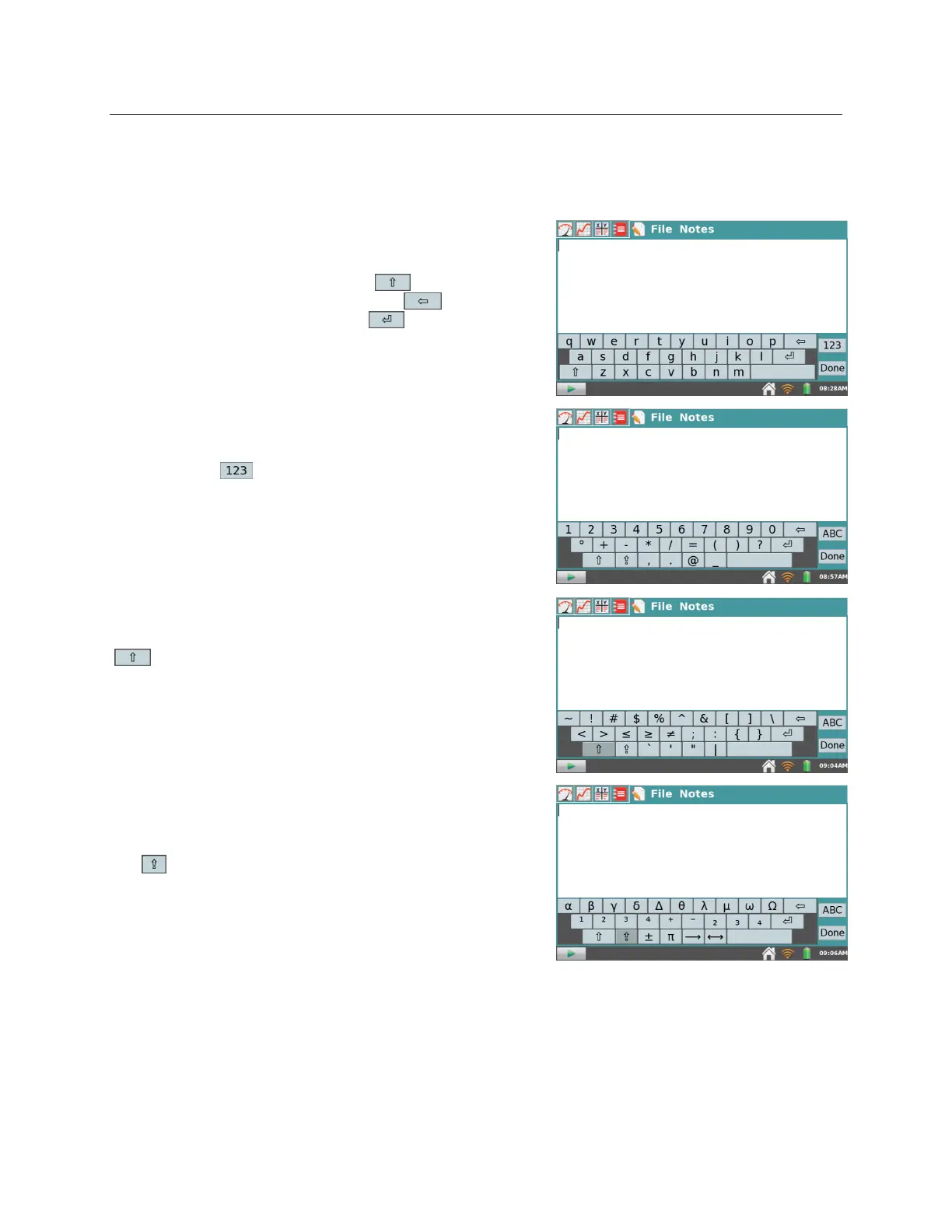
LabQuest App automatically displays the keyboard when text can be entered.
Standard
The standard keyboard displays lowercase letters. To
capitalize letters, use the Shift key . To delete the
previous entry, use the Backspace key . To start a
new line, use the Carriage Return . Note that the
spacebar is located to the right of the letter m.
Numeric and special characters
To access the numeric keyboard from the standard
keyboard, tap .
Symbols
To access symbols from the numeric keyboard, tap
.
Special characters
To access Greek characters, superscripts, subscripts, and
additional operators from the numeric keyboard,
tap .


 To Next Page