Installing & Configuring the eyeBeam SIP Softphone A-4
CounterPath SIP Softphone
Wave Phone User Guide
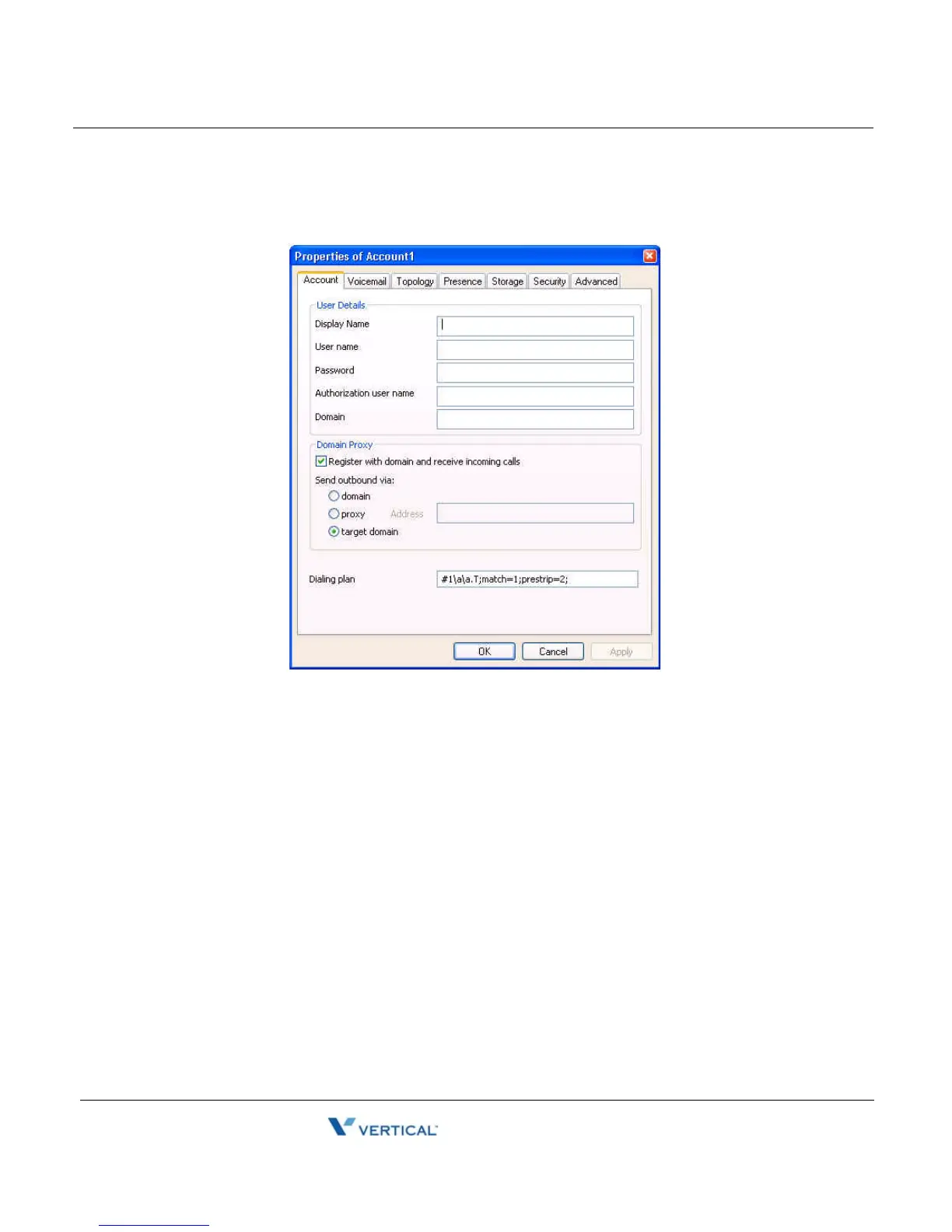
Under Properties of Account:
6. Click on the Account tab.
7. Enter the following information:
• Display name - Enter your name as you want it displayed to callers.
• User name - Enter your extension number.
• Password/Authentication user name - Leave these blank.
• Domain - Enter the name or IP address of the Wave SIP Server to which this phone
is registered, as provided by your System Administrator.
Under the Topology tab.
8. Enable the “Port used on your local computer”.



 To Next Page