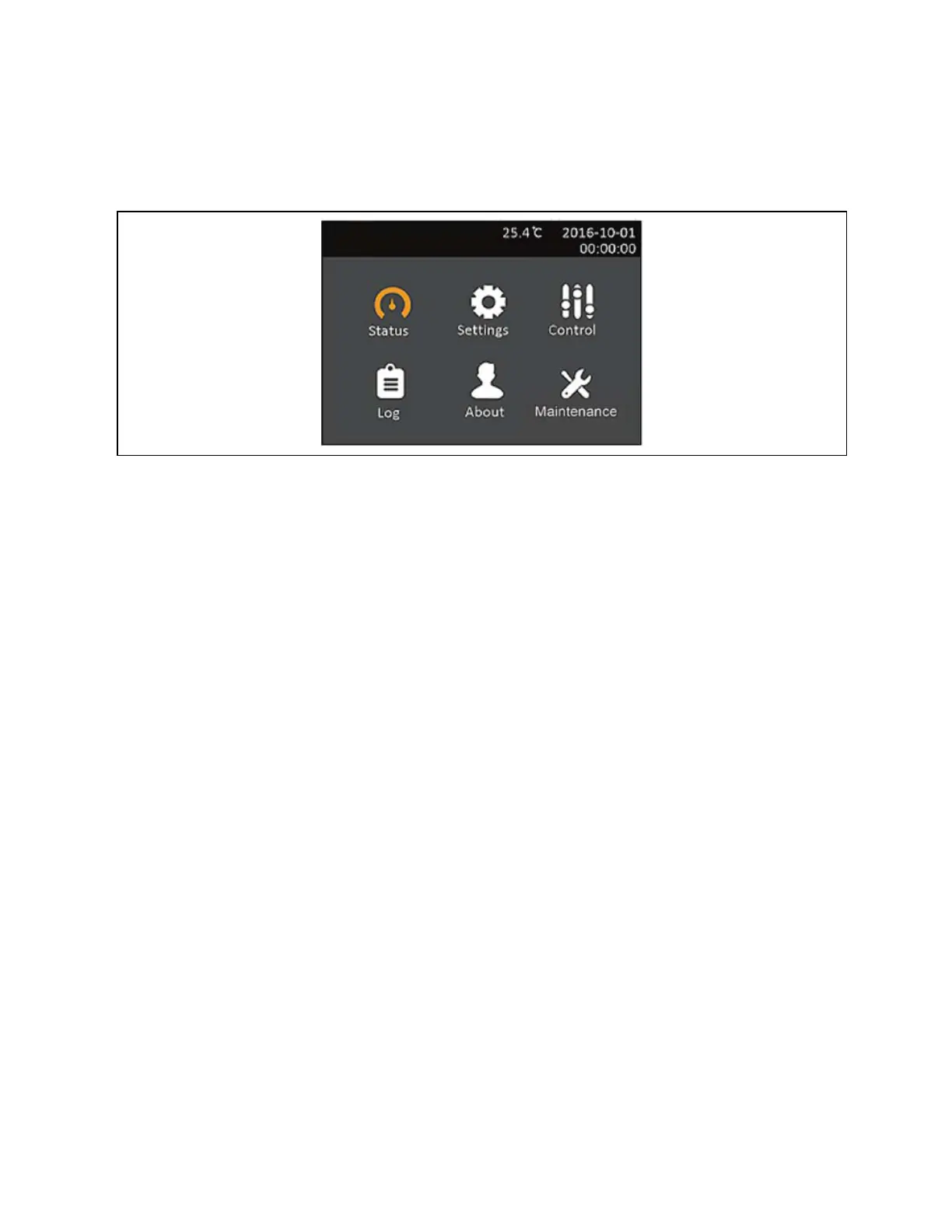
4.2.2 Main menu Screen
To access the main menu, press Enter while at the flow screen. Use the arrow buttons to select the sub-
menu options, and press Enter to open the sub menu. Press ESC to return to the flow screen.
4.2.3 Status Screen
The status screen displays voltages, currents, frequencies, and parameters on individual tabs for input,
battery, output, and load status.
To view the UPS status information:
1. At the main menu, select the Status icon, and press Enter.
2. Use the arrow buttons to move the cursor left/right and select a tab, then press Enter to
display the status information for the selected tab.
3. Use the the arrow keys to move the cursor through status information for the selected tab.
Press ESC to return to the tab selection. Press ESC again to return to the main menu.
Input Status Options
L-N voltage (V)
Line-neutral voltage of input power.
L-N current (A)
Line-neutral current of input power.
Frequency (Hz)
Frequency of input of input power.
Energy (kWh)
Input power.
Input blackout count
The number times that the input voltage was lost or dropped below 60 VAC (black out) Resets
to 0 when UPS is powered down.
4 Operations
19
Liebert® EDGE Installer/User Guide









 To Next Page