CAUTION: Do not use the rack ears to lift the unit. Only use the rack ears to secure the UPS to
the rack.
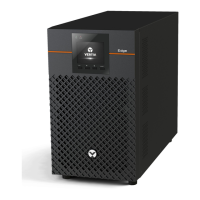
3.4.2 Installing a Mini Tower (MT) Model
Place the unit upright, on its feet without blocking air inlets.
3.5 Connecting Loads
The UPS has non-programmable and programmable outlets. Plug your critical equipment (such as
computer, monitors, etc.) into the non-programmable outlets and your less-critical equipment (such as
printers and other less-often used peripherals) into the programmable outlets.
3.6 USB Communication Connection
Basic monitoring of the EDGE and unattended controlled shutdown of your computer in case of a power
failure can be done using the Vertiv Power Assist software via the USB port. Visit
www.vertiv.com/powerassist for additional information.
3.7 Emergency Power-off (EPO) Connection (Optional)
To comply with national and local wiring codes and regulations, the EPO connector internally disconnects
all power sources to the connected equipment. The default operation is "active open" which means you
must remove the factory installed jumper and connect to external contacts that are normally closed, but
open during a power-off event. The logic may be reversed in the Settings. If you do not use the EPO
connector, leave the factory-installed jumper in place and the default EPO settings in the Settings.
3 Installation
11
Liebert® EDGE Installer/User Guide









 To Next Page