

EasyManua.ls Logo

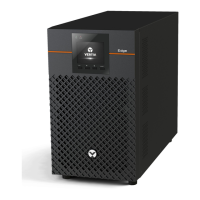
Vertiv Liebert EDGE - User Manual

Vertiv Liebert EDGE
68 pages
Print Icon
To Next Page IconTo Next Page
Loading...
Vertiv Lieber EDGE
Installer/User Guide
Question and Answer IconNeed help?

Do you have a question about the Vertiv Liebert EDGE and is the answer not in the manual?

Summary

Important Safety Instructions

General Safety Precautions

Essential safety guidelines for handling and operating the UPS and batteries.

EDGE Description

Available Models

Overview of available Vertiv Liebert EDGE UPS models and their specifications.

Rear Panel Views

Identification of ports and connectors on the rear panel of the UPS units.

Front Panel Controls

Explanation of buttons and display elements on the front panel of the UPS.

Installation

Whats Included

List of items provided with the UPS package.

Unpacking and Inspection

Steps for safely unpacking and checking the UPS and included accessories.

Preparation for Installation

Guidelines for preparing the installation environment and required clearances.

Tower Installation

Instructions for mounting the UPS in a tower configuration.

Rack-mount Installation

Instructions for mounting the UPS in a rack configuration.

Installing a Mini Tower (MT) Model

Specific instructions for installing the UPS in a mini tower configuration.

Connecting Loads

Guidance on connecting equipment to UPS outlets.

USB Communication Connection

How to connect the UPS for basic monitoring and control via USB.

Emergency Power-off (EPO) Connection

Instructions for connecting the Emergency Power-off feature.

External Battery Cabinet Connection

Guide for connecting external battery cabinets to extend runtime.

Network Communication Card Connection

Steps for installing an optional network communication card for remote management.

Connecting AC Input

Procedures for connecting the UPS to the AC power source.

Operations

Modes of Operation

Detailed explanation of the different operating modes of the UPS.

Controls

Explanation of front panel buttons and navigation for UPS control.

Startup Wizard and Screens

Guidance on the initial startup sequence and display screens.

Status Screen

How to view UPS status information like voltage, current, and frequency.

Settings Submenu

Accessing and modifying UPS configuration parameters.

Control Screen

Using the control screen to manage UPS functions.

Log Screen

Viewing and understanding UPS alarms and event history.

Maintenance and Battery Replacement

Precautions

Important safety measures before performing maintenance or battery replacement.

Battery Charging

Information on how the UPS charges its batteries.

Replacing the UPS Batteries

Procedures for safely replacing the internal UPS batteries.

Specifications

Specifications, EDGE-500 IRM1 U,EDGE-1000 IRM1 U and EDGE-1500 IRM1 U

Detailed technical specifications for specific UPS models.

Specifications, EDGE-750 IMT, EDGE-1000 IMT and EDGE-1500 IMT

Detailed technical specifications for specific UPS models.

Specifications, EDGELI-1500 IRT2 U, EDGELI-2200 IRT2 U, EDGELI-3000 IRT2 U

Detailed technical specifications for specific UPS models.

Battery Run Times

Tables showing estimated battery run times under different load conditions.

Appendices

Technical Support

Contact details for technical support, warranty, and monitoring.
Summary

Important Safety Instructions

General Safety Precautions

Essential safety guidelines for handling and operating the UPS and batteries.

EDGE Description

Available Models

Overview of available Vertiv Liebert EDGE UPS models and their specifications.

Rear Panel Views

Identification of ports and connectors on the rear panel of the UPS units.

Front Panel Controls

Explanation of buttons and display elements on the front panel of the UPS.

Installation

Whats Included

List of items provided with the UPS package.

Unpacking and Inspection

Steps for safely unpacking and checking the UPS and included accessories.

Preparation for Installation

Guidelines for preparing the installation environment and required clearances.

Tower Installation

Instructions for mounting the UPS in a tower configuration.

Rack-mount Installation

Instructions for mounting the UPS in a rack configuration.

Installing a Mini Tower (MT) Model

Specific instructions for installing the UPS in a mini tower configuration.

Connecting Loads

Guidance on connecting equipment to UPS outlets.

USB Communication Connection

How to connect the UPS for basic monitoring and control via USB.

Emergency Power-off (EPO) Connection

Instructions for connecting the Emergency Power-off feature.

External Battery Cabinet Connection

Guide for connecting external battery cabinets to extend runtime.

Network Communication Card Connection

Steps for installing an optional network communication card for remote management.

Connecting AC Input

Procedures for connecting the UPS to the AC power source.

Operations

Modes of Operation

Detailed explanation of the different operating modes of the UPS.

Controls

Explanation of front panel buttons and navigation for UPS control.

Startup Wizard and Screens

Guidance on the initial startup sequence and display screens.

Status Screen

How to view UPS status information like voltage, current, and frequency.

Settings Submenu

Accessing and modifying UPS configuration parameters.

Control Screen

Using the control screen to manage UPS functions.

Log Screen

Viewing and understanding UPS alarms and event history.

Maintenance and Battery Replacement

Precautions

Important safety measures before performing maintenance or battery replacement.

Battery Charging

Information on how the UPS charges its batteries.

Replacing the UPS Batteries

Procedures for safely replacing the internal UPS batteries.

Specifications

Specifications, EDGE-500 IRM1 U,EDGE-1000 IRM1 U and EDGE-1500 IRM1 U

Detailed technical specifications for specific UPS models.

Specifications, EDGE-750 IMT, EDGE-1000 IMT and EDGE-1500 IMT

Detailed technical specifications for specific UPS models.

Specifications, EDGELI-1500 IRT2 U, EDGELI-2200 IRT2 U, EDGELI-3000 IRT2 U

Detailed technical specifications for specific UPS models.

Battery Run Times

Tables showing estimated battery run times under different load conditions.

Appendices

Technical Support

Contact details for technical support, warranty, and monitoring.

Vertiv Liebert EDGE Specifications

General IconGeneral
BrandVertiv
ModelLiebert EDGE
CategoryUPS
LanguageEnglish

Related product manuals





