4.3 Editing Display and Operation Settings
You may adjust the display settings and UPS configuration via the LCD. The display and operation
settings are password protected. The default password is 111111 (six ones).
To enter the password:
1. Use the arrow buttons to increase the digits or move to the next digit.
2. Repeat to select each digit, and press Enter to submit the password.
Settings Prompts
While using the operation and display panel, prompts display to alert you to specific conditions or require
confirmation of commands or settings. Following table lists the prompts and their meaning.
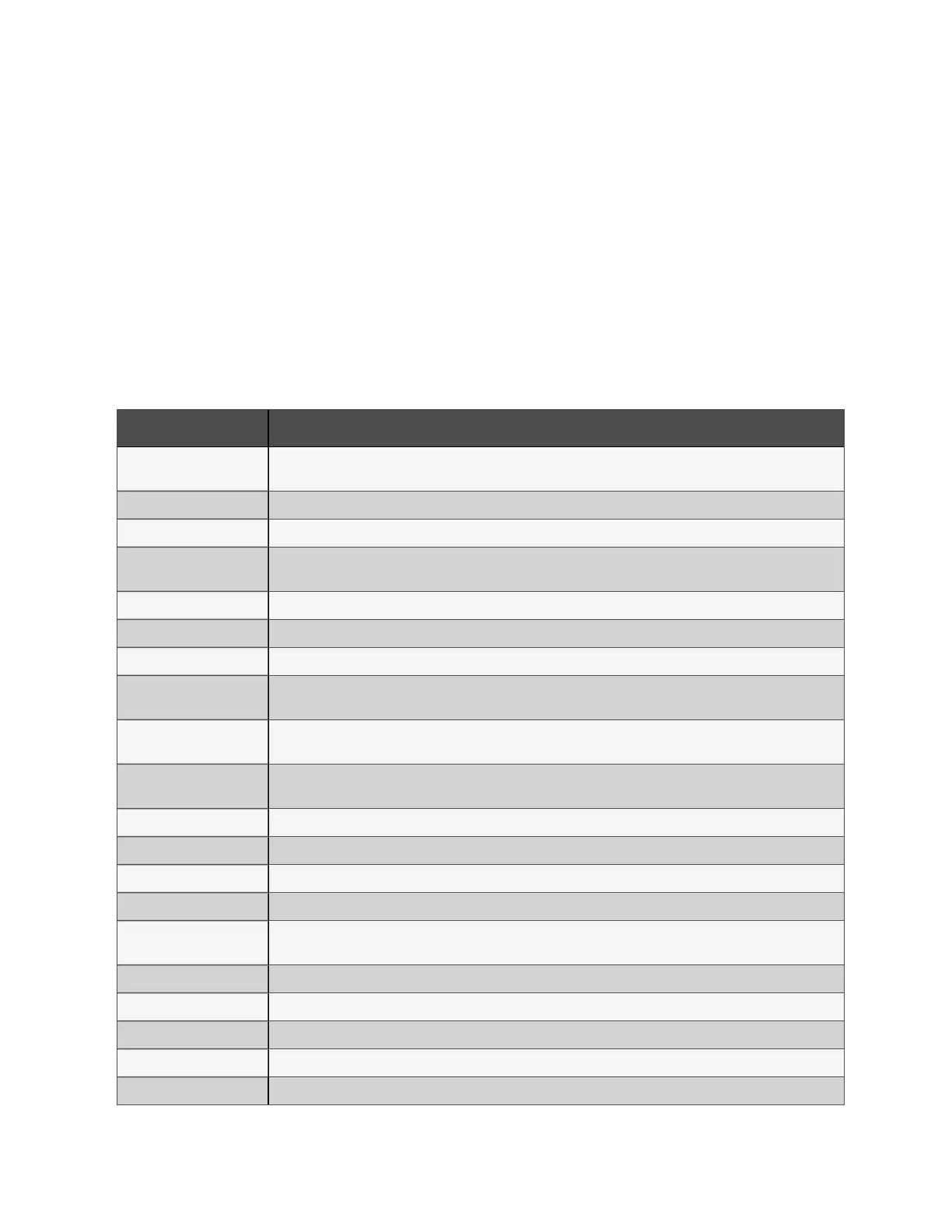
PROMPT MEANING
Cannot set this online,
please shut down output
Appears when changing important output settings (output voltage, output frequency.).
Please input password Appears when password protected operation is executed.
Password is correct Appears when the Settings password is input correctly.
Incorrect password,
please input again
Appears when the Settings password is input incorrectly.
Input new password Appears when the attempting to change the Setting password.
Confirm new password Appears when the attempting to change the Setting password.
Password changed OK Appears upon successful change of the Settings password.
Fail to change password,
please try again
Appears when attempting to change the Settings password but the new and confirmation passwords do
not match.
Operation failed,
condition is not met
Appears when attempting to execute a operation for which the required conditions are not met.
Turn on failed, condition
is not met
Appears when proper conditions are not met for UPS power-on. Applies when using the power button or
when execute the command of ‘Turn on/Turn off’ on the LCD panel ‘Control’ page.
Turn on UPS? Appears when execute the command of ‘Turn on’ on the LCD panel ‘Control’ page.
Turn off UPS? Appears when execute the command of ‘Turn off’ on the LCD panel ‘Control’ page.
Mute audible alarm? Appears when execute the command of ‘Mute audible alarm’ on the LCD panel ‘Control’ page.
Unmute audible alarm? Appears when execute the command of ‘Unmute audible alarm’ on the LCD panel ‘Control’ page.
Start battery manual
test?
Appears when execute the command of ‘Start battery manual test’ on the LCD panel ‘Control’ page.
Stop battery manual test? Appears when execute the command of ‘Stop battery manual test’ on the LCD panel ‘Control’ page.
Clear faults? Appears when execute the command of ‘Clear faults’ on the LCD panel ‘Control’ page.
Reset power statistics? Appears when execute the command of ‘Reset power statistics’ on the LCD panel ‘Control’ page.
New alarm present Appears when new alarm occurs.
New Fault present Appears when new fault occurs.
Table 4.3 Display Prompts and Meanings
4 Operations
35
Liebert® EDGE Installer/User Guide









 To Next Page