Chapter 3 Web Interface of RDU501
RDU501 Intelligent Monitoring Unit User Manual
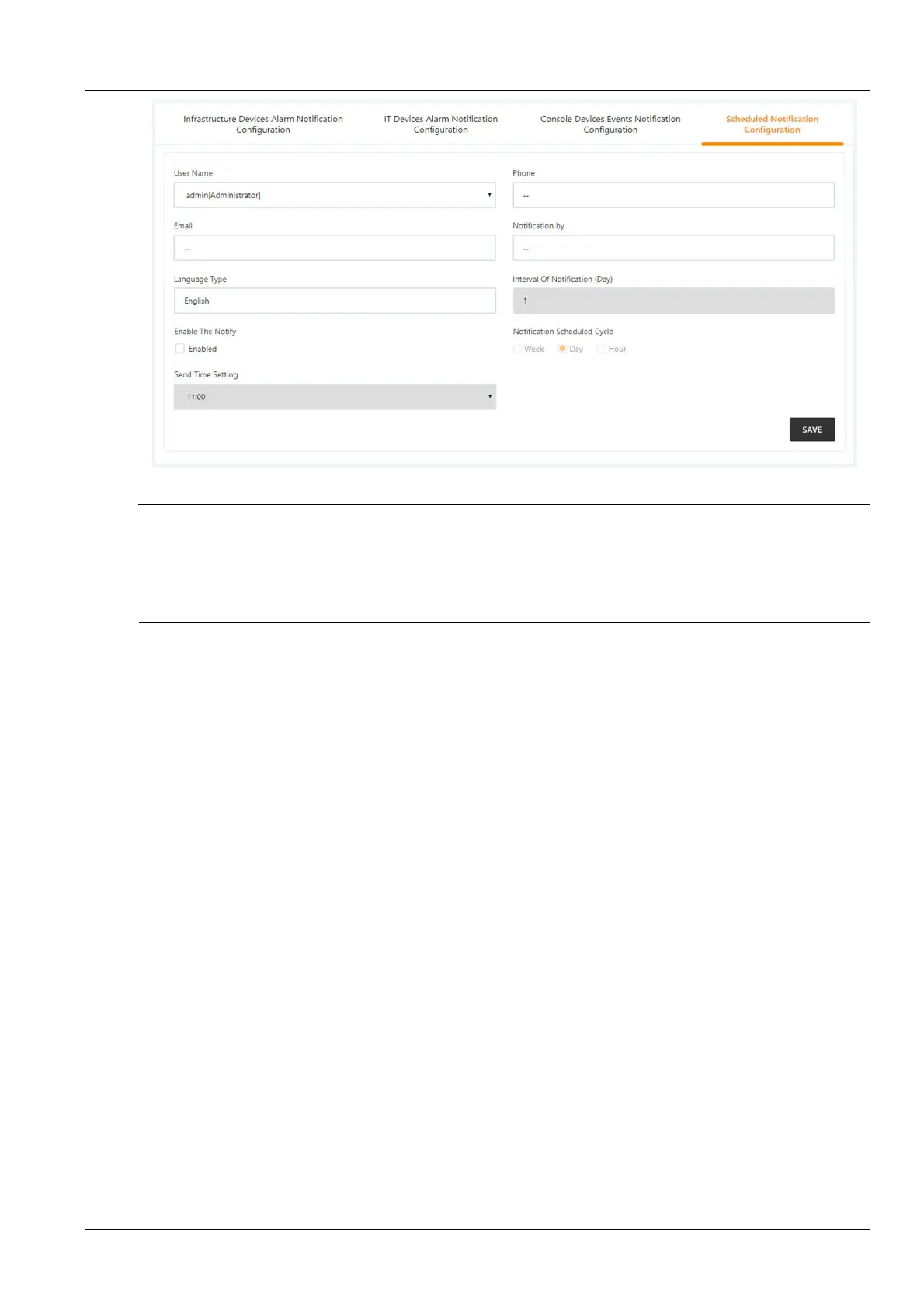
Figure 3-125 System status timed notification configuration
Note
1.
The system Status Timed Notification Configuration must be used in conjunction with the Power and Environment Device
Alarm Notification Setting. Otherwise, the User Name, Notification Mode, and Notification Language cannot be selected.
2.
For system status timed notification, the telephone notification method is not supported;
3.
The system status timed notification refers to sending the current running status of the entire system of the current RDU 501 to
the user, that is, normal or alarm status.
1)
Complete and save the settings of the sending user, notification mode, and notification language on the User
Alarm Notification Configuration page;
2)
Select whether to enable system status notification on the System Status Timed Notification Configuration
page;
3)
When Enable System Status Notification is enabled, set the sending period mode (default: day), sending interval
setting (default: 1 day) and sending time setting in the System Status Timed Notification Configuration page
(default: 11:00).
4)
Click the Save button to save the system status notification configuration.
Email SMS configuration
Click the Email SMS Configuration submenu under the Configuration Management menu to bring up the page
shown in Figure 3-126.



 To Next Page