Chapter 3 Web Interface of RDU501
RDU501 Intelligent Monitoring Unit User Manual
3)
Set the communication parameters of the short message MODEM;
4)
Click the Save button to save the current user's SMS module configuration.
RDU multimedia voice notification system settings
1)
Enter the server IP address at the Server IP address;
2)
Enter the port number in the Port number field, the default is 13393;
3)
Click the Save button to save the multimedia voice notification system configuration.
Mail server configuration
1)
Enter the server IP address or domain name in the Mail server field;
2)
Enter the port number, mail user name, email password and outbox address in the corresponding fields;
3)
Click the Save button to save the current user's mail server configuration.
Note
1.
The port number defaults to 25. When you select Enable SSL, the port number automatically changes to 465. When TLS is
enabled, the port number automatically changes to 587.
2.
When using SSL/TLS, make sure the mail server supports SSL/TLS function.
3.
The mail encoding format defaults to HTML format, and you can select plain text format.
Alarm email information configuration
1)
Enter the email address of the service center in the Contact information field;
2)
Enter the phone number of the service center in the Service phone field.
3)
Click the Save button to save the modified alarm email information configuration.
2. SMS balance inquiry
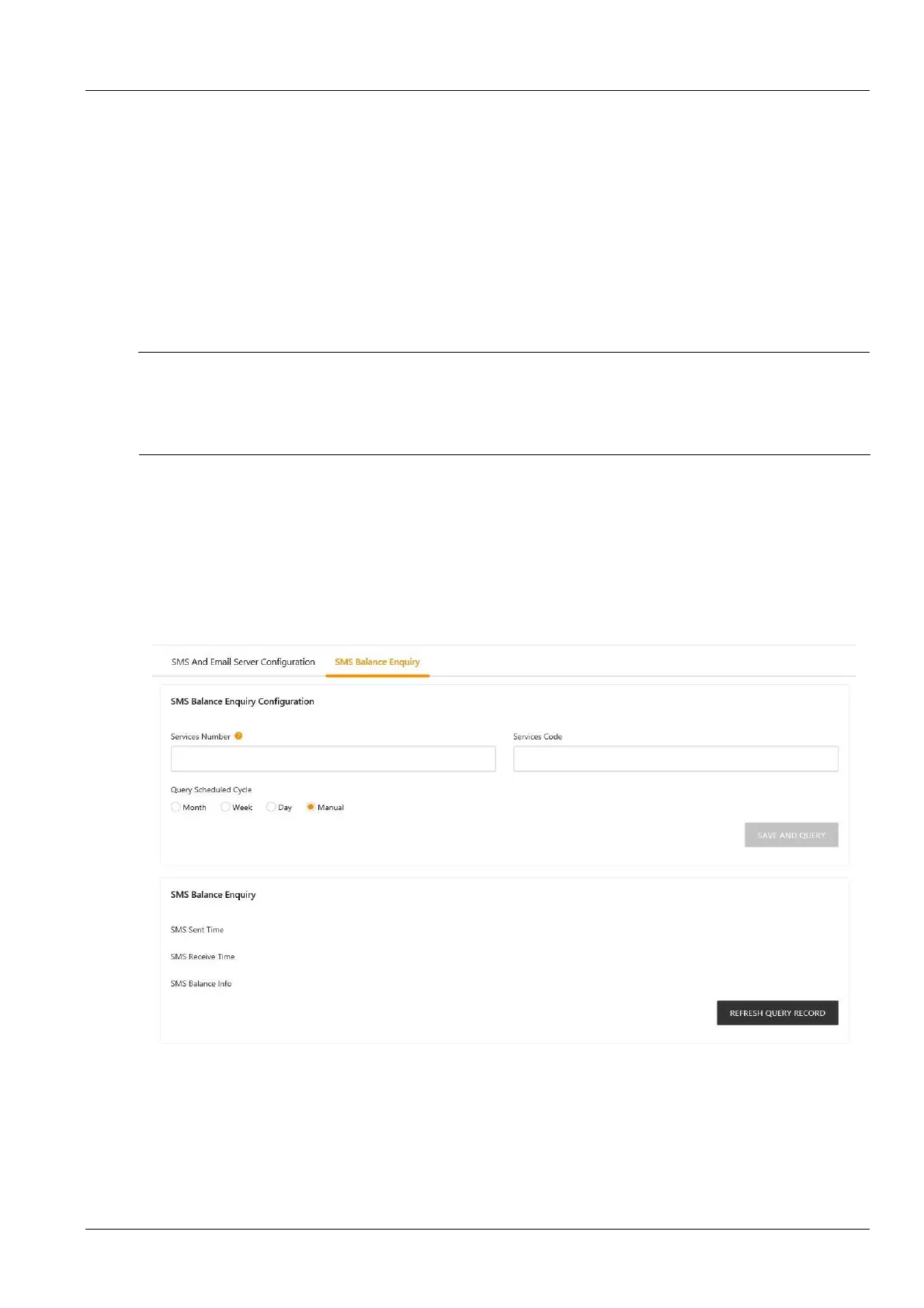
Click the Email SMS Configuration submenu under the Configuration Management menu, and then click the SMS
Balance Inquiry tab to pop up the page shown in Figure 3-127.
Figure 3-127 SMS balance inquiry
The SMS balance query provides periodic query and manual query. According to Figure 3-127, fill in the carrier
number, service code and query period. Click the Save and Query button to complete the configuration saving and
send the query SMS. The system receives the balance SMS sent by the carrier and saves it to the database and
forwards it to the admin user's mobile phone. You can view the balance SMS on the web page by manually clicking
the Refresh query record button.



 To Next Page